







- Home
- All modules
- Grow
- Publish to Shopify, Webflow and Wix
Grow
Publish to Shopify, Webflow and Wix Beta
Articles and local pages straight to your Shopify store, Webflow site or Wix blog
Approve SEOmise on your platform once. Then each article or local page goes to Shopify, Webflow or Wix with one click, as a draft or live, and SEOmise checks it on your site.
Illustration of the screen, without data.
Why it matters
From the problem to what SEOmise does
Copying and pasting every article
Writing in one place and publishing in another means copying the title, the text and the address by hand, and checking nothing was lost on the way. On a shop or a site builder it is the slowest part of the job.
Articles and local pages straight to your Shopify store, Webflow site or Wix blog
- Shopify. Articles become blog articles; local pages become online store pages. Drafts stay hidden until you publish them in Shopify.
- Webflow. Articles and pages become items of the CMS collection you choose. They are staged until you publish the site in Webflow, so your designer's work is never pushed live by surprise.
- Wix. Articles become posts on your Wix blog, with headings, lists, quotes and links kept. Wix has no way for apps to add pages, so local pages come with the steps to add them in the editor.
How it works
Four steps, start to finish
- Connect your platformSettings → Hosted publishing → Connect. You approve SEOmise on Shopify, Webflow or Wix itself; SEOmise never sees your password.
- Choose where items goA Shopify blog, a Webflow collection and the field that holds the text, or the Wix author posts are written by.
- Send an article or pageFrom the article or the local page: as a draft you publish on the platform, or live (owners and admins).
- SEOmise checks itOnce it is on your site, SEOmise opens the address and counts it as published when the title and opening text are there.
Features
What you get with Publish to Shopify, Webflow and Wix
Shopify
Articles become blog articles; local pages become online store pages. Drafts stay hidden until you publish them in Shopify.
Webflow
Articles and pages become items of the CMS collection you choose. They are staged until you publish the site in Webflow, so your designer's work is never pushed live by surprise.
Wix
Articles become posts on your Wix blog, with headings, lists, quotes and links kept. Wix has no way for apps to add pages, so local pages come with the steps to add them in the editor.
Sent once
Each article or page goes to each platform once, so a double click never makes a duplicate. If the platform stops answering mid-way, SEOmise asks you to check before it sends again.
Your approval, your access
The access the platform gives SEOmise is stored encrypted and never shown. Disconnect at any time and SEOmise forgets it at once.
Manual steps stay
Everything the platform cannot take (photos from your media library, designed sections on Wix) is listed with the steps to add it.
Before and after
What changes with Publish to Shopify, Webflow and Wix
Before: copying by hand. After: with hosted publishing. Drag the handle, or use the arrow keys, to compare.
Copying by hand
- Title, text and address pasted one by one
- Formatting lost on the way
- No way to tell if it went live
With hosted publishing
- One click from the article or page
- Headings, lists and links kept
- Checked on your live site
Illustration of the difference, not a measured result.
What it needs
No surprises after you sign up
Turn a card over for the detail.
A Shopify, Webflow or Wix site
A Shopify, Webflow or Wix site
And permission to add apps to it (the store or site owner).
Articles or the Local Page Factory
Articles or the Local Page Factory
Hosted publishing sends what you write in SEOmise.
Every platform
Whatever your site runs on
What Publish to Shopify, Webflow and Wix does on each kind of website, from SEOmise's site connectors to step-by-step guidance.
WordPress
WordPress and WooCommerceWordPress sites publish through the SEOmise connector plugin instead.
Laravel
Sites built on LaravelLaravel sites publish through the SEOmise Laravel connector instead.
Any PHP site
Custom PHP, CodeIgniter, Symfony, Drupal, JoomlaOther PHP sites get the article to copy, with the steps and a live check.
Every other platform
Shopify, Wix, Squarespace, Webflow, static sites and the restShopify, Webflow and Wix publish straight from SEOmise; every other platform gets the article or page to copy, with the steps and a live check.
Publish to Shopify, Webflow and Wix is in beta
It is not on sale yet, so there are no prices for it. Leave your name and e-mail address and we will tell you as soon as you can use it.
Questions about it?
Ask Mise, our assistant, in the help centre, or book a call and we will tell you where Publish to Shopify, Webflow and Wix stands and what you can use today.
Questions
Publish to Shopify, Webflow and Wix: common questions
Can SEOmise publish without me?
No. Nothing goes to your platform until someone presses Send and confirms they read it. Drafts stay unpublished on the platform; publishing live is for owners and admins.
What about my photos?
Photos already on your site are kept. Photos from your SEOmise media library are not sent yet: the article lists them so you can add them on the platform.
Does Webflow publish my whole site?
Not unless SEOmise switched it on and you choose "Publish now". By default items are staged and you publish them in Webflow when you are ready.
How do I disconnect?
Settings → Hosted publishing → Disconnect. SEOmise forgets its access at once; you can also remove the app on the platform. Items already sent stay on your site.
Can I use Publish to Shopify, Webflow and Wix now?
Publish to Shopify, Webflow and Wix is in beta: it is not on sale yet. Use Ask for early access and we will e-mail you as soon as it is ready for you. Other modules and the plans are on the pricing page.
Works well with
Related modules
-
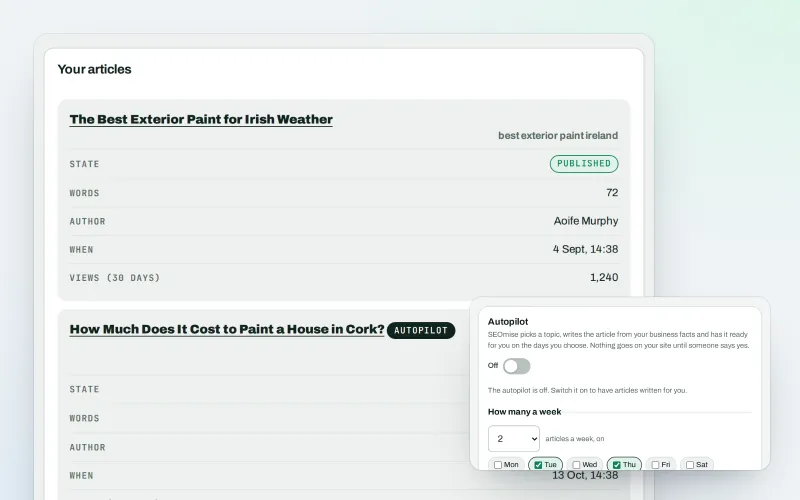
Articles
Blog articles written from your own business facts
Explore -
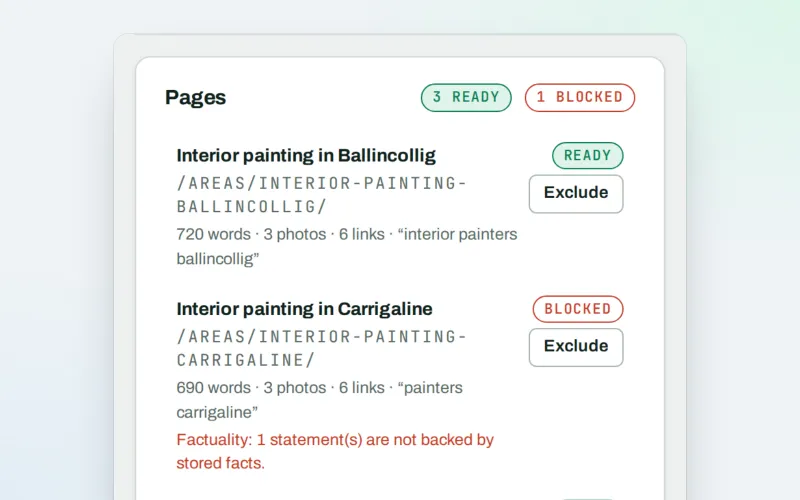
Page Factory
A page for each service in each town you cover, from real facts
Explore -
Free site audit (100 pages)
Check up to 100 pages of any site for free, without an account
Explore -
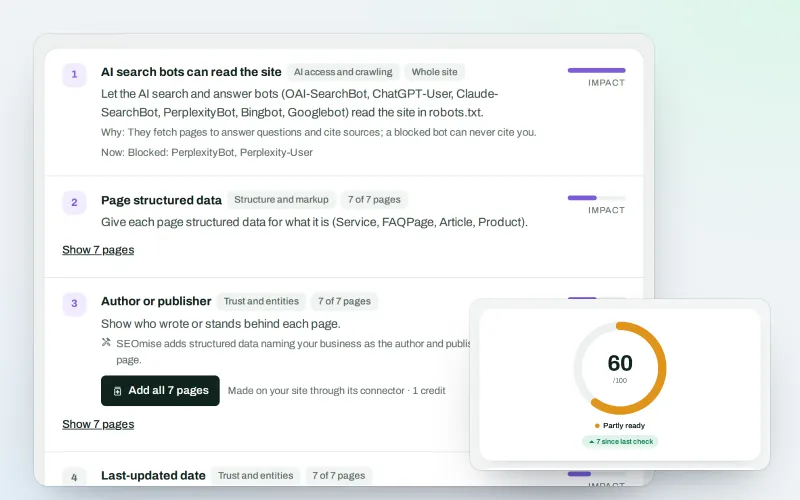
SEO Ai
Check whether AI assistants can read your site and quote it
Explore -
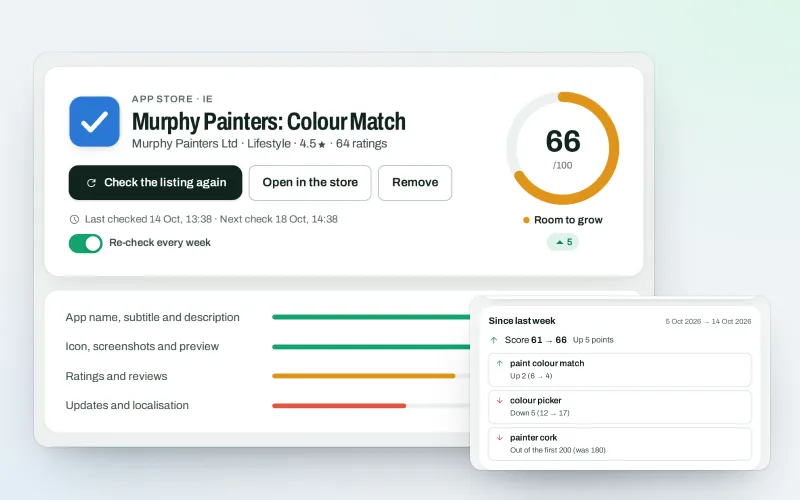
SEOApp
Get your app found in the App Store and Google Play
Explore -
Guided workspace
SEO one mission at a time, with "Do it for me" on every step
Explore -
Impact Intelligence Beta
One Command Centre for your figures, how fresh they are and what to improve next
Explore -
SEO tests and results
See what your changes did, and test a change on some pages first
Explore
Be among the first to try Publish to Shopify, Webflow and Wix
Publish to Shopify, Webflow and Wix is in beta. Ask for early access and we will e-mail you when it is ready for you; nothing is bought.
No ranking guarantees: just clear work, with the evidence.
