

- Home
- All modules
- Website health
- Website health check
Website health
Website health check
A technical SEO audit: see what is wrong with your website, and what to fix first
A technical SEO audit that reads your website the way a search engine does, grades it, and lists every problem with the pages it affects and how to fix it.

A screen from the SEOmise demo, with sample data.
Why it matters
From the problem to what SEOmise does
Problems you cannot see
Broken pages, missing titles and pages nothing links to rarely show when you browse your own site. Search engines and visitors still run into them. Without a full check, you do not know where to start.
A technical SEO audit: see what is wrong with your website, and what to fix first
- Real bots and fake ones. Crawlers and bots checks each visit's address against the list the bot's operator publishes (search engines, OpenAI and Perplexity), so a fake Googlebot or GPTBot is shown as fake, not counted.
- Issues grouped by problem. Each problem shows how many pages it affects, why it matters and how to fix it, with the addresses one click away. Pages that plugins and platforms make for themselves (a newsletter plugin's subscription page, a shop's cart) are labelled and not judged as content, and any issue, page or pattern of addresses can be hidden from every report, with a reason and Undo.
- See your site, and go back in time. See the magic offers two visuals. The Time machine plays full screen and shows your website's history as dated cards, layer by layer (pages, searches, backlinks, traffic, local, AI visibility and changes), with a timeline to scrub and what changed between any two dates in panels on top, from data already stored and history from before Day 0 (Search Console, the Wayback Machine). Visualize puts every page the scan found on one map that stays smooth on large sites: dig into it like a globe, moving pages aside and pulling pages out with the pages they link to, hide pages by depth or section, and watch visits, bots or your last scan move across it in live mode, from recorded data only. Run a tool and see the answer drawn on it: pages nothing links to with the pages that should, link strength, click depth, broken links and redirect chains, duplicate and thin pages, pages left out of search or the sitemap, sections cut off from the rest, traffic where Google data is connected, and the shortest path from the home page. Highlight hot, orphan or weakly linked pages in their own colours, read what each view says about your site, and open a page for an action plan with the tools that help. Filter, lasso pages, save and share a view, then fix the chosen pages the three ways. The tools cost no credits.
How it works
Four steps, start to finish
- We scan your siteSEOmise reads your public pages, your robots.txt and your sitemap, following links from the home page. It keeps to the rules in your robots.txt.
- Every page is checkedChecks in eight areas: errors and redirects, indexing, titles and headings, internal links, server speed, structured data, content and language. Your home page and most visited pages are pictured after each scan; any other page for a credit.
- You get a grade and a listA health score out of 100 and a grade from A to F. Problems are grouped, with every affected address and how to fix it.
- Fix it and follow progressFix problems through your site connector or by hand. Every later scan is compared with your first complete one, your Day 0.
Features
What you get with Website health check
Real bots and fake ones
Crawlers and bots checks each visit's address against the list the bot's operator publishes (search engines, OpenAI and Perplexity), so a fake Googlebot or GPTBot is shown as fake, not counted.
Issues grouped by problem
Each problem shows how many pages it affects, why it matters and how to fix it, with the addresses one click away. Pages that plugins and platforms make for themselves (a newsletter plugin's subscription page, a shop's cart) are labelled and not judged as content, and any issue, page or pattern of addresses can be hidden from every report, with a reason and Undo.
See your site, and go back in time
See the magic offers two visuals. The Time machine plays full screen and shows your website's history as dated cards, layer by layer (pages, searches, backlinks, traffic, local, AI visibility and changes), with a timeline to scrub and what changed between any two dates in panels on top, from data already stored and history from before Day 0 (Search Console, the Wayback Machine). Visualize puts every page the scan found on one map that stays smooth on large sites: dig into it like a globe, moving pages aside and pulling pages out with the pages they link to, hide pages by depth or section, and watch visits, bots or your last scan move across it in live mode, from recorded data only. Run a tool and see the answer drawn on it: pages nothing links to with the pages that should, link strength, click depth, broken links and redirect chains, duplicate and thin pages, pages left out of search or the sitemap, sections cut off from the rest, traffic where Google data is connected, and the shortest path from the home page. Highlight hot, orphan or weakly linked pages in their own colours, read what each view says about your site, and open a page for an action plan with the tools that help. Filter, lasso pages, save and share a view, then fix the chosen pages the three ways. The tools cost no credits.
Day 0 and every scan since
Your first complete scan is kept as the starting point, and its results reach the owner and managers by e-mail with the issues to start with. Later scans show what improved and what got worse, and any two scans can be compared. Tag, category, author and collection pages with nothing in them, and archives a spam attack left behind, are recognised on any platform and left out of the health score, with their own card to clean them up; when the score moves, "Why it changed" says why.
Compare with competitors
Add competitors to the project and scan them the same way to see where you fall short and where you lead. On See the magic, choose a competitor and its site is drawn beside yours or over it, in two layers you show, hide, fade and lock on their own, with the same filters for both and their pages, internal links, click depth and sections set against yours in plain words. Pop each site out into its own browser window to line three or four up across two or three monitors, all kept in step.
Automatic rescans
Scans can repeat daily, weekly or monthly, as your plan allows, so new problems show up early.
Fixes prepared for you
For titles, descriptions, structured data, alt text, sharing tags and internal links, SEOmise writes a suggestion per page for you to review. Alt text goes picture by picture, with a thumbnail of each, and the Images view lists every picture across pages to fix, mark decorative or ignore in bulk.
A link strategy for your site
Even without Search Console, SEOmise groups your pages into topics led by a hub page and proposes links for pages nothing links to, hubs far from the home page and related pages, on words already in your sentences. Do it yourself from the list, approve it cluster by cluster, or let SEOmise add it all with undo. Like how a competitor links its pages? Copy its linking pattern onto your site.
Three ways to fix
Every problem, issue and recommendation offers "I'll fix it myself" (the steps for your platform, free), "Help me do it" (drafts you approve one at a time) and "Do it for me" (approve it once; SEOmise sends it, checks the pages again and shows the problem gone, with undo, or our team does it where SEOmise cannot change your site). The same three buttons are on every tool.
Fix several at once
Put problems in the fix jar and fix them together with credits: through your connector where it can, otherwise ready for you to apply.
A report to share
A graded report with what to do first and every check, in a printable version. Where your plan includes it, AI can add a plain-language analysis of the figures.
Errors, warnings and notices
One bar with how often each level occurs, each issue with the addresses it affects, and your score against the recommended 90+ with its recent history.
Before and after
What changes with Website health check
Before: without a health check. After: with the health check. Drag the handle, or use the arrow keys, to compare.
Without a health check
- You hear about a broken page when a customer mentions it
- You do not know which problem matters most
- You cannot tell whether a change made things better
With the health check
- Broken pages and missing titles listed with their addresses
- A report that puts what to do first at the top
- Every scan compared with your Day 0
Illustration of the difference, not a measured result.
What it needs
No surprises after you sign up
Turn a card over for the detail.
A public website
A public website
The scan reads pages anyone can see. Nothing needs installing.
A site connector (optional)
A site connector (optional)
Only to publish fixes from SEOmise. Scans work without it.
Your plan
Your plan
How many pages each scan reads and how often rescans run depend on your plan.
Every platform
Whatever your site runs on
What Website health check does on each kind of website, from SEOmise's site connectors to step-by-step guidance.
WordPress
WordPress and WooCommerceScans work on any site. Approved fixes publish through the WordPress connector, are checked on the live page and can be undone.
Laravel
Sites built on LaravelApproved fixes publish through the Laravel connector: titles, descriptions, links, structured data, sharing tags and alt text for images from your app's media library. SEOmise says when yours needs updating for a fix.
Any PHP site
Custom PHP, CodeIgniter, Symfony, Drupal, JoomlaOnce paired, the PHP connector applies titles, descriptions, canonical and robots tags, structured data and sharing tags. Internal links and alt text are done by hand.
Every other platform
Shopify, Wix, Squarespace, Webflow, static sites and the restSteps for your platform and the new values to copy. Press Mark as done and SEOmise checks the live page; anything it does not see yet is checked again 15 minutes later and after the next scan, with one reminder after three days.
Where Website health check is included
Included in these plans. Limits, such as pages per scan or credits a month, are on the pricing page.
See pricingNot sure it fits?
Ask Mise, our assistant, in the help centre, or book a call and we will show you Website health check on a site like yours.
Questions
Website health check: common questions
Can SEOmise rewrite my page titles for me?
Yes. "Do it for me" writes a new title (or description, main heading or alt text) for each page, shows you the old and new side by side, and sends only what you approve. AI suggestions cost one credit a page, shown before anything is written. Afterwards SEOmise reads the pages again and shows how many still need work, and Undo puts everything back.
Do I get screenshots of my pages?
Yes. After each scan SEOmise pictures your home page and the pages most people visit, included with the scan. Any other page can be pictured for a credit on the Pages screen; you see "up to N credits" first and pay only for pictures that arrive. The pictures come from Google's own browser, on a phone and a computer.
Do I need to install anything?
No. The scan reads your public pages, robots.txt and sitemap from outside, like a search engine. You only need a site connector if you want SEOmise to publish fixes for you.
How many pages does a scan read?
As many as your plan allows per scan. If a scan reaches that limit or is stopped, SEOmise says so, because the list of problems may then be incomplete.
What can I do on the site map ("See the magic")?
Choose a tool and press Run: the map changes to show the answer and the pages it found are listed beside it, the most important first. Choose pages in the list, by Shift and click, or by drawing a loop round them, then fix them yourself with the steps for your platform, step by step with help, or let SEOmise do it after you approve the price. Nothing is published without your approval. The tools are free: they use data SEOmise already has.
Can I see my website as a map, and how visitors move through it?
Yes. Scan → Site map draws your site in the style you choose from one list: a tree, a radial map, page thumbnails, a skyline, a city of sections, wireframe cards with the parts of each page, a mind map, a spider, an icon org chart, a sunburst, a treemap, a metro map of visitor journeys or a constellation. Side tools pick out new pages, busy pages, the pages most visits start on and the pages where they leave, from your own data; anything that needs a source you have not connected says so. With Live view on your site, the customer walk map shows where visitors go and where they drop out, and live mode plays the visitors on your site now across the map. Any map can be saved as a PDF.
What is Day 0?
Your first complete scan. SEOmise keeps it as the starting point and compares later scans with it, so you can see what has improved since you began.
Does the score measure my Google rankings?
No. It grades what the scan can see on your pages: errors, indexing, titles, links, structured data, language and how fast each page's HTML downloads. It does not measure rankings, backlinks or full page loading in a browser.
How does the scan treat my server?
Gently. It fetches at most five pages at a time, fewer when your server answers slowly, follows your robots.txt rules and waits between pages if your robots.txt asks it to (up to 10 seconds).
Can SEOmise fix the problems for me?
Many of them. For titles, descriptions, structured data, alt text, sharing tags and internal links it prepares the change for you to review. With a site connector it publishes after approval and can undo it. Without one, you make the change yourself with steps for your platform, press Mark as done and SEOmise checks the live page. Other problems come with clear steps, and the next scan shows whether they are fixed.
Which plans include Website health check?
Website health check is included in the Free, Personal, Business and Agency plans. Prices and limits are on the pricing page.
Works well with
Related modules
-
Content SEO checks
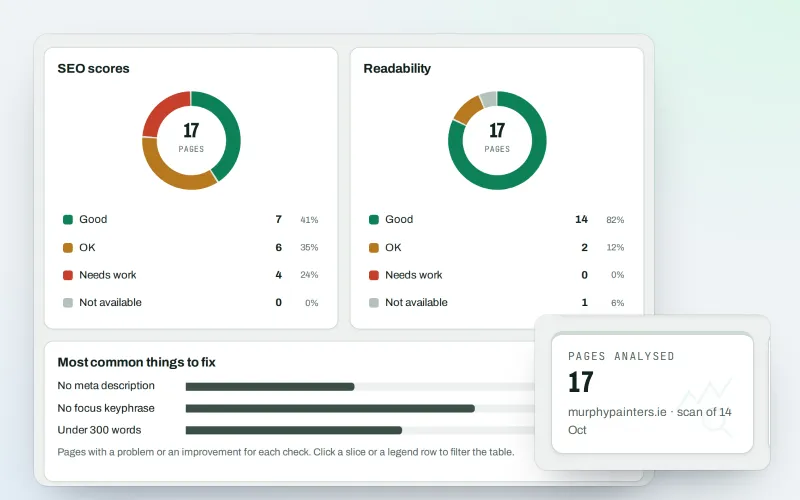
A content SEO checker for your titles, keyphrases and readability
Explore -
Approve and publish
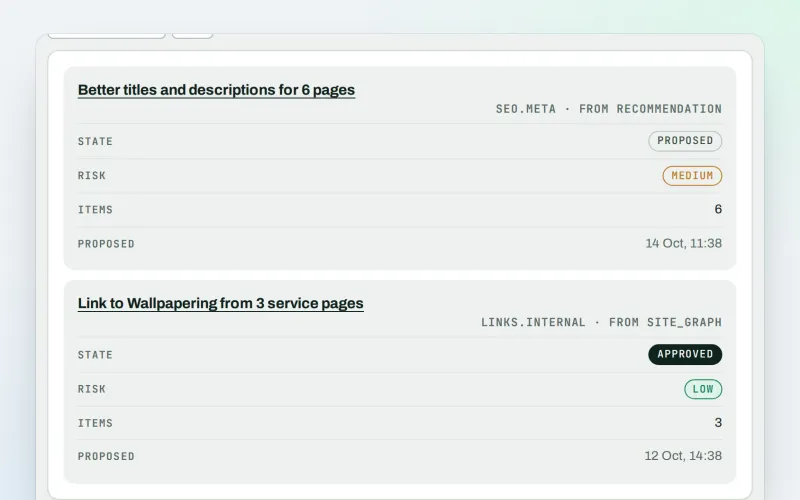
Approve a fix once, and publish SEO changes that are checked and can be undone
Explore -
Speed fixes Beta
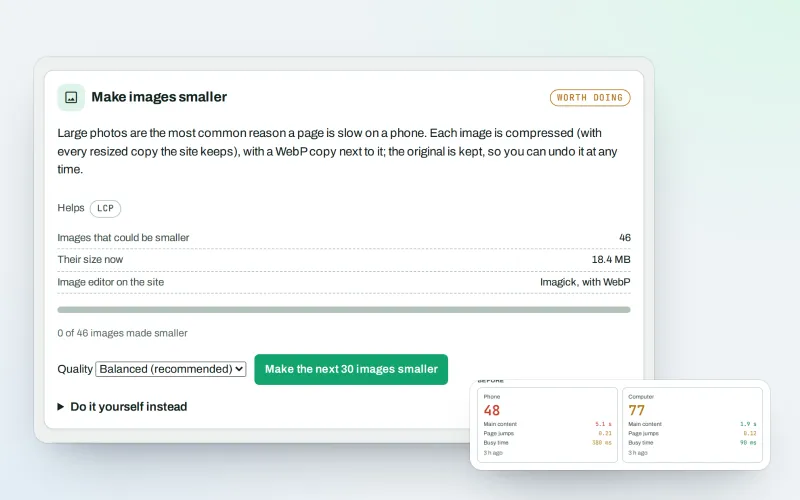
Website speed optimisation: find what slows your site down and fix it, safely
Explore -
Broken links & 404 fixer Beta
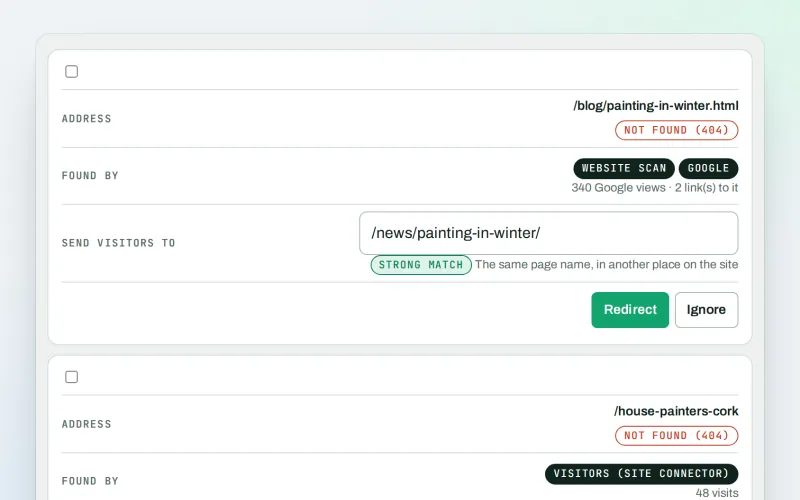
A 404 checker that sends visitors from missing pages to the right live page
Explore -
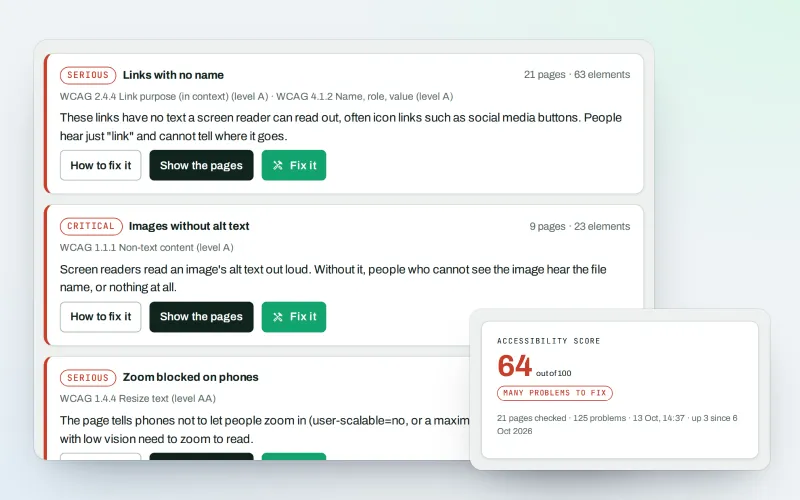
Accessibility check & fix Beta
A website accessibility checker that finds common problems and fixes them
Explore -
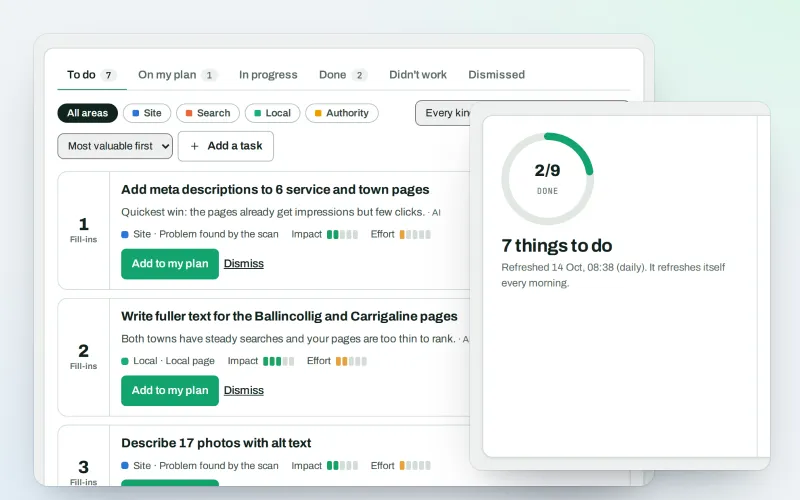
AI Plan
Your SEO action plan: the biggest difference for the least work first
Explore -
Apps & plugins
The connector for your site's platform and SEOmise on your browser, computer and phone
Explore -
First wins in minutes
Your first SEO fix ready to approve and an article draft within minutes of connecting
Explore
Try Website health check on your own site
Add your site; your first scan becomes your Day 0 baseline. Nothing is bought or published without your approval.
No ranking guarantees: just clear work, with the evidence.
