

- Home
- All modules
- Search & content
- Articles
Search & content
Articles
An AI blog writer that works from your own business facts
An AI blog writer for what you really offer: articles written from your business facts, linked to your pages, with your photos, checked before anything goes live.

A screen from the SEOmise demo, with sample data.
Why it matters
From the problem to what SEOmise does
No time to write, and AI makes things up
Regular, useful articles help people find you, but writing them takes time. General AI tools can invent prices, figures and promises that are not true of your business.
An AI blog writer that works from your own business facts
- Your facts only. Every figure, name, phone number, web address and price is checked against your business facts. Anything they do not support is listed before you post.
- Links to your own pages. The first mention of a service, a place or another page becomes a link to the real page on your site, up to eight per article.
- Real photos. A featured photo and photos in the text, from your site's media library or your SEOmise media library, including image packs you bought.
How it works
Five steps, start to finish
- Pick a topicChoose an idea from your services, the places you work and the searches you follow, or write your own title or question.
- Write it with AI, or yourselfThe AI writes from your business facts only. SEOmise links words that name your pages to those pages.
- Check and previewAnything your facts do not support is listed for you to check. Preview the article on desktop and mobile.
- Post itSend it to your site as a draft, publish it now or at a set time. Without a connector, publish it yourself and tell SEOmise where: it checks the article is live.
- See who reads itViews, reading time, how far people scroll and the links they follow.
Features
What you get with Articles
Your facts only
Every figure, name, phone number, web address and price is checked against your business facts. Anything they do not support is listed before you post.
Links to your own pages
The first mention of a service, a place or another page becomes a link to the real page on your site, up to eight per article.
Real photos
A featured photo and photos in the text, from your site's media library or your SEOmise media library, including image packs you bought.
Draft, now or later
Send it as a draft, publish it at once, or pick a time and your website publishes it then by itself.
Autopilot
Choose how many articles a week and on which days. SEOmise picks the topic, writes it and waits for your approval.
Ready for search results
An SEO title, a meta description (the text under the title on Google), an excerpt and structured data that marks it as a blog post.
Preview in your site's look
See it on desktop and mobile, in your site's colours and fonts when the connector has read them.
Reader figures
Views, readers, average time, scroll depth, link clicks and the page each reader opened next.
Roll back
Took something live by mistake? Roll back an article SEOmise posted and it comes off your site again.
Publish it yourself
On any platform: copy each part, or download a web page, Markdown, or a zip with the photos. Then enter the address it went live at.
What it needs
No surprises after you sign up
Turn a card over for the detail.
Your business facts
Your business facts
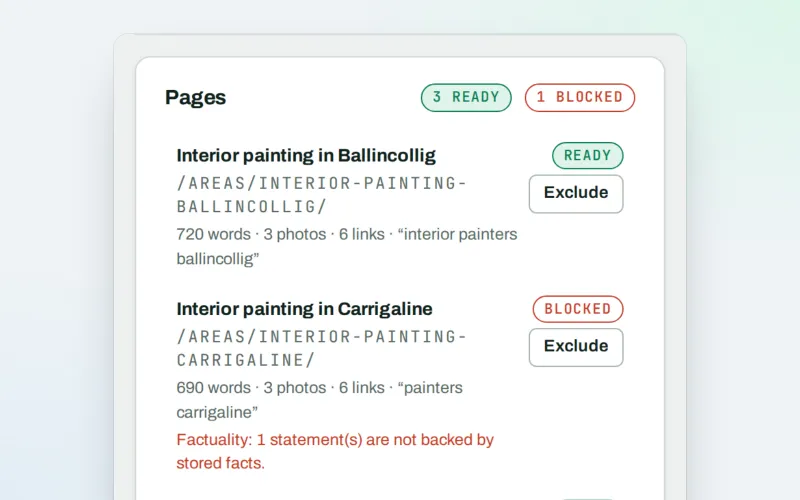
Taken from your Google Business Profile and the services, areas and facts you enter in the Page Factory. Anything an article says about your business must come from these.
AI credits
AI credits
Writing an article with AI uses credits from your workspace. You can always write the text yourself.
The site connector
The site connector
To post articles to your site for you. Without it you write, check and preview them here, then publish them yourself.
An owner or admin
An owner or admin
Sending an article to the site, even as a draft, needs a role that can approve and publish changes.
Live view
Live view
For reader figures. Live view counts visits on the article's address once it is on your site.
Every platform
Whatever your site runs on
What Articles does on each kind of website, from SEOmise's site connectors to step-by-step guidance.
WordPress
WordPress and WooCommercePosts as a draft, at once or at a set time, under the author you pick, with photos and roll back.
Laravel
Sites built on LaravelPosts as a draft, at once or at a set time once the site's developer connects the blog to the Laravel connector (0.9.0). Choosing the author from SEOmise is not available yet. Until then, publish it yourself as on other sites.
Any PHP site
Custom PHP, CodeIgniter, Symfony, Drupal, JoomlaCopy each part or download the article (web page, Markdown, or a zip with the photos), publish it on your site, then enter its address. SEOmise checks it is live.
Every other platform
Shopify, Wix, Squarespace, Webflow, static sites and the restCopy each part or download the article (web page, Markdown, or a zip with the photos), publish it in your website's editor, then enter its address. SEOmise checks it is live.
Where Articles is included
Included in these plans. Limits, such as pages per scan or credits a month, are on the pricing page.
See pricingNot sure it fits?
Ask Mise, our assistant, in the help centre, or book a call and we will show you Articles on a site like yours.
Questions
Articles: common questions
Will the AI make things up about my business?
It is told to use only your business facts, and SEOmise then checks every figure, name, phone number, web address and price against them. Anything your facts do not mention is listed under "Check these before posting", and you confirm the article is true before it goes out.
Where do topic ideas come from?
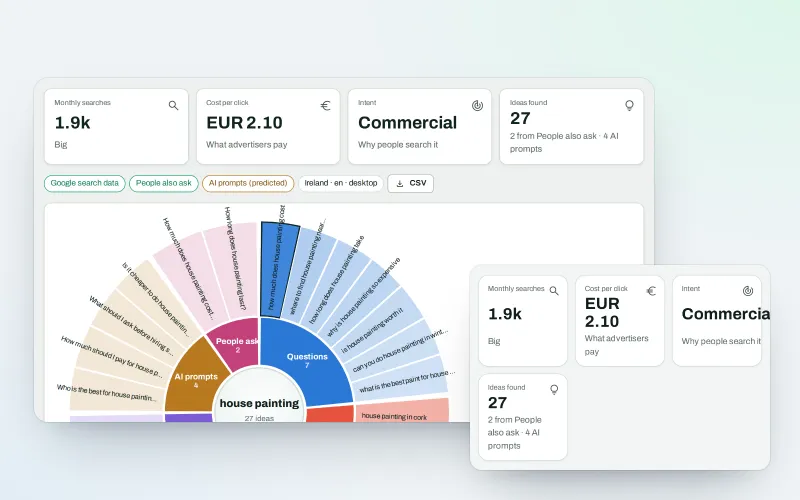
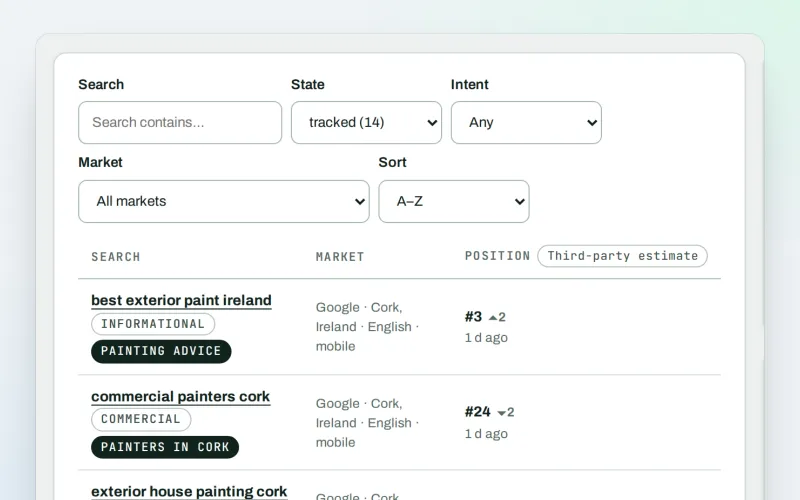
From your services on their own, your services in the places you work, and the searches you follow in Keywords and rankings. The autopilot can also use ideas you saved in WonderWheel and searches no page of your site answers yet.
Can articles go live without anyone reading them?
Only if an owner or admin chooses that for the autopilot. By default each article waits for approval. Even when automatic publishing is on, an article is published only when the fact check found nothing to question; otherwise it waits for you.
My site is not on WordPress. Can I still use it?
Yes. Laravel sites can post once their developer connects the blog to the Laravel connector. On any other site, copy the article or download it as a web page, Markdown or a zip with the photos, and publish it in your website's editor. Then enter the address it went live at and press "I published it": SEOmise opens the page and checks the title and opening text are there. If it does not see them yet, it looks again 15 minutes later.
Why do I see no reader figures?
Reader figures need Live view on the site and the article's address: SEOmise knows it when it posted the article, or when you published it yourself and SEOmise saw it at the address you gave. They show once people start reading it.
What does an article cost?
Writing an article with AI uses credits from your workspace. How many credits you have depends on your plan, and you can buy more under Billing.
Which plans include Articles?
Articles is included in the Personal, Business and Agency plans. Prices and limits are on the pricing page.
Guides
Articles: how-to guides
Works well with
Related modules
-
WonderWheel
A content ideas generator: spin a word and see everything people wonder about it
Explore -
Keywords and rankings
A rank tracker: see where you show up on Google, and which searches to go after
Explore -
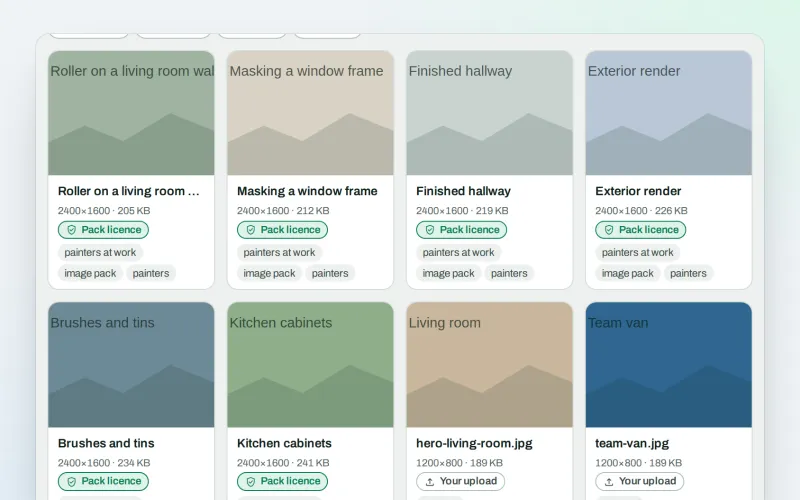
Image packs Beta
Stock photos for websites: ready-made photo sets for your pages and articles
Explore -
Page Factory
A local page generator: a page for each service in each town you cover
Explore -
Approve and publish
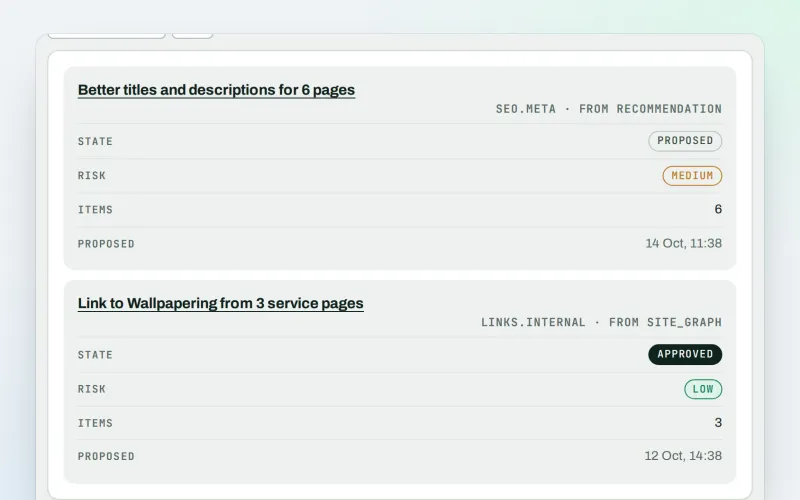
Approve a fix once, and publish SEO changes that are checked and can be undone
Explore -
Live view
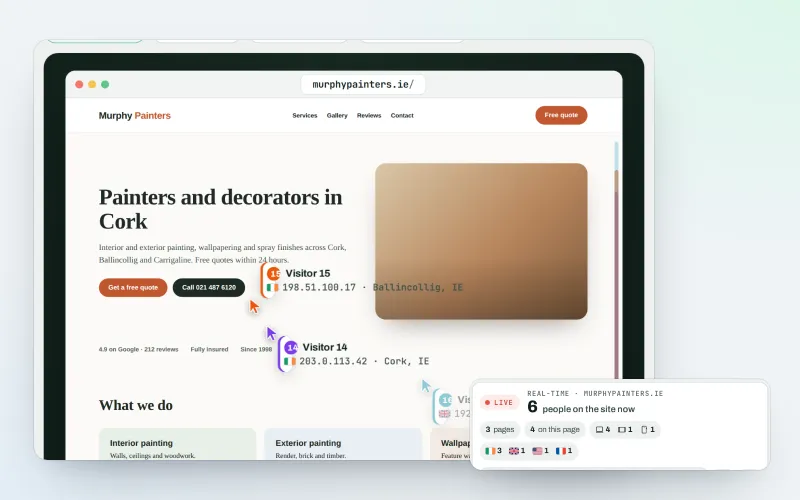
See real-time website visitors, right now, and where they click
Explore -
Content calendar Beta
An SEO content calendar planned from your own searches
Explore -
Domain Explorer Beta
A domain analysis tool: any website's search and link figures, each with its source
Explore
Try Articles on your own site
Add your site; your first scan becomes your Day 0 baseline. Nothing is bought or published without your approval.
No ranking guarantees: just clear work, with the evidence.
