

- Home
- All modules
- Tools
- Ask about your data
Tools
Ask about your data Beta
Ask about your SEO data in plain words, get the answer with the working
Ask your SEO data a question in your own words: rankings, visitors from Google, searches, backlinks, scans or AI visibility. Get a summary, a table, a chart and how it was worked out.
Illustration of the screen, without data.
Why it matters
From the problem to what SEOmise does
The answer is in there somewhere
Which searches dropped last month? Which pages lost clicks? The data is in SEOmise, but finding it means knowing which screen, which filter and which date range to pick.
Ask about your SEO data in plain words, get the answer with the working
- Rankings. Searches that dropped or climbed, near the top, or with demand where you are not near the top.
- Visitors from Google. Pages that lost clicks and what people searched to find you.
- Backlinks. New and lost websites linking to you.
How it works
Four steps, start to finish
- Type your questionFor example "Which searches dropped more than five places in the last month?"
- SEOmise picks a ready-made reportThe AI chooses the report that fits and fills in its numbers. It never writes its own query.
- Read the answerA short summary, a table, a chart and "How this was worked out".
- Or choose the report yourselfPick a report and set the numbers when no report fits your words.
Features
What you get with Ask about your data
Rankings
Searches that dropped or climbed, near the top, or with demand where you are not near the top.
Visitors from Google
Pages that lost clicks and what people searched to find you.
Backlinks
New and lost websites linking to you.
Scans and AI visibility
Pages with errors in the latest scan, and AI questions where you are not named.
Only your own data
Each report reads only this project's stored data, and only if you may see the project.
Before and after
What changes with Ask about your data
Before: hunting through screens. After: with Ask about your data. Drag the handle, or use the arrow keys, to compare.
Hunting through screens
- Knowing which screen and filter to use
- Exporting to a spreadsheet to compare
- No record of how a figure was found
With Ask about your data
- A question in your own words
- A table and a chart in reply
- How it was worked out, every time
Illustration of the difference, not a measured result.
What it needs
No surprises after you sign up
Turn a card over for the detail.
Data in the project
Data in the project
Rank checks, Google data, backlink checks, scans or AI visibility checks to ask about.
Ask about your data is in beta
It is not on sale yet, so there are no prices for it. Leave your name and e-mail address and we will tell you as soon as you can use it.
Questions about it?
Ask Mise, our assistant, in the help centre, or book a call and we will tell you where Ask about your data stands and what you can use today.
Questions
Ask about your data: common questions
Can the AI see other workspaces' data?
No. The AI only picks a ready-made report and its numbers; the report reads this project's stored data, and only for people who may open the project.
Who may ask?
Anyone who can open the project, because an answer only shows data they can already see. SEOmise can limit asking to roles that may use AI; others then see the questions already asked.
What if no report fits?
It says so, and you can choose a report yourself and set its numbers.
Can I use Ask about your data now?
Ask about your data is in beta: it is not on sale yet. Use Ask for early access and we will e-mail you as soon as it is ready for you. Other modules and the plans are on the pricing page.
Works well with
Related modules
-
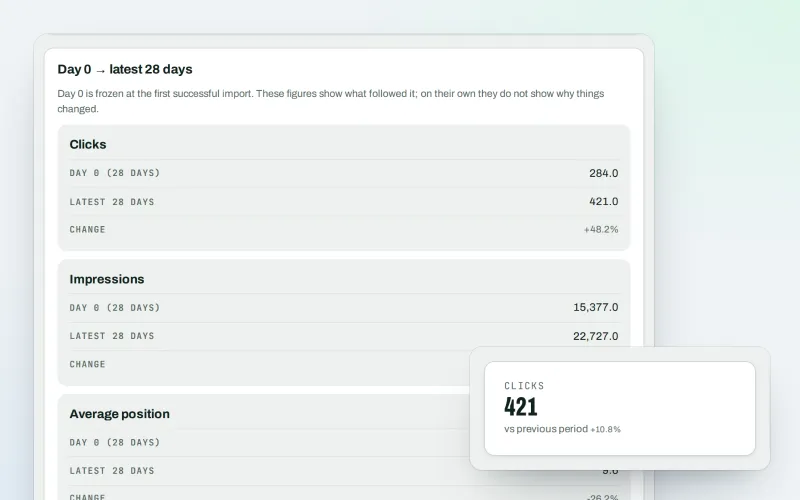
Google data
A Search Console dashboard with your Analytics figures, imported every day
Explore -
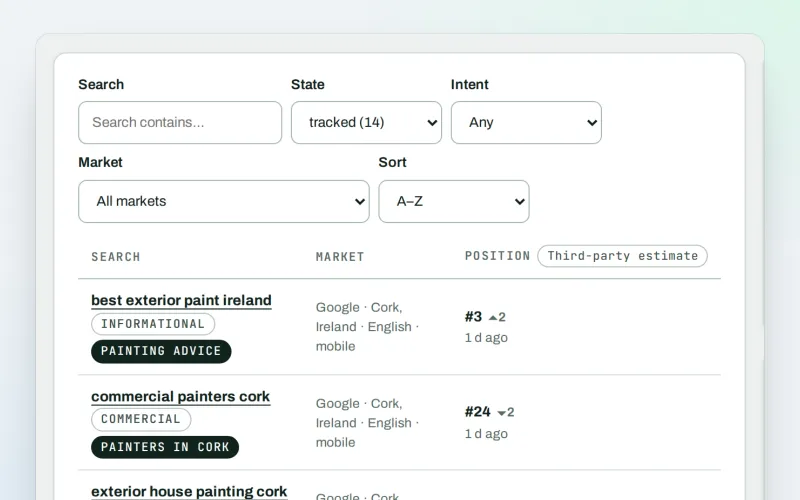
Keywords and rankings
A rank tracker: see where you show up on Google, and which searches to go after
Explore -
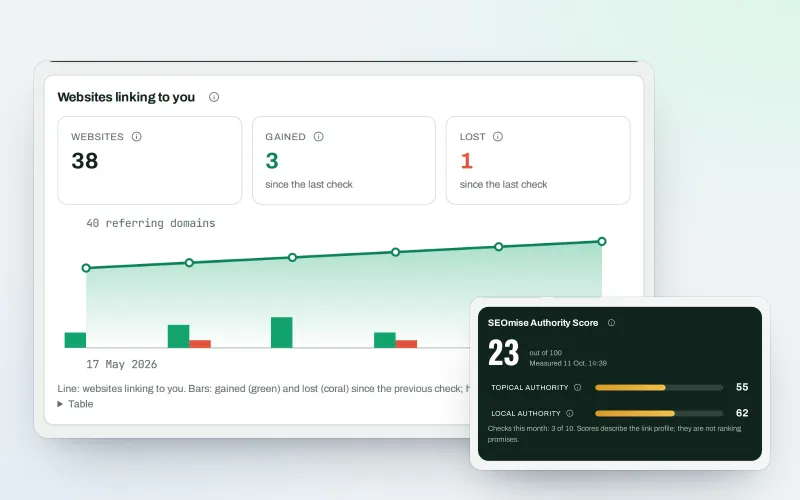
Backlinks
A backlink checker: who links to you, what it is worth and what needs a closer look
Explore -
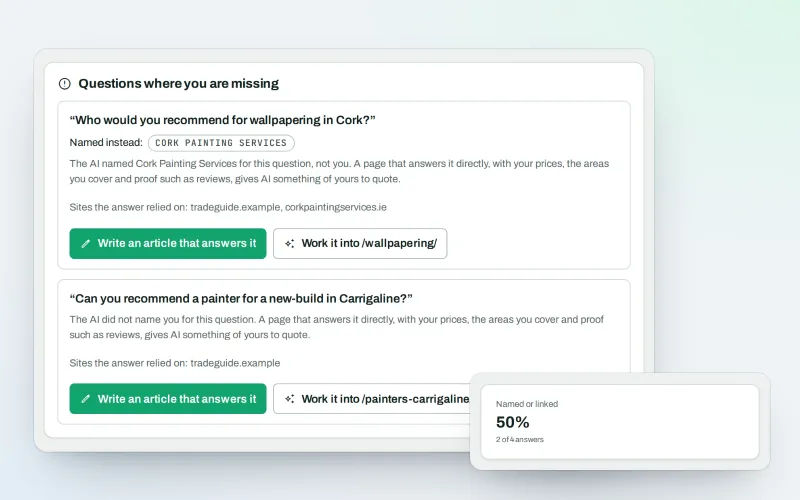
AI visibility tracker
See whether AI assistants name your business when customers ask
Explore -
SEO Toolbox Beta
Every tool on its own: by the month, by the year or as a pass
Explore -
AI content check & rewrite
An AI content detector for your pages, and a rewrite in your own voice
Explore -
Authority Builder Beta
Increase your domain authority by earning links, with an ordered plan
Explore -
Content briefs Beta
An SEO content brief from what the pages Google shows first cover
Explore
Be among the first to try Ask about your data
Ask about your data is in beta. Ask for early access and we will e-mail you when it is ready for you; nothing is bought.
No ranking guarantees: just clear work, with the evidence.
