

- Home
- All modules
- Visitors & reports
- Google data
Visitors & reports
Google data
A Search Console dashboard with your Analytics figures, imported every day
Connect Google once for a Search Console dashboard: your Search Console, Google Analytics and page speed figures imported every day, with their history compared with Day 0.

A screen from the SEOmise demo, with sample data.
Why it matters
From the problem to what SEOmise does
Your figures are in too many places
Search Console, Google Analytics and PageSpeed each show part of the picture, each in its own place. It is hard to see how your site is doing overall, or what happened after you made a change.
A Search Console dashboard with your Analytics figures, imported every day
- One row per service, three ways to connect. Each Google service of a project has one row: use the primary account (choose the property from a drop-down), connect another Google account, or send the client an invite link they open, sign in and share from. Each connection shows whose account it uses, with Reconnect, Revoke and Delete; imported figures are kept unless you choose to delete them.
- The Google connector page for your customer. Send the customer an e-mail with plain steps. On their private page they sign in on Google's own page, the connector finds their properties and locations, ticks the ones for your website, and they press Share. You see "Connected by …" at once. No password is ever asked for; they can also add your account as a user or Manager instead.
- The Google tag put on your site for you. Once Google Analytics is connected, the measurement ID is read from your property's web stream and your home page is checked for a tag first, so a second one never goes on unasked. With a site connector on WordPress, Laravel or PHP, "Install the Google tag" is a change you approve, logged and undone like every other; it can load with Google's consent mode defaults set to "denied". On Shopify, Wix, Squarespace and the rest you get Google's exact snippet and the steps for your platform. Afterwards the home page is read again: "Tag found on the site", or the reason.
How it works
Four steps, start to finish
- Sign in with GoogleChoose what SEOmise may read: Search Console and Google Analytics, read only. Google asks you to agree to each one.
- Pick your propertiesChoose the Search Console property and the Google Analytics 4 property that belong to each project.
- Imported every dayThe last 90 days are filled in first, a few days at a time. After that, each new day is imported, and the most recent days are imported again while Google still updates them.
- Used across SEOmiseYour AI plan, growth since Day 0, client reports and the monthly owner digest all work from the same figures.
Features
What you get with Google data
One row per service, three ways to connect
Each Google service of a project has one row: use the primary account (choose the property from a drop-down), connect another Google account, or send the client an invite link they open, sign in and share from. Each connection shows whose account it uses, with Reconnect, Revoke and Delete; imported figures are kept unless you choose to delete them.
The Google connector page for your customer
Send the customer an e-mail with plain steps. On their private page they sign in on Google's own page, the connector finds their properties and locations, ticks the ones for your website, and they press Share. You see "Connected by …" at once. No password is ever asked for; they can also add your account as a user or Manager instead.
The Google tag put on your site for you
Once Google Analytics is connected, the measurement ID is read from your property's web stream and your home page is checked for a tag first, so a second one never goes on unasked. With a site connector on WordPress, Laravel or PHP, "Install the Google tag" is a change you approve, logged and undone like every other; it can load with Google's consent mode defaults set to "denied". On Shopify, Wix, Squarespace and the rest you get Google's exact snippet and the steps for your platform. Afterwards the home page is read again: "Tag found on the site", or the reason.
Filter by pattern, with ready-made patterns
Search Console's custom (regex) filter on the pages and search terms tables: Matches or Doesn't match, Ignore case, checked as you type with Search Console's own rules. Start from a ready-made pattern built for your project (questions, brand only, without your brand, long searches, buying intent, local searches with your towns, one folder, blog posts, pages with a ?), each with what it shows and what to do next, and save your own for yourself or your team. The link keeps the pattern, so you can share the view.
Quick wins from Search Console
Searches on the first two pages seen often but rarely clicked, searches close to the top and pages losing clicks, each with the next step and the tool that does it. From your own data, nothing paid for.
Speed alerts
A key page slower than its own usual speed on two tests in a row is reported once, by bell and e-mail, with what changed where SEOmise can tell. No extra tests are run.
Any period, every figure
Search Console clicks, impressions, click rate and position, Google Analytics sessions, engaged sessions and key events, and the calls, website clicks, direction requests and profile views on Google Search and Maps from Google's Business Profile performance report. Pick the last 7, 28 or 90 days, a month, a year or exact dates, and compare with the period before, a year earlier or Day 0. Every figure, chart and table follows, and the link keeps your choice.
Every figure opens its data
Every figure, slice, bar and row opens the rows behind it, to sort, search and export as CSV, with the source and dates. Devices split by type, operating system, browser and screen; countries show with their flag, and each opens its own page with its cities, the pages its visitors read, their searches and how they moved through the site. Where Google does not split figures that way, the screen says so instead of guessing.
Day 0, today and what you published
Day 0 is fixed at the first import. You see the latest 28 days against it, so progress is measured from where you started. Articles, Business Profile posts, new pages and changes published appear in a timeline and as marks on the trend, so you can see what followed them.
Index status, and visits on your site map
Google's own view of a page: indexed or not, the main address it chose and when it last visited. Check any page, and a small sample is checked every day. Real page views from your site connector and Search Console figures also appear on the site map, so problems on busy pages stand out.
Page speed, in the lab and for real visitors
Lab tests of your busiest pages on phone and computer every week, and again when a page changes, within your plan's monthly allowance. Unchanged pages are not tested twice. How fast your site is for real Chrome visitors, for the whole site and your top pages, with a weekly history, once Chrome has enough visits to report.
Paid searches that convert (optional)
Where Google Ads is offered, the search terms that bring customers. They are kept apart from search figures and used only as evidence of demand.
What it needs
No surprises after you sign up
Turn a card over for the detail.
A Google account
A Google account
One that can see your Search Console property, your Google Analytics 4 property, or both.
Permission to manage data
Permission to manage data
Connecting Google is for people who manage data in your SEOmise workspace. Everyone else on the project can read the figures.
Nothing on your website
Nothing on your website
Google data needs no connector. Only the visit counts on the site map come from a site connector.
Every platform
Whatever your site runs on
What Google data does on each kind of website, from SEOmise's site connectors to step-by-step guidance.
WordPress
WordPress and WooCommerceWorks the same on every site: the figures come from your Google account. The WordPress connector can add page views to the site map.
Laravel
Sites built on LaravelWorks the same on every site: the figures come from your Google account. The Laravel connector can add page views to the site map.
Any PHP site
Custom PHP, CodeIgniter, Symfony, Drupal, JoomlaWorks the same on every site: the figures come from your Google account. The PHP connector can add page views to the site map.
Every other platform
Shopify, Wix, Squarespace, Webflow, static sites and the restNothing to install on the site. Shopify, Wix, Squarespace and every other platform get the same Google figures.
Where Google data is included
Included in these plans. Limits, such as pages per scan or credits a month, are on the pricing page.
See pricingNot sure it fits?
Ask Mise, our assistant, in the help centre, or book a call and we will show you Google data on a site like yours.
Questions
Google data: common questions
Can SEOmise change anything in my Google account?
No. Search Console and Google Analytics are connected read only. If Google Ads is connected, SEOmise reads campaign, keyword and search term figures and never changes your campaigns.
How is my Google sign-in kept safe?
The key Google gives SEOmise is stored encrypted on the server. It is never sent to your browser.
What is Day 0?
The starting point SEOmise measures your growth from. It is fixed by the first successful import of a property and does not move, so every later figure is compared with the same start. If you switch a project to a different property, that property starts its own history.
Does it show every search term?
No. Search Console shares the top rows only, so the search terms are strong evidence, not a complete list.
Do the figures prove that a fix worked?
They show what followed a change, not what caused it. SEOmise words it that way on purpose: other things, such as the season or Google updates, also move the numbers.
What happens if I disconnect Google?
Each service can be disconnected on its own: the import stops and the figures already imported are kept, unless you tick Delete imported data. A customer's own sign-in that no other project uses is also withdrawn at Google. Disconnecting your primary account withdraws its access and pauses the imports of the projects that use it, which are named first.
Will my customer be asked for their Google password?
Never. Google forbids sharing passwords. The customer signs in on Google's own page and chooses what to share, or adds your Google account as a user or Manager.
Which plans include Google data?
Google data is included in the Free, Personal, Business and Agency plans. Prices and limits are on the pricing page.
Works well with
Related modules
-
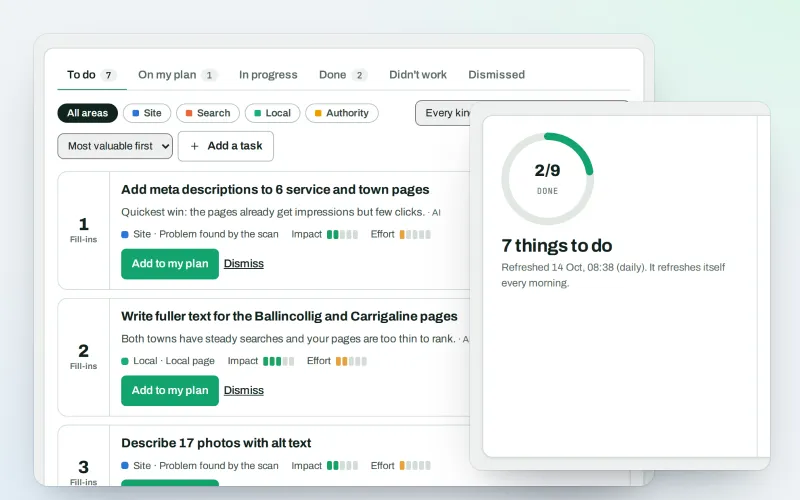
AI Plan
Your SEO action plan: the biggest difference for the least work first
Explore -
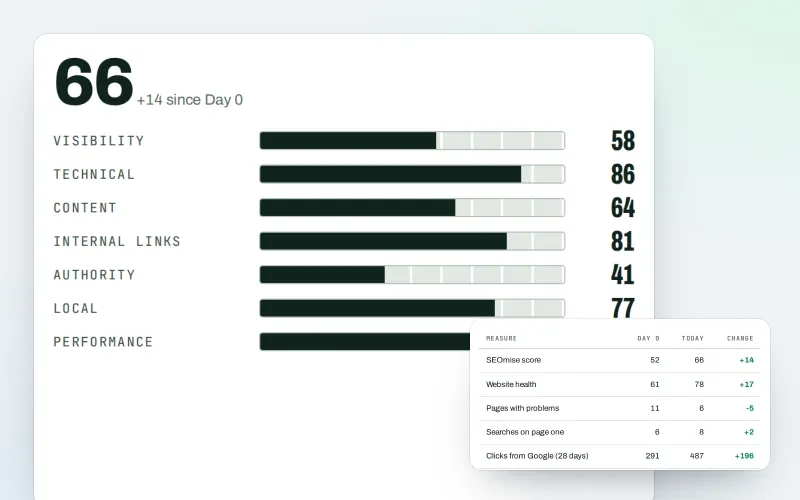
Client reports
White label SEO reports as a PDF, e-mailed every week or month
Explore -
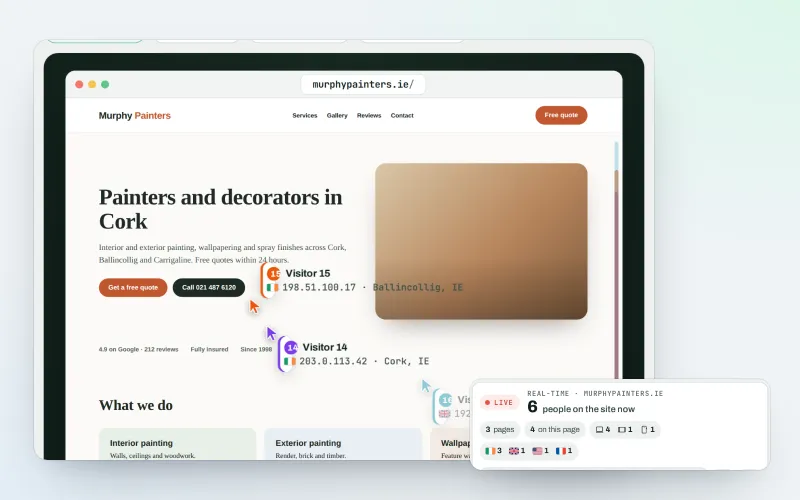
Live view
See real-time website visitors, right now, and where they click
Explore -
Search Console quick wins
The searches you nearly win on Google, and what to change first
Explore -
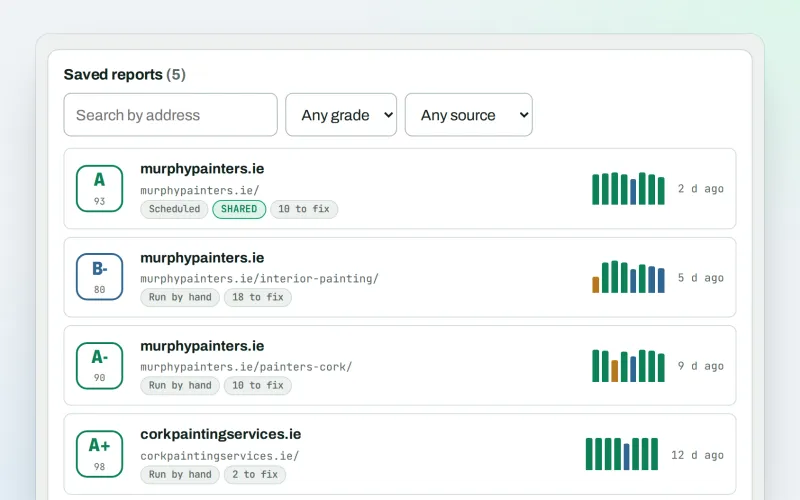
SEO audit reports
A graded SEO audit of any web address, ready to share or send
Explore -
Live client report links
Live SEO reports: send clients one private link that is always up to date
Explore -
Client update e-mails
Client SEO updates by e-mail: rankings up, rankings down and the work done
Explore -
Proof of Progress
An SEO progress report: show a client what changed since the work started
Explore
Try Google data on your own site
Add your site; your first scan becomes your Day 0 baseline. Nothing is bought or published without your approval.
No ranking guarantees: just clear work, with the evidence.
