

- Home
- All modules
- Links
- Backlinks
Links
Backlinks
A backlink checker: who links to you, what it is worth and what needs a closer look
The backlink checker shows your Authority Score, every website that links to you, new and lost links over time, a risk review, and the links your competitors have and you do not.

A screen from the SEOmise demo, with sample data.
Why it matters
From the problem to what SEOmise does
Links you cannot see, you cannot manage
Backlinks are links to your site from other websites. They come and go without notice, some come from spammy sites, and competitors may be earning links you never hear about. Without a clear list, you cannot tell what you have, what you lost or what needs attention.
A backlink checker: who links to you, what it is worth and what needs a closer look
- Backlink galaxy. Every website linking to you as a dot: closer means more on topic, bigger means a stronger domain, colour shows risk. Click one for its links and anchors.
- Backlink explorer. Every backlink and linking website with first and last seen dates, the clickable text (anchor), link attributes and review flags. Export as CSV or PDF.
- Risk review with reasons. Every risk point is explained: the data provider's spam score, suspicious domain endings, unrelated high-risk topics, sitewide links and overused exact-match anchors. Nothing is disavowed automatically.
How it works
Four steps, start to finish
- Run a backlink checkSEOmise gathers the websites linking to you from the backlink data source on your account, or checks the links you give it.
- Get your Authority ScoreA score from 0 to 100 made of six parts, each with its evidence. Parts without enough data are left out, not guessed.
- Review the risky onesLinks with warning signs get a risk score and the reasons. You decide for each: keep, ignore or mark as a disavow candidate.
- Close the gapSee sites that link to your competitors but not to you, each with how many competitors it links to and a score with the reasons, then add them to your outreach list or, with Link campaigns, a paid campaign.
Features
What you get with Backlinks
Backlink galaxy
Every website linking to you as a dot: closer means more on topic, bigger means a stronger domain, colour shows risk. Click one for its links and anchors.
Backlink explorer
Every backlink and linking website with first and last seen dates, the clickable text (anchor), link attributes and review flags. Export as CSV or PDF.
Risk review with reasons
Every risk point is explained: the data provider's spam score, suspicious domain endings, unrelated high-risk topics, sitewide links and overused exact-match anchors. Nothing is disavowed automatically.
A disavow file you approve
An approver can sign off a disavow candidate file in Google's format after confirming each warning. SEOmise never submits anything to Google; uploading it is your decision.
Competitors and the link gap
One competitor list per project: suggested from your rank checks, accepted or excluded with the reason. Sites that link to them but not to you, each with "4 of 5 competitors", a category (shared, single, lost, not eligible with the reason) and a score with its reasons in plain words. Sites you already have a link from, from any source, are never shown as a gap. See the cost before a check, save it as a plan, re-check competitors on a schedule if you like, and assign the work. Measured where a backlink data provider covers it, otherwise AI estimates, always labelled.
Outreach list for earned links
Track sites you contact from prospect to won. A prospect is marked won automatically when a check finds a live link from that site.
Backlink plans, done for you Beta
Monthly link building by our team: outreach to the websites in your competitor gap and digital PR, with a report every month. Earned links only, sponsored placements always labelled, and no promise of rankings. In early access: ask for it on your project's Competitor gaps page.
Link health monitoring
SEOmise visits each page that links to you and checks the link is still there, its attribute, anchor and indexability. Alerts only follow repeated, confirmed failures.
Target pages
See which of your pages receive links and whether your internal links pass that strength on, with suggested internal links to add.
Backlink history, new and lost
Websites and links linking to you, gained against lost per check and your Authority Score, over 7 days to a year, with markers for what else happened to your site, such as scans and published changes. From the checks already made: opening it never buys data.
Found on the web, with a coverage report Beta
Links and mentions a backlink index misses, in one list: our own free bot reads public pages for your website, name and phone (within every site's robots.txt and opt-out), AI web search and search results find more, and files from Search Console, Ahrefs, Semrush and Moz import in. Each page is read by SEOmise before it counts as verified, and the report shows what every source found, what only one did, what was lost, and an action for each. In early access: ask for it on your project's Found on the web page.
New, lost and broken
Websites and links gained and lost over the last 30 days, and the backlinks that point at pages of yours that answer with an error, so you know which pages to restore or redirect.
What it needs
No surprises after you sign up
Turn a card over for the detail.
A backlink data source
A backlink data source
For a full list of links, SEOmise uses the backlink data provider set up for your account. Without one, it checks the links you add or import yourself by visiting each linking page.
A site scan for Target pages
A site scan for Target pages
The internal link figures on Target pages come from a finished SEOmise scan of your site.
Allowances in your plan
Allowances in your plan
Backlink checks and rows from paid backlink data count against monthly allowances, and the number of monitored links depends on your plan.
Every platform
Whatever your site runs on
What Backlinks does on each kind of website, from SEOmise's site connectors to step-by-step guidance.
WordPress
WordPress and WooCommerceBacklink data does not depend on your platform. Suggested internal links can go through your AI plan and be published by the WordPress connector once approved.
Laravel
Sites built on LaravelBacklink data does not depend on your platform. Suggested internal links can go through your AI plan and be published by the Laravel connector once approved.
Any PHP site
Custom PHP, CodeIgniter, Symfony, Drupal, JoomlaEverything works, but the PHP connector does not add internal links yet, so SEOmise prepares them for you to add.
Every other platform
Shopify, Wix, Squarespace, Webflow, static sites and the restEverything works the same. Suggested internal links are prepared for you to add by hand, and the next site scan picks them up.
Where Backlinks is included
Included in these plans. Limits, such as pages per scan or credits a month, are on the pricing page.
See pricingNot sure it fits?
Ask Mise, our assistant, in the help centre, or book a call and we will show you Backlinks on a site like yours.
Questions
Backlinks: common questions
Where does the backlink data come from?
From the backlink data provider set up for your SEOmise account. If none is set up, SEOmise checks the links you add or import by visiting each linking page itself. Figures show their source, and AI estimates are labelled as estimates.
What is the Authority Score?
SEOmise's own score from 0 to 100, made of six parts: strength of the linking sites, link variety, the share of followed links, link quality, spam signals, and new versus lost links. It is not a score from Google.
Will SEOmise disavow links for me?
No. It flags links worth a look and explains why. Only an approver can produce a disavow candidate file, and SEOmise never sends anything to Google.
Why is a link shown as unreachable rather than lost?
If the linking page cannot be reached, SEOmise does not report the link as removed. It checks again later and only alerts you after repeated, confirmed failures.
Why does SEOmise find links my backlink tool does not show?
A backlink index only lists the links its own crawler found, and small or local businesses are often listed on sites it has not crawled. Found on the web searches for pages that name your website, business name, phone number or address, then reads each page itself and counts a link only when it is really there. Mentions without a link are listed apart, with an action to ask for the link.
Can I bring in links from Google Search Console?
Yes, from its export: Search Console has no links API, so export the file under Links → Export external links and import it under Found on the web. Files from Ahrefs, Semrush, Moz and other tools work the same way. You confirm which column is which before anything is imported, and every page is then checked on the page.
Does SEOmise find links and mentions on its own, for free?
Yes (in early access): our own bot reads public pages and records links to your website, mentions of your name, website or phone, and directory listings, free. It reads within each site's robots.txt and opt-outs, and checks each page again to mark what was removed as lost.
What does "Copy their backlink plan" do?
On a competitor's profile, it puts every website that links to that competitor but not to you on your outreach list (earned links), strongest first, with one task in your AI plan. Websites you dismissed or put in a paid campaign are left alone, and pressing it again only adds what is new. It needs a backlink check of that competitor.
Why is a website I already have a link from not in my competitor gap?
On purpose: a website counts as "you have this" when any source saw a live link from it to you, not only your backlink check. That includes a Search Console, Ahrefs, Semrush or Moz import, our own web watch and crawler, and links our team verified. Lost links stay in the gap as win-backs.
What does the score on a gap website mean?
A guide to where to start, from 0 to 100: how relevant the linking pages are to your trade, whether the site is in your country, how many of your competitors it links to, how recently those links were seen, the site's strength and whether its links are followed, minus points for spam signals. Every score says why in plain words. It is not a promise of rankings or of a link.
What does checking my competitors cost?
Before anything is bought, Competitor gaps shows which competitors a check covers and how many backlink checks of your monthly allowance it uses, with what is left. You can save it as a plan and start it later; large sets run in batches and stop cleanly at your limits.
Can your team build links for me?
Yes, with a monthly backlink plan (in early access while it shows Beta): our team reaches out to the websites that link to your competitors but not to you and pitches stories to news and trade sites, with a report every month. We only earn links: no private blog networks, no paid links passed off as earned, and no promise of rankings. Paid placements are always labelled sponsored.
Why does my site show only a few backlinks?
The card "Where your backlinks come from" on the Backlinks overview says how your profile is read and what each source found. Often the backlink index has not crawled the small and local sites that link to you, or the profile is read by the built-in checker, which only checks the links you listed. Import the Search Console links export or a CSV, and the card lists the other next steps.
What does "Added by our team" mean?
A link or mention our team placed or recorded for you, for example for an Assistance order. It appears in your lists and figures only after our crawler has read the page and found it there, with its type and the date it was verified.
Do you ask AI assistants for my links?
Yes: AI assistants with web search are asked which pages link to or name your business. An AI can invent addresses, so nothing counts until our crawler has read the page and found the link or mention; those pages are labelled "Found by AI search, verified by our crawler". Searching with AI yourself is in early access.
Can I add links I already know about?
Yes. Add a link by hand, import a CSV with the linking page, your page and the anchor, or press Monitor on a link in your backlink profile.
Which plans include Backlinks?
Backlinks is included in the Business and Agency plans. Prices and limits are on the pricing page.
Guides
Backlinks: how-to guides
Works well with
Related modules
-
Link campaigns
A link building service: plan paid placements, approve the exact total, then order
Explore -
Citations and NAP
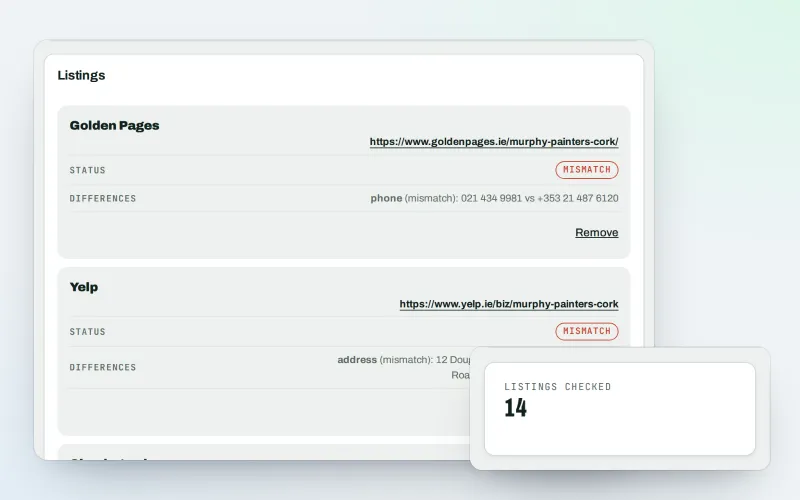
A citation checker that keeps your name, address and phone the same everywhere
Explore -
Website health check
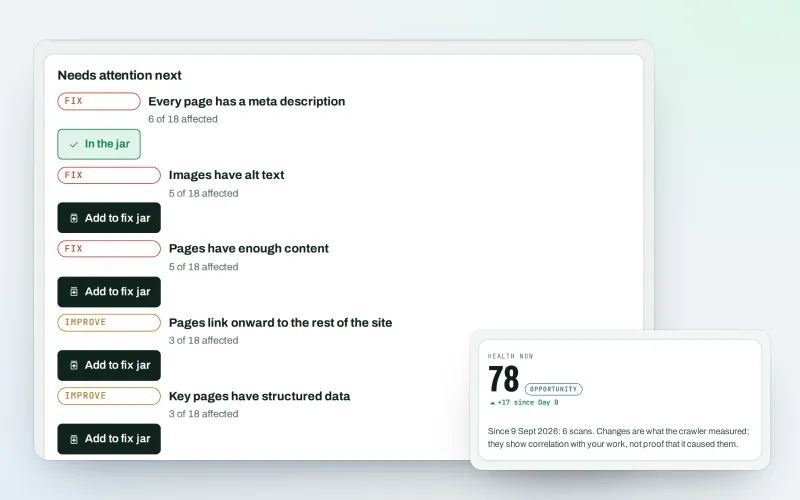
A technical SEO audit: see what is wrong with your website, and what to fix first
Explore -
AI Plan
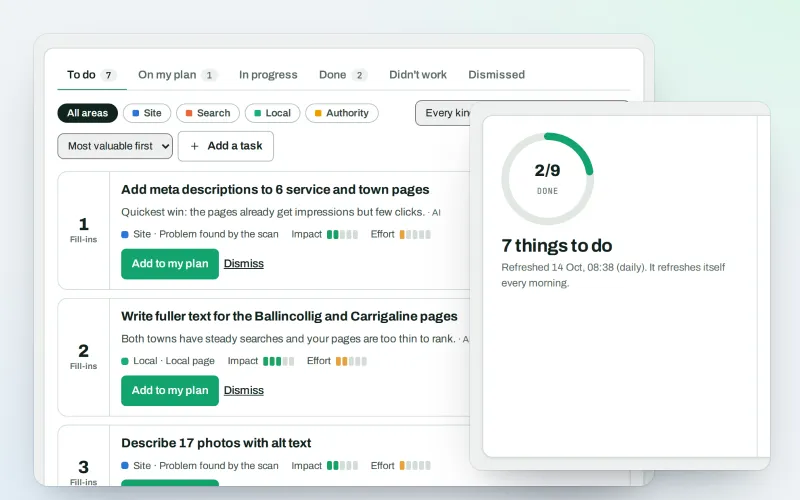
Your SEO action plan: the biggest difference for the least work first
Explore -
Backlink Verify
A backlink report checker: know exactly what you're paying for, link by link
Explore -
Local publishers
Local blogs and publications worth approaching, each with a fit score you can read
Explore -
Publisher Network Beta
Earn money from your blog or business website with sponsored content you approve
Explore
Try Backlinks on your own site
Add your site; your first scan becomes your Day 0 baseline. Nothing is bought or published without your approval.
No ranking guarantees: just clear work, with the evidence.
