

- Home
- All modules
- Search & content
- Keywords and rankings
Search & content
Keywords and rankings
A rank tracker: see where you show up on Google, and which searches to go after
A rank tracker for the searches your customers type, by country, city and device. See your place, what else Google shows and where the openings are.

A screen from the SEOmise demo, with sample data.
Why it matters
From the problem to what SEOmise does
You cannot see where you stand
Searching for yourself on Google tells you little: results change by place, device and person. You also cannot see the answer boxes, maps and AI answers that take clicks from you, or which searches are worth the effort.
A rank tracker: see where you show up on Google, and which searches to go after
- Import from Ahrefs, Semrush or SE Ranking. Bring a keyword list exported from another tool as a CSV file: the columns are matched for you, repeats and searches you already follow are counted once, and your plan's limit is shown before anything is added.
- Position over time. A chart for each search and market, from the last 30 days up to two years, with your competitors on the same chart. Position history shows, for all your searches or one tag, how many sat in first place, the top 3, 5, 10, 30 and 100 on each day.
- What Google shows. Answer boxes, the map with local businesses, AI answers, "People also ask" and more, each marked with whether your site is in it.
How it works
Four steps, start to finish
- Choose where to measureAdd a market: a whole country or one city, a language, and desktop or mobile. Each search is checked in every market you follow it in.
- Add the searches that matterType them in, or find more from a few words, from a competitor's website or from your own Google Search Console. Nothing is followed until you choose it.
- Your positions are checkedChecks run on the schedule your plan sets, and you can check now. Each check also notes what else Google shows and where your competitors are.
- Act on the best openingsEvery search you follow gets a score out of 100 and a next step. You get an alert when a search drops.
Features
What you get with Keywords and rankings
Import from Ahrefs, Semrush or SE Ranking
Bring a keyword list exported from another tool as a CSV file: the columns are matched for you, repeats and searches you already follow are counted once, and your plan's limit is shown before anything is added.
Position over time
A chart for each search and market, from the last 30 days up to two years, with your competitors on the same chart. Position history shows, for all your searches or one tag, how many sat in first place, the top 3, 5, 10, 30 and 100 on each day.
What Google shows
Answer boxes, the map with local businesses, AI answers, "People also ask" and more, each marked with whether your site is in it.
Near the top but losing clicks
A list of searches where you are in the top 3, yet an extra above you shows another site and can take the clicks first.
Competitors and share of voice
Their positions are read from the same results as yours, so comparing costs no extra checks. SEOmise can also suggest competing websites. Share of voice shows each website's share of the clicks your searches can bring, as a leaderboard and a trend, from the websites each check records.
Search opportunities
A score out of 100 from demand, value, competitor gap, reachability and your priorities. Missing data is shown as missing, never guessed.
Pages competing with each other
Finds searches where two or more of your own pages get in each other's way, with the evidence for each page.
Groups of similar searches
Searches that share results or words are grouped, so you can see which searches belong together.
Ranking alerts
An alert when a search in your top 20 drops by the number of places you choose, falls out of the top 10, or loses an extra you held. E-mails, if you want them, come at most every 12 hours.
Export
Download your searches, opportunities and competitor figures as a spreadsheet (CSV) or a printable PDF.
Key figures with their change
Average position, search visibility, the share in the top 10 and how many searches are in the top 1, 3, 5, 10, 30 and 100, each with its change over the period you choose and a small chart. From checks already made: no extra cost.
Traffic forecast and traffic cost
An estimate of the visits a month your positions could bring, and what they would cost as ads, from monthly searches, a click-through curve by position and the cost per click. Clearly marked as estimates.
Before and after
What changes with Keywords and rankings
Before: guessing. After: knowing. Drag the handle, or use the arrow keys, to compare.
Guessing
- You search for yourself and hope the result is typical
- Answer boxes and maps above you go unnoticed
- Every search looks equally important
Knowing
- Your place for each search, market and device, checked on a schedule
- Every extra Google shows, and who is in it
- A score and a next step for each search, with the evidence
Illustration of the difference, not a measured result.
What it needs
No surprises after you sign up
Turn a card over for the detail.
Search data switched on
Search data switched on
Positions and monthly search numbers come from a licensed search data provider. SEOmise switches this on for your workspace. These figures carry a "Third-party estimate" label.
At least one market
At least one market
The country or city, language and device your customers search from.
Google Search Console (optional)
Google Search Console (optional)
Finding searches from your own Search Console data costs nothing, and it adds evidence when your pages compete with each other.
No connector needed
No connector needed
Nothing is installed or changed on your website.
Every platform
Whatever your site runs on
What Keywords and rankings does on each kind of website, from SEOmise's site connectors to step-by-step guidance.
WordPress
WordPress and WooCommerceWorks the same on every site: positions are read from Google, not from your site.
Laravel
Sites built on LaravelWorks the same on every site: positions are read from Google, not from your site.
Any PHP site
Custom PHP, CodeIgniter, Symfony, Drupal, JoomlaWorks the same on every site: positions are read from Google, not from your site.
Every other platform
Shopify, Wix, Squarespace, Webflow, static sites and the restNothing to install or apply. Sites with no connector get every feature.
Where Keywords and rankings is included
Included in these plans. Limits, such as pages per scan or credits a month, are on the pricing page.
See pricingNot sure it fits?
Ask Mise, our assistant, in the help centre, or book a call and we will show you Keywords and rankings on a site like yours.
Questions
Keywords and rankings: common questions
What is a "market"?
A place, language and device that Google results are checked for, such as "Ireland, English, mobile" or one city. Results differ from place to place, so each search is checked in every market you follow it in, and each counts once towards your plan.
How often are my positions checked?
Automatically, on the schedule your plan sets. You can also press "Check rankings now": it runs a live check while your plan's live checks for the month last, and after that the check waits for the next regular one.
Why does my own Google show a different position?
Google personalises results: whether you are signed in, where you are and what you searched before. Under each position, "What Google showed" lists the check behind it: when it ran, the market and place, and the first ten results with your pages marked. You can also check a search from a town or from where your business is; that check is shown beside the tracked position and counts as one live check.
Where do the numbers come from?
Positions, monthly searches, cost per click and difficulty come from a licensed search data provider and are labelled "Third-party estimate". Searches from Google Search Console are your own data.
Does a high opportunity score mean I will rank?
No. The score tells you where effort is most likely to pay off, from the data SEOmise has. Rankings depend on many things, so a high score is a priority, not a promise.
Can I find new searches to follow?
Yes. Start from a few words, from one search, from a competitor's website or from what people searched to find you in Search Console. Results are saved as suggestions with their search numbers, and you choose which to follow.
Can I track Bing, Yahoo and Google Maps too?
Yes. Turn on Bing or Yahoo for a market and the same searches are checked there; choose searches for each business location to follow its Google Maps position. The engine switch on Positions shows each engine and the best of all. Scheduled checks are included in your plan.
Do I need to install anything on my website?
No. Keywords and rankings only reads Google results, so it works for any website on any platform.
Which plans include Keywords and rankings?
Keywords and rankings is included in the Free, Personal, Business and Agency plans. Prices and limits are on the pricing page.
Works well with
Related modules
-
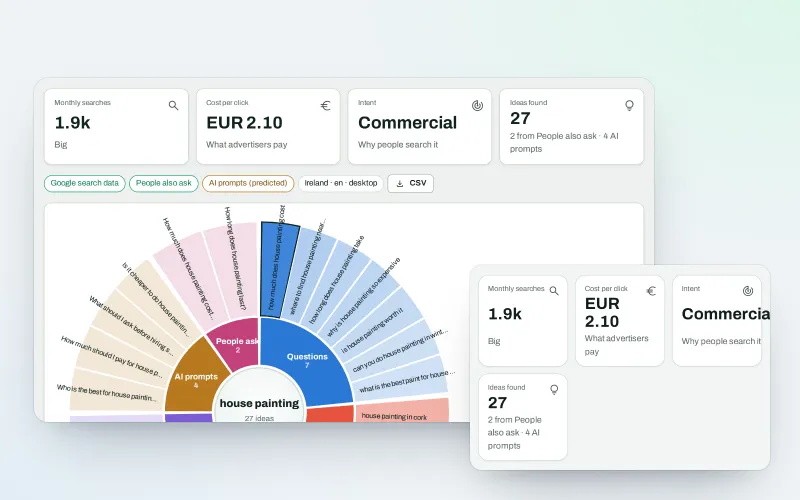
WonderWheel
A content ideas generator: spin a word and see everything people wonder about it
Explore -
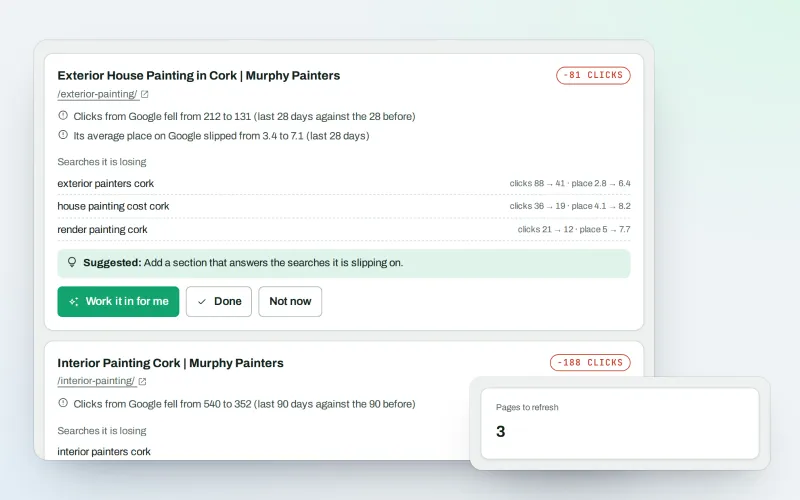
Content refresh alerts Beta
Content decay alerts: catch pages losing visitors before they drop off Google
Explore -
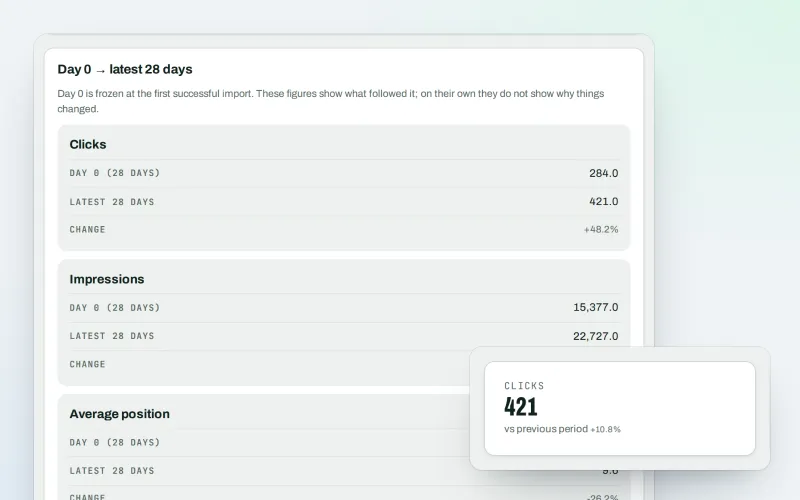
Google data
A Search Console dashboard with your Analytics figures, imported every day
Explore -
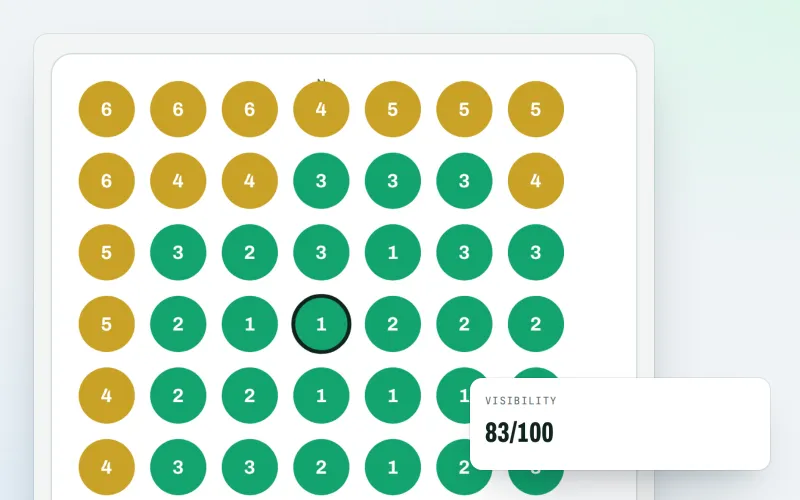
Map rank grid
A Google Maps rank tracker: see where your business appears across your area
Explore -
AI Plan
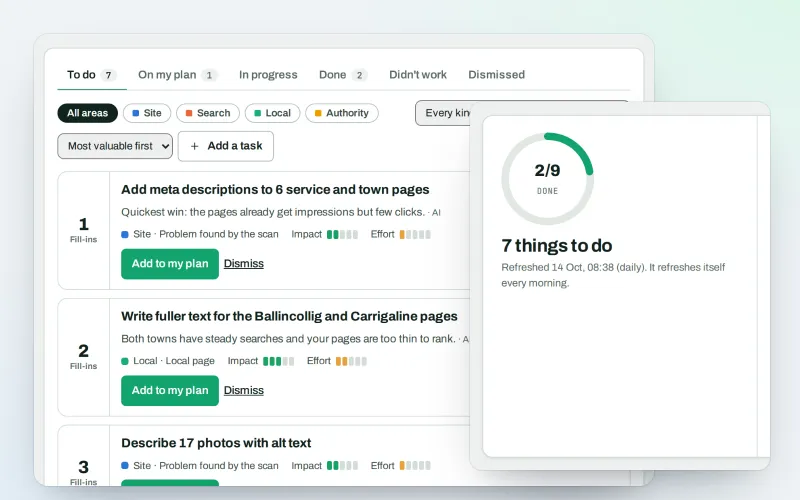
Your SEO action plan: the biggest difference for the least work first
Explore -
Articles
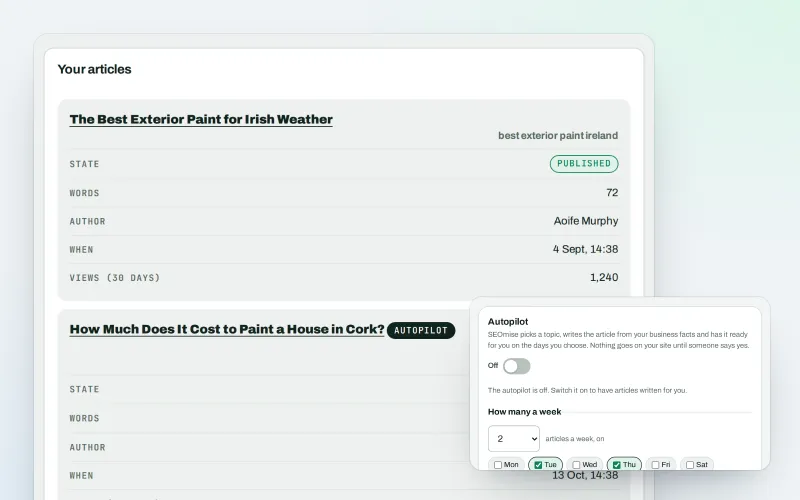
An AI blog writer that works from your own business facts
Explore -
Bing, Yahoo and Google Maps positions
A Bing rank tracker, with Yahoo and Google Maps, for the searches you track
Explore -
Content calendar Beta
An SEO content calendar planned from your own searches
Explore
Try Keywords and rankings on your own site
Add your site; your first scan becomes your Day 0 baseline. Nothing is bought or published without your approval.
No ranking guarantees: just clear work, with the evidence.
