

- Home
- All modules
- Visitors & reports
- Traffic statistics
Visitors & reports
Traffic statistics
Cookie-free analytics: visitor statistics counted on your own website
Cookie-free analytics of visitors, page views, bounce rate and where people come from, counted on your own site without stored IP addresses, in one clear dashboard.

A screen from the SEOmise demo, with sample data.
Why it matters
From the problem to what SEOmise does
Statistics should not cost your visitors' privacy
Many statistics tools set cookies and send every visit to another company. Others are so detailed that the simple questions get lost: how many people came, from where, and which pages they read.
Cookie-free analytics: visitor statistics counted on your own website
- Every source, never counted twice. SEOmise's own cookie-free counter, Google Analytics, the older figures of a WordPress statistics plugin (Koko Analytics, WP Statistics, Statify) and your server logs. "Best available" takes one source a day, and the chart and each figure say which one.
- The key numbers. Visitors, page views, bounce rate (visitors who saw one page only) and pages per visitor, with the change against the previous period.
- Visitors over time. A day-by-day chart for today, 7 days, 28 days, 90 days, 12 months or dates you choose.
How it works
Three steps, start to finish
- Connect your WordPress sitePair the SEOmise WordPress connector. From then on it counts visits on your own site.
- Your site counts the visitsOnly daily totals are kept, on your site. No cookies are set and no IP address is stored.
- SEOmise shows the dashboardWhen you open Traffic, SEOmise reads the totals over the signed connection and draws the charts.
Features
What you get with Traffic statistics
Every source, never counted twice
SEOmise's own cookie-free counter, Google Analytics, the older figures of a WordPress statistics plugin (Koko Analytics, WP Statistics, Statify) and your server logs. "Best available" takes one source a day, and the chart and each figure say which one.
The key numbers
Visitors, page views, bounce rate (visitors who saw one page only) and pages per visitor, with the change against the previous period.
Visitors over time
A day-by-day chart for today, 7 days, 28 days, 90 days, 12 months or dates you choose.
Top pages and entry pages
The pages people read most, and the pages where they arrive.
Where visitors come from
Channels, referring websites, search engines and social networks.
Devices and browsers
Phones, tablets and computers, browsers and operating systems.
Countries
Where visitors are, when your host or CDN (such as Cloudflare) adds a country header to each visit, or the SEOmise server knows the country.
Honest when data is missing
A new counter says when it started, a counter that sees far fewer visitors than Google Analytics is flagged with an install check, and a figure a source does not count reads "not available", never 0.
Online now
How many visitors were on the site in the last five minutes.
Export
Download the figures on screen as a spreadsheet (CSV) or a printable PDF.
What it needs
No surprises after you sign up
Turn a card over for the detail.
The WordPress connector
The WordPress connector
Paired with your SEOmise account. Counting starts once the site is connected.
Another platform?
Another platform?
Insights in Live view gives you the same figures and more from the SEOmise tracker, on any platform.
Every platform
Whatever your site runs on
What Traffic statistics does on each kind of website, from SEOmise's site connectors to step-by-step guidance.
WordPress
WordPress and WooCommerceThe WordPress connector counts visits on your site, and SEOmise reads the daily totals.
Laravel
Sites built on LaravelThe Laravel connector does not send daily totals. It adds the SEOmise tracker, so Insights in Live view shows the same figures and more.
Any PHP site
Custom PHP, CodeIgniter, Symfony, Drupal, JoomlaUse Insights in Live view: the PHP connector adds the tracker that counts your visitors.
Every other platform
Shopify, Wix, Squarespace, Webflow, static sites and the restOn any other platform, paste the Live view tracker and use Insights for your visitor statistics.
Where Traffic statistics is included
Included in these plans. Limits, such as pages per scan or credits a month, are on the pricing page.
See pricingNot sure it fits?
Ask Mise, our assistant, in the help centre, or book a call and we will show you Traffic statistics on a site like yours.
Questions
Traffic statistics: common questions
Are the statistics really cookie-free?
Yes. No cookies are set and no IP addresses are stored. A visitor is recognised for one day only, by a coded fingerprint of their address and browser made with a random key. The key is replaced every day and never kept, so nobody can be followed from one day to the next.
Where are the statistics kept?
On your own website, as daily totals. SEOmise reads them when you open the dashboard and keeps them for a few minutes so the page loads quickly.
Who is not counted?
People signed in to your WordPress site, page previews, feeds, search engine robots and other bots, and browsers that ask not to be tracked (Do Not Track or Global Privacy Control).
Why do my countries say "Unknown"?
Countries come from a header that your host or CDN adds to each visit. Without one, visits count as Unknown. Cloudflare, for example, adds this header.
Why does Traffic show more visitors than the SEOmise counter alone?
SEOmise's counter only counts from the day it was added. Before that, and on days it did not count in full, Traffic uses Google Analytics, your WordPress statistics plugin's older figures or your server logs: one source a day, never added together. Pick a single source at the top to see it alone.
My site is not on WordPress. What do I use?
Insights, part of Live view. It counts visits with the SEOmise tracker on any platform, without cookies, and adds visitor flow, page walks, load times and locations.
Which plans include Traffic statistics?
Traffic statistics is included in the Free, Personal, Business and Agency plans. Prices and limits are on the pricing page.
Guides
Traffic statistics: how-to guides
Works well with
Related modules
-
Live view
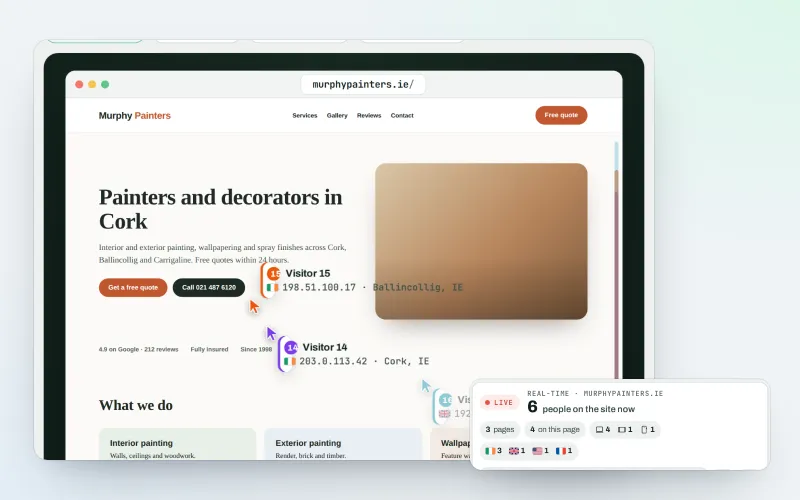
See real-time website visitors, right now, and where they click
Explore -
Google data
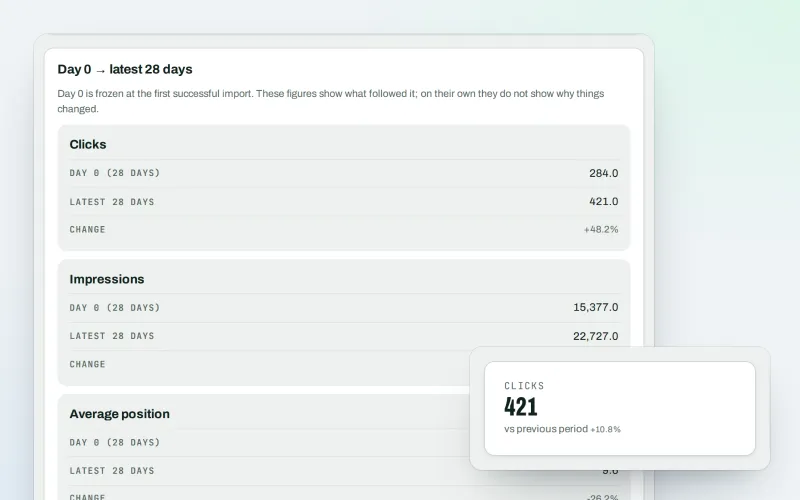
A Search Console dashboard with your Analytics figures, imported every day
Explore -
Monthly owner digest Beta
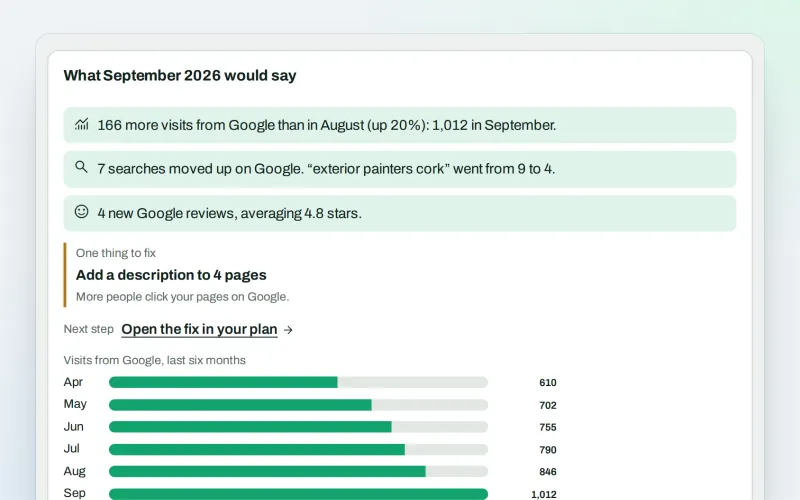
A monthly SEO summary in plain words, by e-mail, without signing in
Explore -
Search Console quick wins
The searches you nearly win on Google, and what to change first
Explore -
SEO audit reports
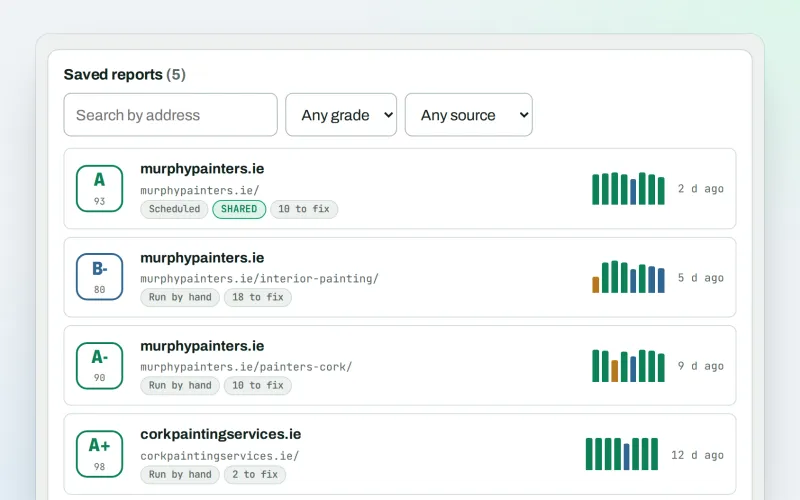
A graded SEO audit of any web address, ready to share or send
Explore -
Live client report links
Live SEO reports: send clients one private link that is always up to date
Explore -
Client update e-mails
Client SEO updates by e-mail: rankings up, rankings down and the work done
Explore -
Proof of Progress
An SEO progress report: show a client what changed since the work started
Explore
Try Traffic statistics on your own site
Add your site; your first scan becomes your Day 0 baseline. Nothing is bought or published without your approval.
No ranking guarantees: just clear work, with the evidence.
