

- Home
- All modules
- Grow
- WonderWheel
Grow
WonderWheel
A content ideas generator: spin a word and see everything people wonder about it
A content ideas generator: type a topic and see the questions, comparisons and searches people use for it, then turn the best ideas into articles, local pages or page updates.

A screen from the SEOmise demo, with sample data.
Why it matters
From the problem to what SEOmise does
Not sure what to write about
You know your business, but not the exact words customers type or ask. Guessing means pages nobody searches for, while the questions people really ask go unanswered.
A content ideas generator: spin a word and see everything people wonder about it
- Questions. How, what, why, where and the other questions people search for about your topic.
- Comparisons. Searches with vs, or, like and alternatives, which show what people weigh up before they choose.
- A to Z. Every other search that contains your word, grouped by the first letter of what people add to it.
How it works
Four steps, start to finish
- Spin a wordType a service or topic. WonderWheel uses the search market from your Search settings, or works it out from your site's address.
- See what people wonderSearches that contain your word, sorted into questions, prepositions, comparisons and A to Z, with monthly searches, cost per click and intent where search data is available.
- Save the ideas you likeSaved ideas are kept on the project, so your whole team sees the same list on every device.
- Turn ideas into workImprove a page you already have, make local pages, write an article or start tracking how you rank.
Features
What you get with WonderWheel
Questions
How, what, why, where and the other questions people search for about your topic.
Comparisons
Searches with vs, or, like and alternatives, which show what people weigh up before they choose.
A to Z
Every other search that contains your word, grouped by the first letter of what people add to it.
People Also Ask
The questions Google shows in its People Also Ask box for your word, with the site that answers each one.
Likely AI prompts
Questions people would probably put to an AI assistant about your topic. They are AI predictions, marked as such, with no volumes.
The "For you" wheel
AI reads the pages your site already has, your services and your areas, and suggests topics you do not cover yet, each with a few searches.
CSV export
Every idea from a spin as a CSV file that opens in Excel and Google Sheets.
Past spins
Spins are kept on the project. Spinning the same word in the same market within a week shows the saved spin instead of paying again.
Before and after
What changes with WonderWheel
Before: guessing topics. After: with WonderWheel. Drag the handle, or use the arrow keys, to compare.
Guessing topics
- Ideas from what you think customers want
- No idea how often anyone searches for them
- Ideas in a notebook, far from the work
With WonderWheel
- The questions and searches people really use
- Monthly searches and intent next to each one, where search data is available
- Each idea ready to become an article, local pages or a tracked search
Illustration of the difference, not a measured result.
What it needs
No surprises after you sign up
Turn a card over for the detail.
Search data
Search data
Volumes, cost per click and People Also Ask come from the search data provider SEOmise connects to. Without it, the wheel shows AI ideas without volumes and says so.
Credits for AI ideas
Credits for AI ideas
Likely AI prompts and the "For you" wheel use credits. Without credits, a spin still shows the search data.
A scan of your site (optional)
A scan of your site (optional)
The "For you" wheel reads the page titles from your latest scan, so it suggests what you do not cover yet.
Every platform
Whatever your site runs on
What WonderWheel does on each kind of website, from SEOmise's site connectors to step-by-step guidance.
WordPress
WordPress and WooCommerceIdeas work the same on every site. Articles and Page Factory pages post through the WordPress connector.
Laravel
Sites built on LaravelIdeas work the same on every site. Articles and pages post through the Laravel connector when your app adds its posts and pages interfaces; otherwise you copy articles in by hand.
Any PHP site
Custom PHP, CodeIgniter, Symfony, Drupal, JoomlaIdeas work the same on every site. The PHP connector does not post articles or create pages, so you copy articles into your site by hand.
Every other platform
Shopify, Wix, Squarespace, Webflow, static sites and the restIdeas, saved lists and CSV export work on any site. Write articles in SEOmise, then copy them into your site's editor.
Where WonderWheel is included
Included in these plans. Limits, such as pages per scan or credits a month, are on the pricing page.
See pricingNot sure it fits?
Ask Mise, our assistant, in the help centre, or book a call and we will show you WonderWheel on a site like yours.
Questions
WonderWheel: common questions
Where do the numbers come from?
Monthly searches, cost per click and intent come from SEOmise's search data provider, for your market. If the search data cannot be read, the wheel says so and shows AI ideas without numbers.
Are the AI prompts real searches?
No. They are predictions of what people would ask an AI assistant, and the wheel labels them that way. No volumes are published for AI prompts, so none are shown.
Which country does it use?
The search market you set under Search. Without one, it goes by your site's country domain, such as .ie or .co.uk, and otherwise the United States.
Is there a limit to how often I can spin?
Each workspace has a daily number of spins. Spinning the same word again within a week shows the saved spin instead of using it up again.
Can my team see my saved ideas?
Yes. Saved ideas are kept on the project with what was done with each one, so everyone sees the same list.
Which plans include WonderWheel?
WonderWheel is included in the Personal, Business and Agency plans. Prices and limits are on the pricing page.
Works well with
Related modules
-
Articles
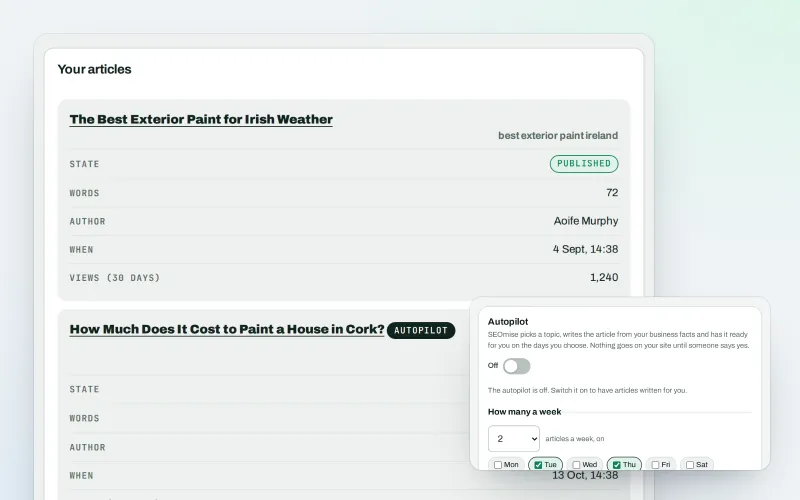
An AI blog writer that works from your own business facts
Explore -
Page Factory
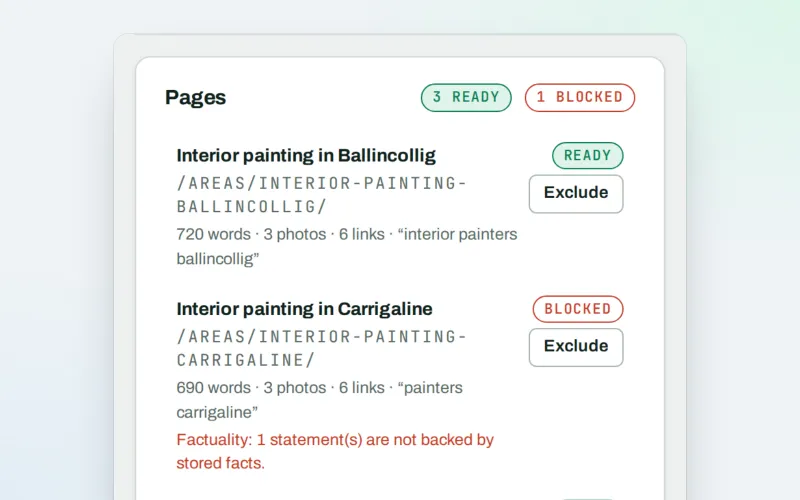
A local page generator: a page for each service in each town you cover
Explore -
Keywords and rankings
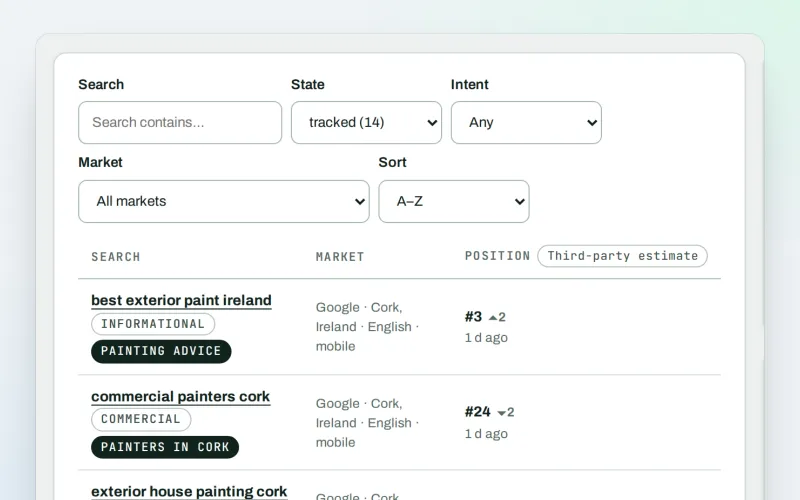
A rank tracker: see where you show up on Google, and which searches to go after
Explore -
AI visibility tracker
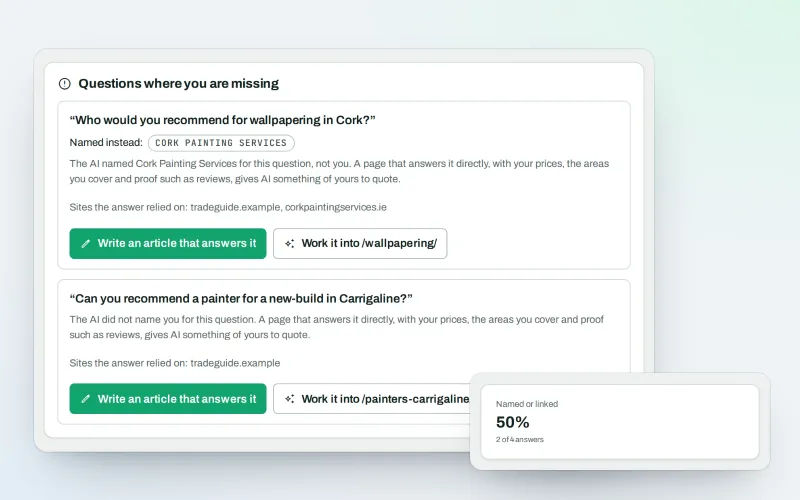
See whether AI assistants name your business when customers ask
Explore -
Content SEO checks
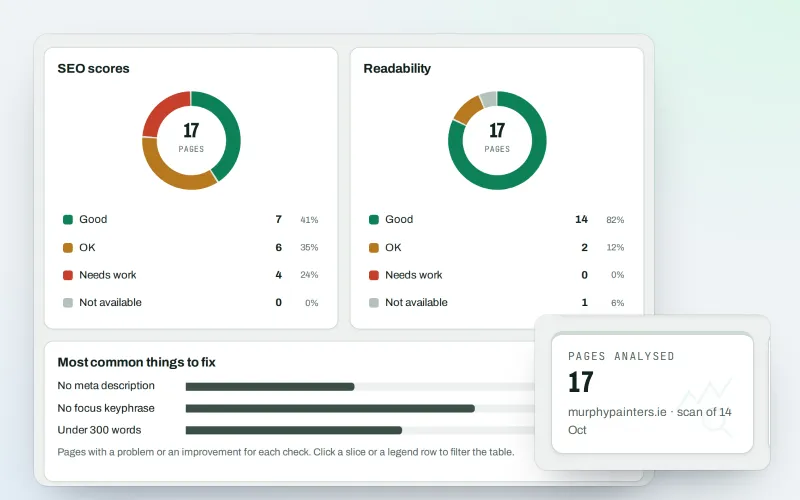
A content SEO checker for your titles, keyphrases and readability
Explore -
SEO Ai
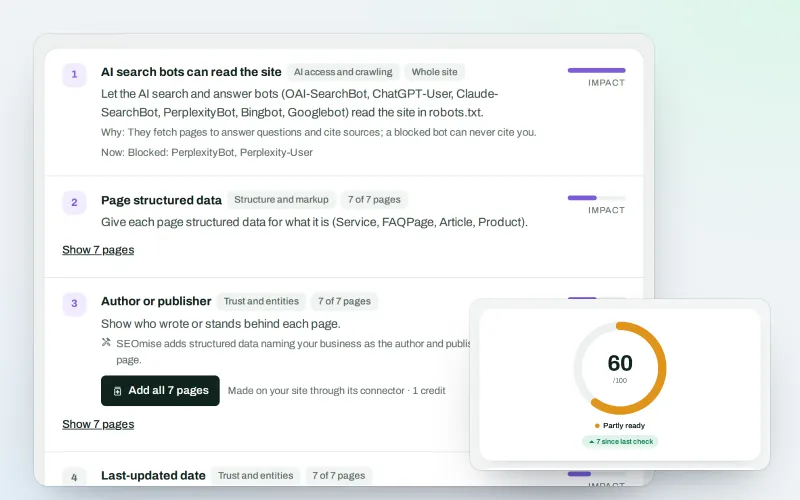
AI search optimisation: check whether AI assistants can read your site and quote it
Explore -
Articles for Framer and AI site builders
Publish your articles on Framer, Lovable, Bolt, Base44, Replit and v0 sites
Explore -
SEOApp
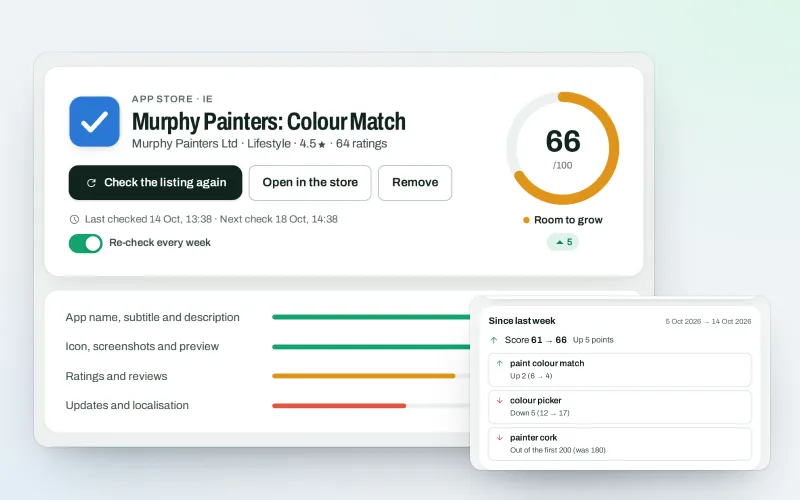
App store optimisation: get your app found in the App Store and Google Play
Explore
Try WonderWheel on your own site
Add your site; your first scan becomes your Day 0 baseline. Nothing is bought or published without your approval.
No ranking guarantees: just clear work, with the evidence.
