







- Home
- All modules
- Visitors & reports
- Reports centre
Visitors & reports
Reports centre
Every report in one place: pick a type, a project and a period, then download or share it
Reports as tiles by category. Pick a project, several projects or a general report, choose the period and what goes in, then download a PDF, CSV or Excel file, or share a private link.
Illustration of the screen, without data.
Why it matters
From the problem to what SEOmise does
Every report lived on a different screen
Website health, rankings, backlinks, traffic, client reports and business figures each had their own page, their own period picker and their own export. Finding the right one, and sending it in the right format, took longer than reading it.
Every report in one place: pick a type, a project and a period, then download or share it
- Tiles by category. Categories first, then the reports in each one, with a search across all of them and your recent reports.
- Any period. Last 7, 28 or 30 days, this or last month, a quarter, the year so far, the last 12 months, since the work started or since Day 0, or your own dates. Business reports compare with the period before or the same period a year earlier.
- PDF, CSV and Excel. Excel files have a summary sheet and one sheet per table. Spreadsheet cells are protected against formulas.
How it works
Four steps, start to finish
- Pick a categorySEO results, work and changes, traffic and leads, business, finance and more. You only see the reports your role and plan allow.
- Pick a reportEach report says what it shows, what it reports on and which files it makes.
- Choose the criteriaThe project or projects, the period with a comparison, the sections and their order, the brand and the time zone.
- Download or sharePDF, CSV or Excel. Or a private link with an end date and an optional password, which you can switch off at any time.
Features
What you get with Reports centre
Tiles by category
Categories first, then the reports in each one, with a search across all of them and your recent reports.
Any period
Last 7, 28 or 30 days, this or last month, a quarter, the year so far, the last 12 months, since the work started or since Day 0, or your own dates. Business reports compare with the period before or the same period a year earlier.
PDF, CSV and Excel
Excel files have a summary sheet and one sheet per table. Spreadsheet cells are protected against formulas.
Private share links
Each link has an end date, can ask for a password, can allow the files to be downloaded, keeps a view log and can be revoked.
Your brand
With white label, reports and their links carry your brand and never name SEOmise.
A library
Every report made is kept with its fingerprint, so you can download it again, share it, or make a new version for another period.
Personal data left out
Reports with names or e-mails leave them out unless you choose otherwise, and so do links.
Templates
Save the choices of a report under a name, for yourself or the whole team, and start the next report from it.
Sign-off
Have a colleague sign a report off before it is shared or sent. A signed report says who signed it and when, with a fingerprint of its figures.
Schedules
Any report can be made on its own every week, month or quarter and e-mailed to your team and clients, with a private link and the PDF.
Your whole portfolio
Agencies see every client at a glance, the clients that need attention and why, results by client group and the month's work, and can show a finished report in the client portal, where the client reads and downloads it.
Local SEO and competitors
Reviews, calls, clicks and directions of your Business Profile locations, and your website against the competitors you track.
Before and after
What changes with Reports centre
Before: before. After: with the Reports centre. Drag the handle, or use the arrow keys, to compare.
Before
- A different screen for each report
- PDF on some screens, CSV on others
- No way to share most reports
With the Reports centre
- One place with every report you may make
- The same choices and files for each report
- Private links with an end date for every report
Illustration of the difference, not a measured result.
What it needs
No surprises after you sign up
Turn a card over for the detail.
Data SEOmise already has
Data SEOmise already has
Reports read what SEOmise has already measured. Making a report never buys data; a project that has not been scanned says so and offers the scan.
The right role
The right role
Reading reports needs access to the project; making, downloading and sharing them needs the "Export reports" permission.
Nothing on your website
Nothing on your website
No connector is needed to make reports.
Every platform
Whatever your site runs on
What Reports centre does on each kind of website, from SEOmise's site connectors to step-by-step guidance.
WordPress
WordPress and WooCommerceWorks the same on every site: reports are built from what SEOmise measures.
Laravel
Sites built on LaravelWorks the same on every site: reports are built from what SEOmise measures.
Any PHP site
Custom PHP, CodeIgniter, Symfony, Drupal, JoomlaWorks the same on every site: reports are built from what SEOmise measures.
Every other platform
Shopify, Wix, Squarespace, Webflow, static sites and the restNothing to install. Sites on any platform, such as Shopify or Wix, get the same reports.
Where Reports centre is included
Reports centre is not part of a public plan at the moment.
See pricingNot sure it fits?
Ask Mise, our assistant, in the help centre, or book a call and we will show you Reports centre on a site like yours.
Questions
Reports centre: common questions
Do the old report screens go away?
No. Every report screen you know keeps working and has an "Open in Reports" button.
Does making a report cost credits?
No. Reports use data SEOmise already has, so making one never buys data or uses credits.
Can a link show newer data later?
No. A share link shows the report as it was made. Make a new version for a new period and share that one.
Can my client see reports without an account?
Yes, through a share link. Agency clients with a portal account also find the reports you chose to show there.
Can I put my own brand on reports?
Yes, with the white-label add-on and your brand set up under Agency, Branding. The report and its link page then never name SEOmise.
Can reports go out on their own?
Yes. Make any report on a schedule and it is made and e-mailed weekly, monthly or quarterly. If it needs sign-off, it waits until it is signed off.
Who can sign off a report?
Owners, admins and approvers, or one person you name. Your workspace can ask for sign-off on every report before it is shared or sent.
Which plans include Reports centre?
Plans and add-ons are on the pricing page. If Reports centre is not listed there yet, ask us how to get it.
Works well with
Related modules
-
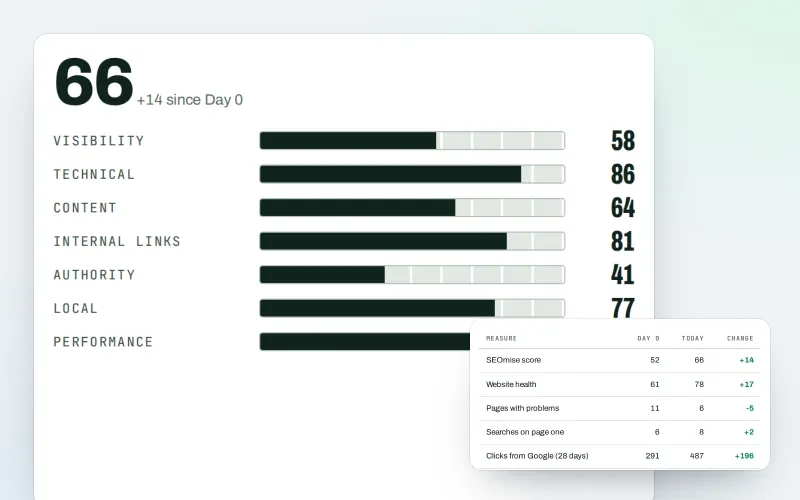
Client reports
Client-ready SEO reports as a PDF, e-mailed every week or month
Explore -
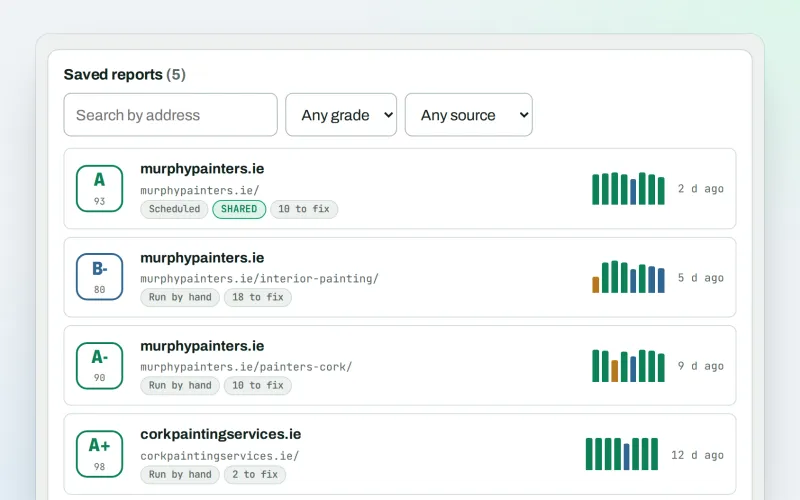
SEO audit reports
A graded SEO audit of any web address, ready to share or send
Explore -
Live client report links Beta
Send clients one private link to a report that is always up to date
Explore -
Client update e-mails
A branded monthly e-mail to every client: rankings up, rankings down, and the work done
Explore -
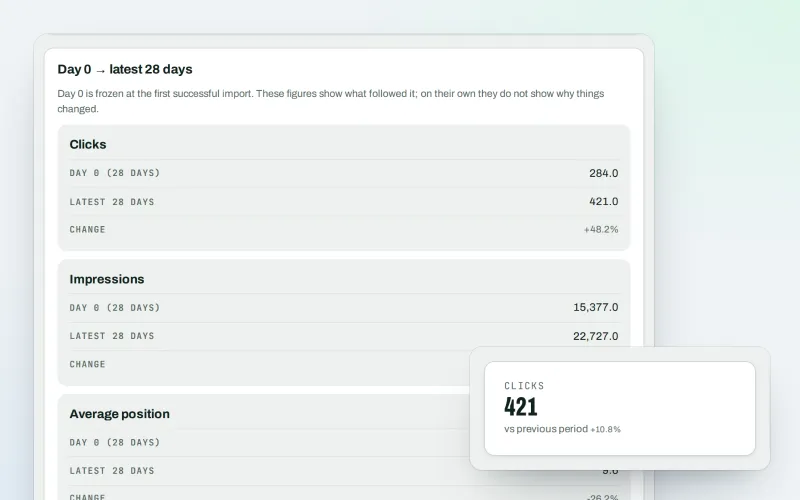
Google data
Your own Search Console and Analytics figures, imported every day
Explore -
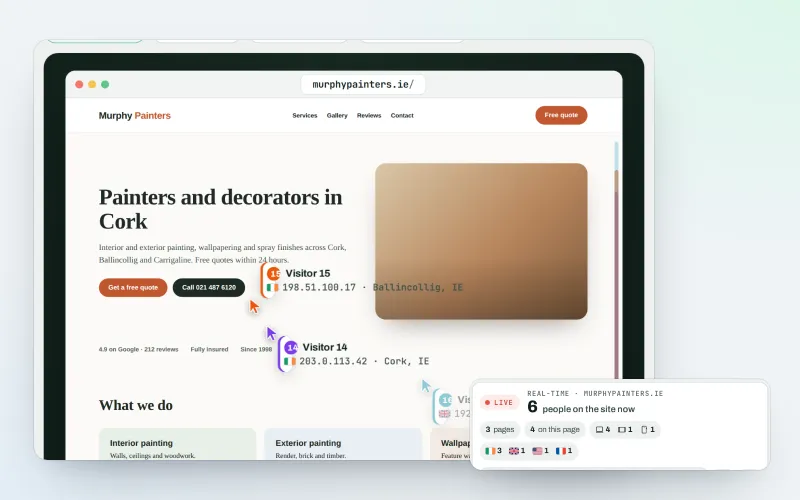
Live view
See who is on your website right now, and where they click
Explore -
Proof of Progress
Show a client what changed since the work started, even before SEOmise
Explore -
Traffic statistics
Cookie-free visitor statistics, counted on your own website
Explore
Try Reports centre on your own site
Add your site; your first scan becomes your Day 0 baseline. Nothing is bought or published without your approval.
No ranking guarantees: just clear work, with the evidence.
