







- Home
- All modules
- Tools
- Content briefs
Tools
Content briefs Beta
See what the pages Google shows first cover, and outline your page from it
Google's top results for your searches, with each page's headings and length. Build your outline from what they share, edit it or let the AI draft it, and send it to an article.
Illustration of the screen, without data.
Why it matters
From the problem to what SEOmise does
Writing a page blind
Before writing a page that should be found for a search, you need to know what the pages already found for it cover. Opening twenty results, noting their headings and lengths and turning that into a plan takes an afternoon for every page.
See what the pages Google shows first cover, and outline your page from it
- Nothing paid twice. Results and pages are reused for 7 days, each competitor page is read once per workspace in that time, and searches your rank tracker already checked use its stored results.
- Domains left out. A list of domains that rarely say how to write your page, for every brief, plus your own per brief. Take one off and its pages come back.
- How long the pages are. The median, average and longest word counts and the number of sections of the pages read, so you know how much to write.
How it works
Five steps, start to finish
- Give your searchesOne main search and a few close variants (up to 5 a brief), in your project's search market. Saved ideas lead straight to a brief too.
- Read the top resultsGoogle's top 20 ordinary results for each search, without ads or boxes, and without the domains you leave out (encyclopaedias, video and social sites by default). The cost is shown before anything is read.
- See each competitor pageIts title, description, H1 to H3 headings and number of words, read by SEOmise's crawler, which obeys robots.txt. A site that blocks it can be pasted as HTML.
- Build the outlineStart from the headings several pages share, add any competitor heading with one click, then promote, demote, drag or move with the keyboard, delete and add. Or ask the AI to draft it and each section's notes.
- Send it onTo Articles as a new draft with your headings and notes, to the Page Factory, or out as Markdown, text, HTML or JSON.
Features
What you get with Content briefs
Nothing paid twice
Results and pages are reused for 7 days, each competitor page is read once per workspace in that time, and searches your rank tracker already checked use its stored results.
Domains left out
A list of domains that rarely say how to write your page, for every brief, plus your own per brief. Take one off and its pages come back.
How long the pages are
The median, average and longest word counts and the number of sections of the pages read, so you know how much to write.
Shared headings
The headings two or more pages use, with how many use each: the topics readers expect.
AI drafts that stay honest
The AI writes its own headings from the competitors' and never copies them. Any figure it gives that no page gave is marked "Check this".
Paste a blocked page
When a site does not let SEOmise read it, paste its HTML: only the title, description, headings and word count are kept, as plain text.
Edit by mouse or keyboard
Drag headings, or move, promote and demote them with buttons and keyboard shortcuts.
Export
Copy or download the outline as Markdown, plain text, a web page or JSON, with the competitor pages read.
Before and after
What changes with Content briefs
Before: without content briefs. After: with content briefs. Drag the handle, or use the arrow keys, to compare.
Without content briefs
- Twenty tabs open and notes on paper
- Paying for the same results again next week
- An outline copied by hand into the article
With content briefs
- Every top page's headings and length in one place
- Results and pages reused for a week
- The outline sent to a draft article in one click
Illustration of the difference, not a measured result.
What it needs
No surprises after you sign up
Turn a card over for the detail.
Search data (optional)
Search data (optional)
To read Google's results. Without it, add the competitor addresses yourself and everything else works the same.
Credits
Credits
For each search's results that are not reused, and for AI drafts. Reading competitor pages is free.
Articles or the Page Factory (optional)
Articles or the Page Factory (optional)
To send the outline on. Otherwise copy or download it.
Every platform
Whatever your site runs on
What Content briefs does on each kind of website, from SEOmise's site connectors to step-by-step guidance.
WordPress
WordPress and WooCommerceThe outline becomes a draft article, published through the WordPress connector as a draft, at once or at a set time.
Laravel
Sites built on LaravelThe outline becomes a draft article, posted through the Laravel connector (0.9.0) once the site's developer connects the blog; until then publish it yourself.
Any PHP site
Custom PHP, CodeIgniter, Symfony, Drupal, JoomlaThe outline becomes a draft article: copy or download it, publish it on your site and enter its address. SEOmise checks it is live.
Every other platform
Shopify, Wix, Squarespace, Webflow, static sites and the restShopify, Wix, Squarespace, Webflow and every other platform: copy or download the article or the outline, publish it in your editor and enter its address. SEOmise checks it is live.
Content briefs is in beta
It is not on sale yet, so there are no prices for it. Leave your name and e-mail address and we will tell you as soon as you can use it.
Questions about it?
Ask Mise, our assistant, in the help centre, or book a call and we will tell you where Content briefs stands and what you can use today.
Questions
Content briefs: common questions
Does it copy my competitors' pages?
No. It keeps only their titles, descriptions, headings and word counts, to show what readers expect. The AI writes its own headings and is told never to copy theirs.
Which sites does it read?
Only public web pages, through SEOmise's crawler, which obeys each site's robots.txt and never reads sites that asked SEOmise not to. A page that blocks it can be pasted by hand.
What does it cost?
Each search's Google results cost credits unless they were read in the last 7 days or your rank tracker has them. Each AI draft uses credits. Reading competitor pages is free. The cost is shown before you confirm.
Can I use it without search data?
Yes. Add the addresses of the pages you want to compare and build the outline from them.
Where does the outline go?
To a new draft article (with your headings and notes for the AI writer), to the Page Factory as a service description, or out as a file. Nothing is published until you approve it.
Can I use Content briefs now?
Content briefs is in beta: it is not on sale yet. Use Ask for early access and we will e-mail you as soon as it is ready for you. Other modules and the plans are on the pricing page.
Works well with
Related modules
-
Articles
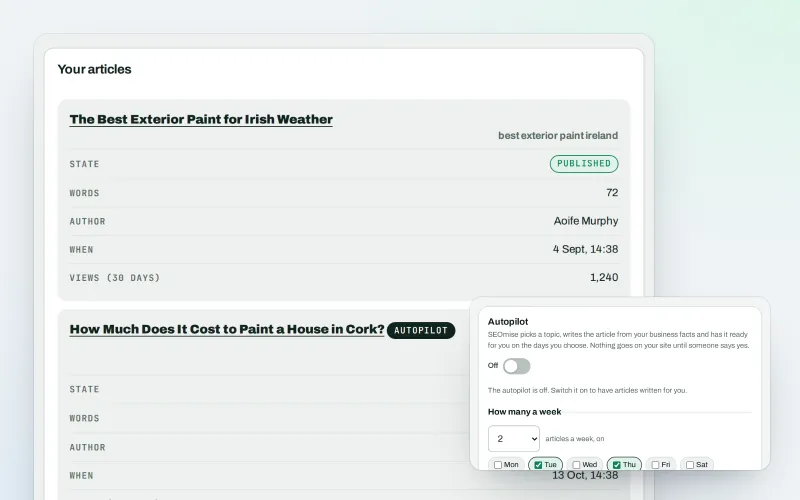
Blog articles written from your own business facts
Explore -
WonderWheel
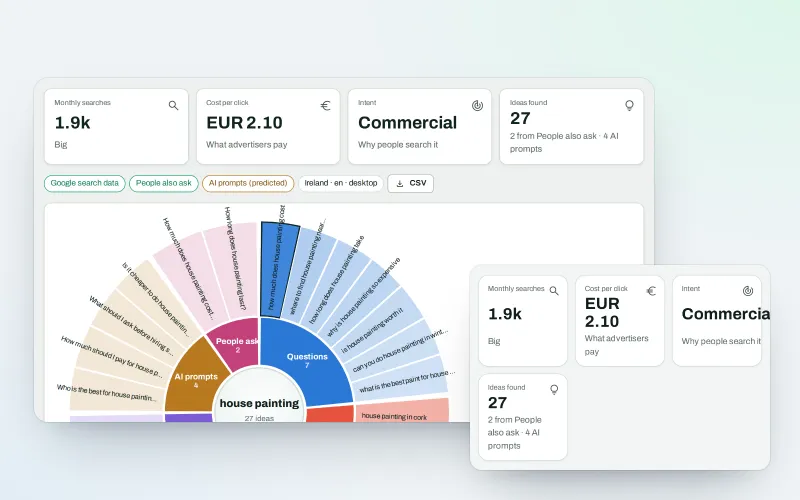
Spin a word and see everything people wonder about it
Explore -
Keyword clusters Beta
Turn a long list of searches into topics, with one page for each
Explore -
Page Factory
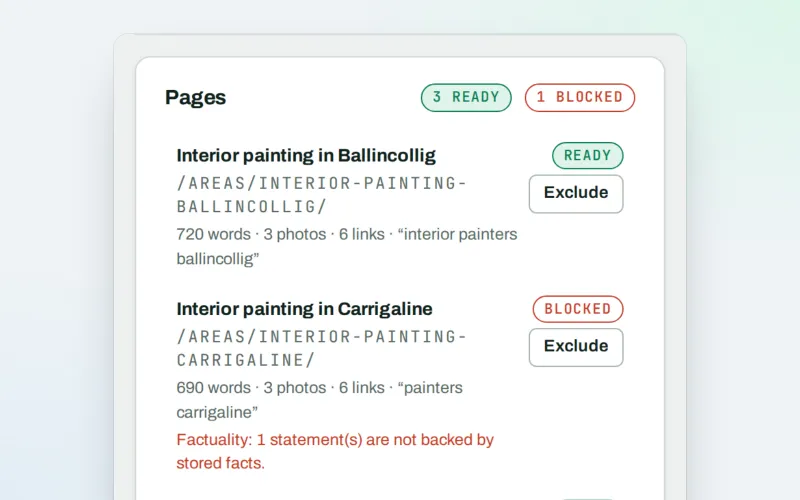
A page for each service in each town you cover, from real facts
Explore -
Content SEO checks
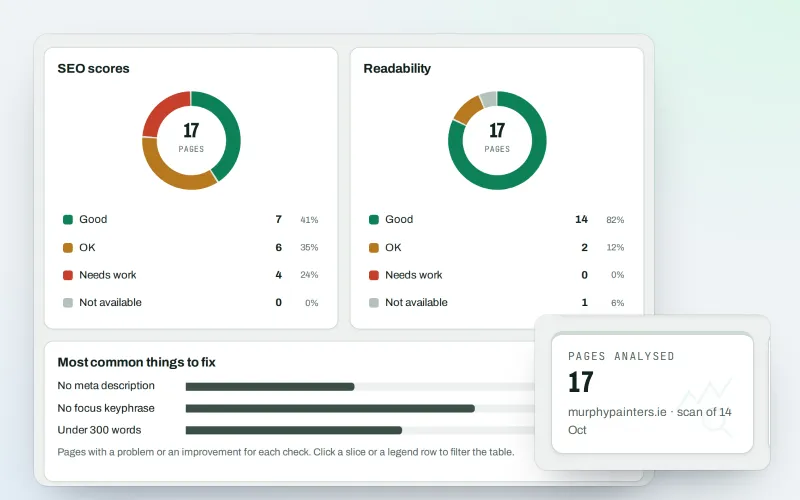
Page-by-page checks for your titles, keyphrases and readability
Explore -
SEO Toolbox Beta
Every tool on its own: by the month, by the year or as a pass
Explore -
AI content check & rewrite Beta
See which of your pages read as AI-written, and rewrite them in your own voice
Explore -
Ask about your data Beta
Ask about your SEO data in plain words, get the answer with the working
Explore
Be among the first to try Content briefs
Content briefs is in beta. Ask for early access and we will e-mail you when it is ready for you; nothing is bought.
No ranking guarantees: just clear work, with the evidence.
