







- Home
- All modules
- Website health
- Fix jar and task notes
Website health
Fix jar and task notes
Every fix in one jar, with a dated record of what was done on each
Every fix you pick goes into one jar with its state, who it is with and the latest note. Each fix has its own page and timeline, so anyone on the team, or your client, knows where it stands.
Illustration of the screen, without data.
Why it matters
From the problem to what SEOmise does
Losing track of who did what
A fix waits on a password from a client, someone sends an e-mail, someone else picks it up a week later and nobody knows what happened. Records end up in inboxes and chat threads instead of with the work.
Every fix in one jar, with a dated record of what was done on each
- One record per task. A fix in the jar and the same point on your To do list share one log, so nothing is written twice. Move a fix to the To do list and back without losing its notes.
- Assign and mention. Give a task to a team member or mention them in a note. They get a notification and an e-mail, as their own settings say.
- Credentials stay secret. Passwords a client sends are encrypted. To see one, you confirm with your PIN or an e-mailed code; it shows for a minute, and every opening is recorded.
How it works
Five steps, start to finish
- Collect fixes into the jarPress "Add to fix jar" on any report. The jar page lists every fix with its report, the check, the page, its credits and its state.
- Log what you doWrite a note on any task: "requested credentials from the client". It is saved with your name, the date and the time, and can carry a status such as Waiting on the client.
- Ask the client in one goAgencies send a request from the fix itself, drafted for them and edited before it goes. The client answers through a private link; passwords go into an encrypted vault.
- Get it done your wayFix it yourself with the steps for your platform, let SEOmise do it for the credits shown first, or hand it to the SEOmise team for a set price.
- Finish and checkMark the fix finished and SEOmise checks your live page. The whole story stays on the fix's timeline.
Features
What you get with Fix jar and task notes
One record per task
A fix in the jar and the same point on your To do list share one log, so nothing is written twice. Move a fix to the To do list and back without losing its notes.
Assign and mention
Give a task to a team member or mention them in a note. They get a notification and an e-mail, as their own settings say.
Credentials stay secret
Passwords a client sends are encrypted. To see one, you confirm with your PIN or an e-mailed code; it shows for a minute, and every opening is recorded.
Notes the client can see
Agencies choose which notes their client sees in the portal. Internal notes never leave the team.
Waiting and blocked
Mark fixes as waiting on the client or blocked, with the reason, one by one or in bulk, and filter the jar to see them.
Tickets from a fix
Raise a ticket linked to the fix. Agencies keep it on their own help desk, assign it, and pass it to SEOmise support when it is about the platform.
Edits with a record
You can correct a note for a few minutes after writing it; after that the log is a record. Deleted notes are hidden, not erased.
Export for your records
Export a fix's log, or the whole jar, as CSV or PDF, with dates and times in your workspace's time zone.
Before and after
What changes with Fix jar and task notes
Before: without a record. After: with the fix jar and notes. Drag the handle, or use the arrow keys, to compare.
Without a record
- Fixes scattered across reports and e-mails
- Passwords sent in plain e-mails
- Nobody knows what was done, or when
With the fix jar and notes
- Every fix in one jar, with its state and owner
- Secure answers into an encrypted vault
- A dated timeline on every task
Illustration of the difference, not a measured result.
What it needs
No surprises after you sign up
Turn a card over for the detail.
A plan with Website health
A plan with Website health
Fixes come from your reports. Running fixes for you takes credits, shown before anything starts.
People with the right roles
People with the right roles
Owners, admins, SEO managers and content editors write notes and act on fixes. Viewers read them.
Optional: a site connector
Optional: a site connector
With a connector SEOmise can make fixes for you; without one every fix comes with steps for your platform.
Every platform
Whatever your site runs on
What Fix jar and task notes does on each kind of website, from SEOmise's site connectors to step-by-step guidance.
WordPress
WordPress and WooCommerceFixes can be sent through the WordPress connector, checked on the live page and undone. Notes, requests and timelines work the same on every platform.
Laravel
Sites built on LaravelFixes can be sent through the Laravel package. Notes, requests and timelines work the same on every platform.
Any PHP site
Custom PHP, CodeIgniter, Symfony, Drupal, JoomlaThe PHP connector applies the fixes it supports; the rest come with steps. Notes, requests and timelines work the same.
Every other platform
Shopify, Wix, Squarespace, Webflow, static sites and the restOn any other platform each fix comes with steps for your platform and the values to copy. Mark it finished and SEOmise checks the live page; the notes and timeline are the same.
Where Fix jar and task notes is included
Fix jar and task notes is not part of a public plan at the moment.
See pricingNot sure it fits?
Ask Mise, our assistant, in the help centre, or book a call and we will show you Fix jar and task notes on a site like yours.
Questions
Fix jar and task notes: common questions
Where do I see everything in the jar?
Open Overview → Fix jar in your project, or press the jar's count or "View the jar" on the sticky bar. Agencies can also open one jar across all the projects they look after.
Can my client see my notes?
Only the notes you mark "Visible to the client". Everything else stays with your team.
How are passwords kept safe?
A client sends them in a secure field. They are encrypted in a vault, never shown in notes, e-mails or exports, and open only after your PIN or an e-mailed code, for a minute at a time.
Can I change a note later?
For a few minutes after writing it (15 by default). After that you add a new note instead; the original of any edit is kept in the audit log.
Which plans include Fix jar and task notes?
Plans and add-ons are on the pricing page. If Fix jar and task notes is not listed there yet, ask us how to get it.
Works well with
Related modules
-
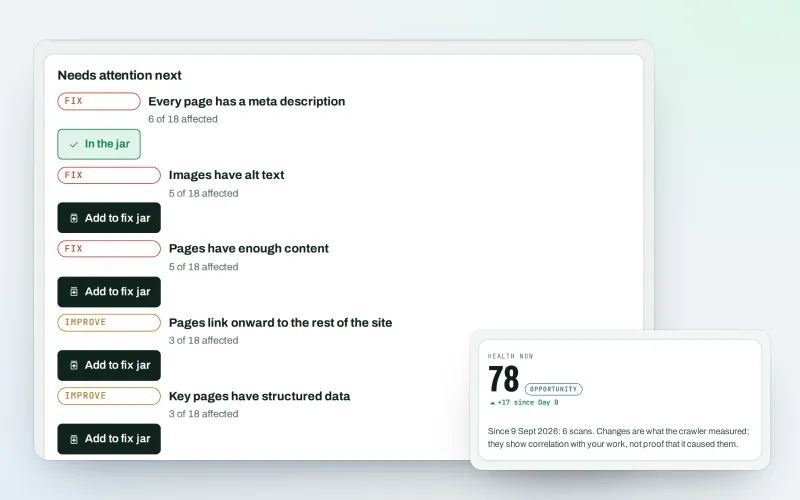
Website health check
See what is wrong with your website, and what to fix first
Explore -
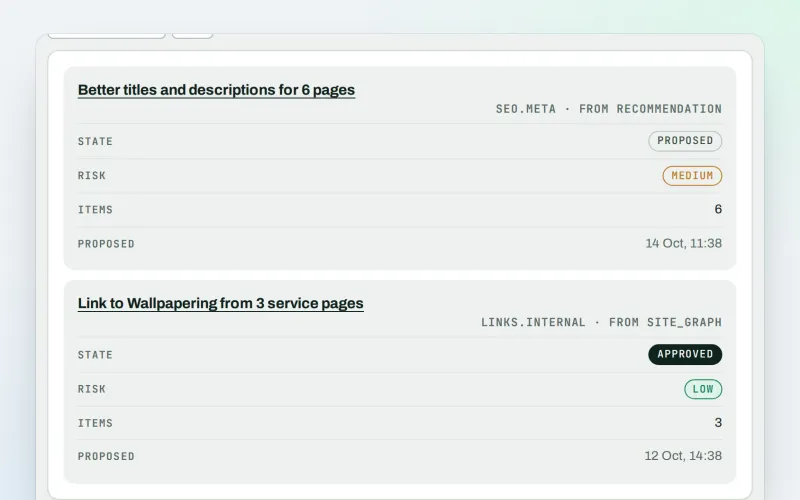
Approve and publish
Approve a fix once. SEOmise publishes it, checks it and can undo it
Explore -
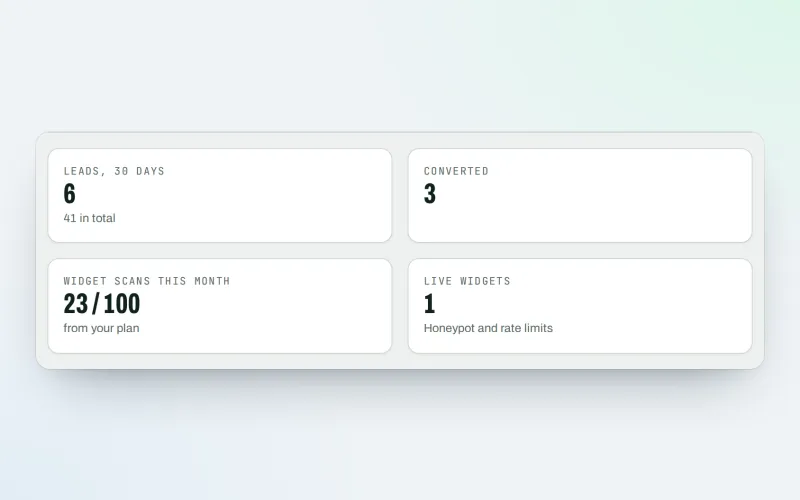
Agency tools Beta
Win clients, work under your brand and give each client a portal
Explore -
Expert help Beta
Paid help from the SEOmise team, from set-up to ongoing care
Explore -
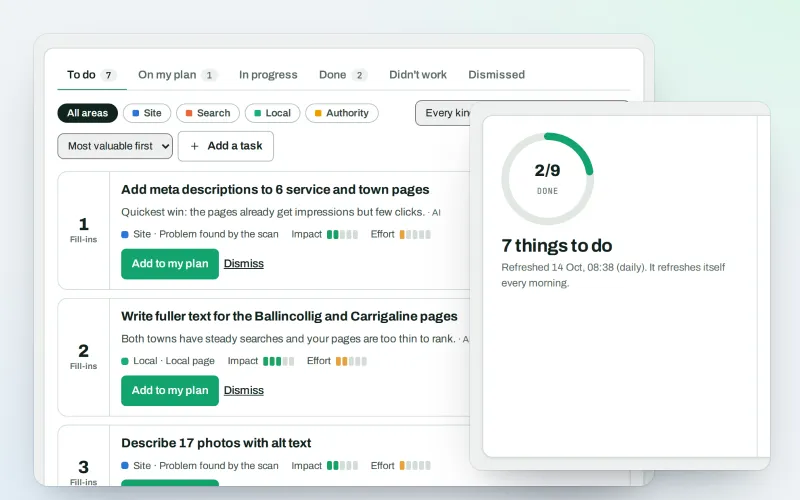
AI Plan
Your SEO to-do list, the biggest difference for the least work first
Explore -
CDN and edge Beta
See how your CDN serves your website, with changes you approve
Explore -
Content SEO checks
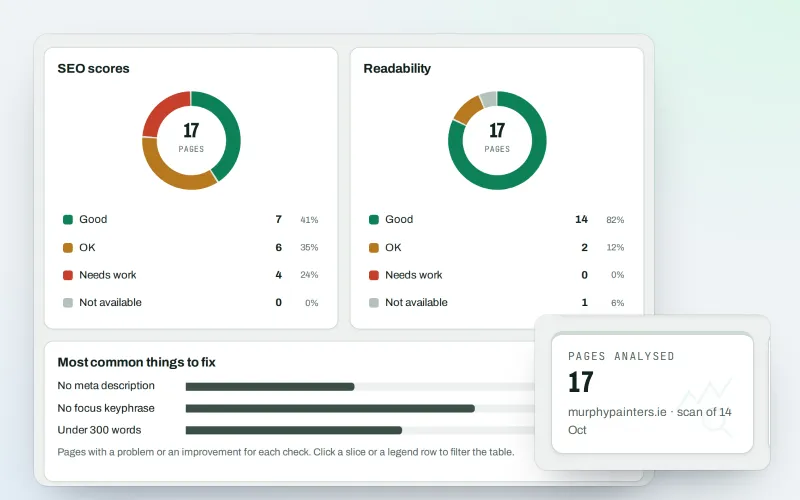
Page-by-page checks for your titles, keyphrases and readability
Explore -
Domain health
See whether your domain's e-mail and DNS are set up safely, with the fix
Explore
Try Fix jar and task notes on your own site
Add your site; your first scan becomes your Day 0 baseline. Nothing is bought or published without your approval.
No ranking guarantees: just clear work, with the evidence.
