







- Home
- All modules
- Visitors & reports
- Client update e-mails
Visitors & reports
Client update e-mails
A branded monthly e-mail to every client: rankings up, rankings down, and the work done
Every month (or week) each client gets an e-mail in your brand: keywords up and down, new top 10 entries, the key figures, the work done and what comes next. Approve it first if you like.
Illustration of the screen, without data.
Why it matters
From the problem to what SEOmise does
Writing client updates by hand takes hours
Every month means copying positions into a spreadsheet, working out what moved, and explaining a drop without sounding defensive. Clients who hear nothing assume nothing happened.
A branded monthly e-mail to every client: rankings up, rankings down, and the work done
- Top gains and top losses. Each keyword with its position before and now and the change, five of each by default, with the place and device when you track more than one.
- Key figures with the change. Search visibility as a score out of 100, average position, keywords in the top 3 and top 10, and Search Console clicks and impressions when connected: green when better, red when lower, the value before in brackets.
- In and out of the top 10. Keywords that reached the first page, and the ones that dropped off it.
How it works
Four steps, start to finish
- Choose whenEvery month on the day you choose (the 3rd unless you change it), or every week, at an hour in your time zone.
- Choose whoTick the client's contacts and portal users. Other addresses only with the person's agreement, recorded with your name.
- Approve, or let it goA draft is ready two days before. Add a note, approve or skip it. Or let it go out on time without asking.
- It arrives in your brandYour logo, colours and e-mail sending with white label, readable on any phone and in every mail program.
Features
What you get with Client update e-mails
Top gains and top losses
Each keyword with its position before and now and the change, five of each by default, with the place and device when you track more than one.
Key figures with the change
Search visibility as a score out of 100, average position, keywords in the top 3 and top 10, and Search Console clicks and impressions when connected: green when better, red when lower, the value before in brackets.
In and out of the top 10
Keywords that reached the first page, and the ones that dropped off it.
Map grid and AI answers
The map grid's average position and how often AI assistants named the business, when you track them.
Work done and what comes next
Changes applied, tasks completed, pages published, links and review replies, your own work log, and the next tasks of the AI Plan.
Honest about losses
Drops are listed plainly, with one line on why rankings move. A part with no data is left out instead of padded.
Your brand, your words
White label uses your logo, colours, name and e-mail sending. Change the wording and layout in the design studio.
Easy to stop
Every e-mail has its own unsubscribe link that works without signing in, and mail programs can unsubscribe with one click.
What it needs
No surprises after you sign up
Turn a card over for the detail.
Tracked keywords
Tracked keywords
Gains and losses come from rank tracking. Search Console, the map grid, AI visibility, the AI Plan and the work log add their parts when you use them.
Nothing on your website
Nothing on your website
The e-mail uses data SEOmise already holds and fetches nothing new.
Every platform
Whatever your site runs on
What Client update e-mails does on each kind of website, from SEOmise's site connectors to step-by-step guidance.
WordPress
WordPress and WooCommerceWorks the same on every site: the update is built from what SEOmise holds.
Laravel
Sites built on LaravelWorks the same on every site: the update is built from what SEOmise holds.
Any PHP site
Custom PHP, CodeIgniter, Symfony, Drupal, JoomlaWorks the same on every site: the update is built from what SEOmise holds.
Every other platform
Shopify, Wix, Squarespace, Webflow, static sites and the restNothing to install. Sites on any platform get the same update.
Where Client update e-mails is included
Client update e-mails is not part of a public plan at the moment.
See pricingNot sure it fits?
Ask Mise, our assistant, in the help centre, or book a call and we will show you Client update e-mails on a site like yours.
Questions
Client update e-mails: common questions
Does the client need to sign in?
No. Everything is in the e-mail. The full report button opens the project or the client portal (sign-in needed), or a live report link or shared report you published.
Can I check it before it goes out?
Yes. With "Hold for my approval" you get a draft first; nothing goes out until you approve it, unless you choose to send on time anyway. You can also send yourself a test at any time.
What if rankings fell?
The e-mail says so plainly, lists the biggest drops and adds one line on why rankings move. It never hides a loss.
Can I send it every week?
Yes, every week on the day you choose, covering the Monday-to-Sunday week before. Monthly is the default.
Can people unsubscribe?
Yes, with the link in every e-mail. Someone who unsubscribed is added back only when you confirm they asked for it.
Which plans include Client update e-mails?
Plans and add-ons are on the pricing page. If Client update e-mails is not listed there yet, ask us how to get it.
Works well with
Related modules
-
Client reports
Client-ready SEO reports as a PDF, e-mailed every week or month
Explore -
Monthly owner digest Beta
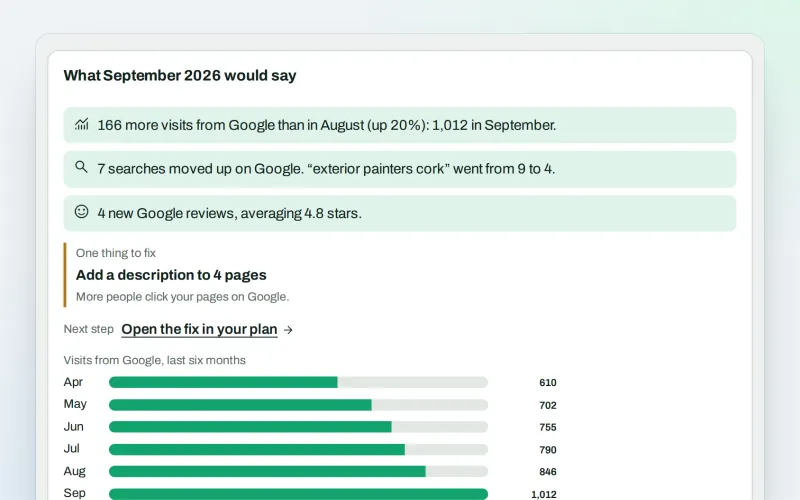
Your month in plain words, by e-mail, without signing in
Explore -
Proof of Progress
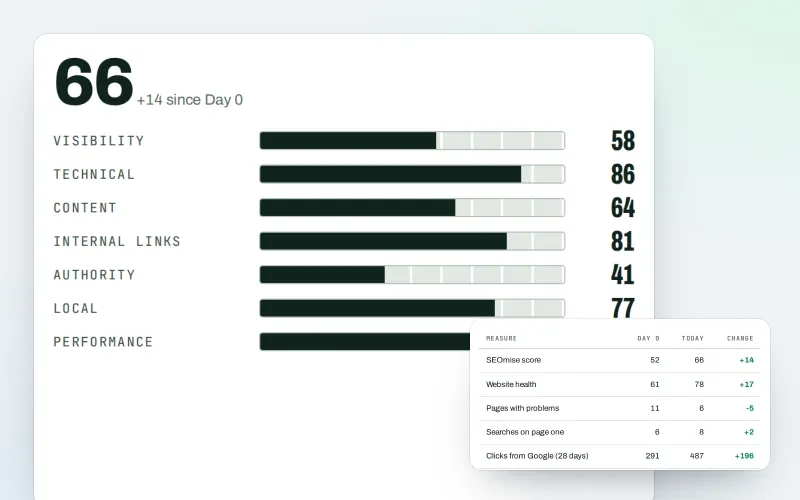
Show a client what changed since the work started, even before SEOmise
Explore -
SEO audit reports
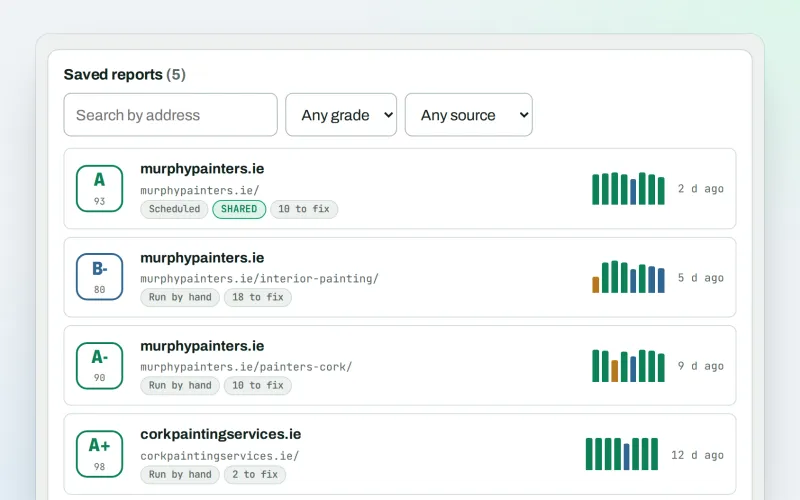
A graded SEO audit of any web address, ready to share or send
Explore -
Live client report links Beta
Send clients one private link to a report that is always up to date
Explore -
Google data
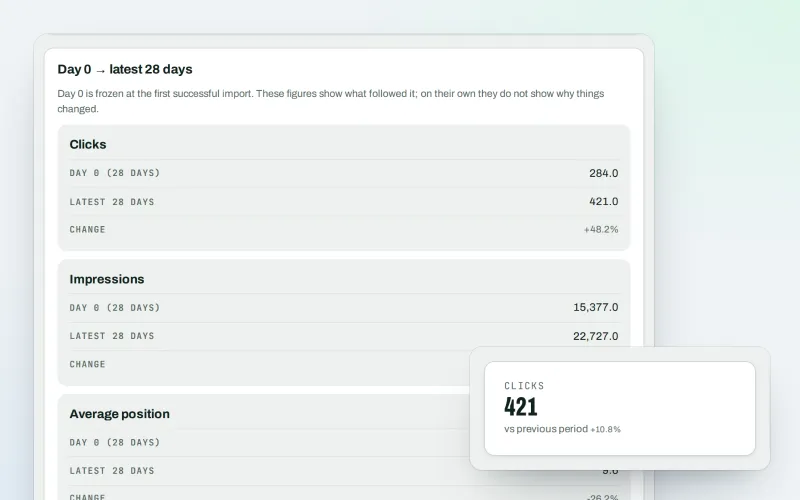
Your own Search Console and Analytics figures, imported every day
Explore -
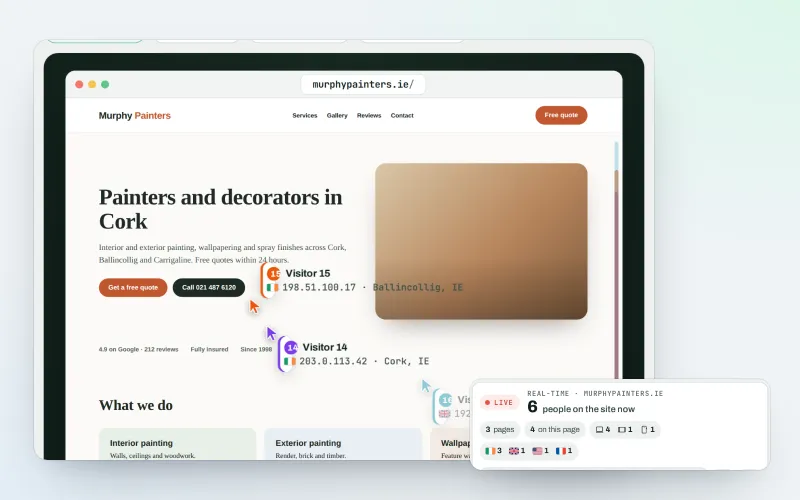
Live view
See who is on your website right now, and where they click
Explore -
Reports centre
Every report in one place: pick a type, a project and a period, then download or share it
Explore
Try Client update e-mails on your own site
Add your site; your first scan becomes your Day 0 baseline. Nothing is bought or published without your approval.
No ranking guarantees: just clear work, with the evidence.
