







- Home
- All modules
- Visitors & reports
- Proof of Progress
Visitors & reports
Proof of Progress
Show a client what changed since the work started, even before SEOmise
Choose the day the work really started, up to 16 months back. SEOmise fills in the history and shows clicks, calls and enquiries then and now, with the work done marked.
Illustration of the screen, without data.
Why it matters
From the problem to what SEOmise does
Results started before the reporting did
An agency that has worked on a site for six months, or a business that hired help last year, joins SEOmise today. A report that starts today shows none of the work already done, and the client asks what they got for their money.
Show a client what changed since the work started, even before SEOmise
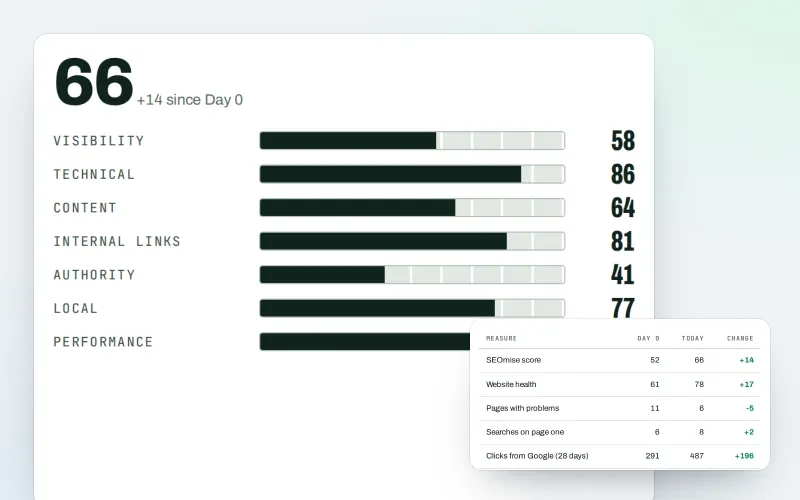
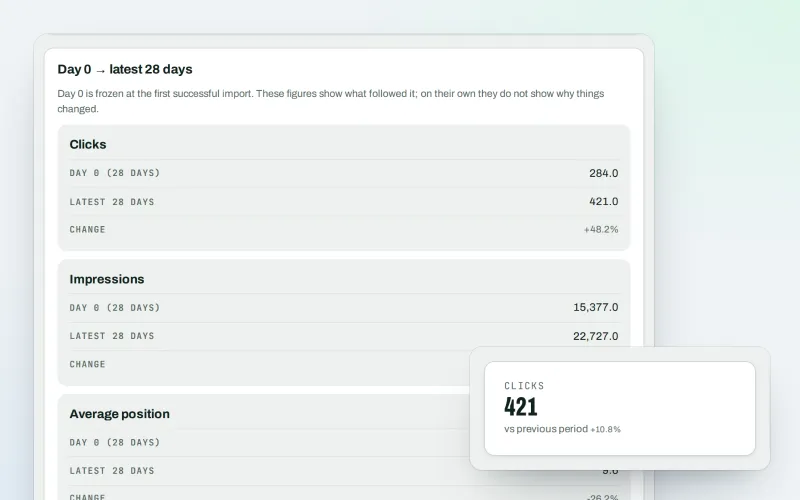
- Start and now. Clicks and times shown in Google, searches in the top 10, calls and website clicks from the Business Profile, enquiries and qualified leads, and visits: the first four weeks against the last four.
- Month by month. A monthly chart from the start date, with every piece of work marked on the month it was done: SEOmise's own record and yours.
- A year before. The same months a year earlier where the data exists, so a busy season is not mistaken for progress.
How it works
Four steps, start to finish
- Set the start dateWhen you add the website, choose Today or the day the work began. You can change it later in the report; every change is recorded.
- SEOmise fills in the historyFrom Google Search Console, Google Analytics and the Business Profile, from that date, a few days at a time. You see each source's progress.
- Enquiries are countedFrom the Lead inbox, landing pages and your website's own forms through the site connector, counts only. Anything else you type in or upload.
- Send it to the clientAs a PDF, a private live link or a monthly e-mail, with your own logo and colours.
Features
What you get with Proof of Progress
Start and now
Clicks and times shown in Google, searches in the top 10, calls and website clicks from the Business Profile, enquiries and qualified leads, and visits: the first four weeks against the last four.
Month by month
A monthly chart from the start date, with every piece of work marked on the month it was done: SEOmise's own record and yours.
A year before
The same months a year earlier where the data exists, so a busy season is not mistaken for progress.
Pages then and now
Links to the Internet Archive's copy of the home page and key pages around the start date, next to the pages today.
The work done
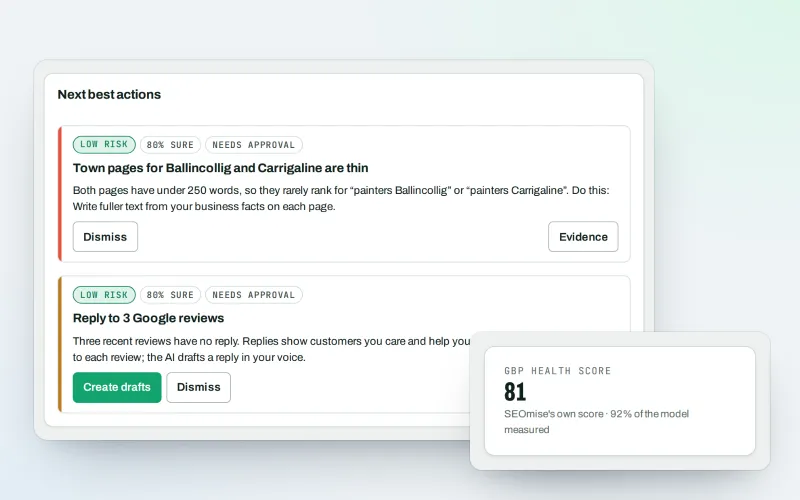
Changes applied, plan tasks completed, pages published, links built and reviews answered with SEOmise, counted automatically.
Your own work log
Add what was done before SEOmise, one by one, many at once or from a CSV. The report shows it as your own record.
Qualified leads
Leads in the Lead inbox that moved past "New" and are not dead count as qualified; the steps that count are a setting.
An honest note
Every report says the results happened while the work was done, and that search results also change for other reasons.
Says what is missing
A section without data is shown with "No data yet" and what to connect, never hidden.
Before and after
What changes with Proof of Progress
Before: without Proof of Progress. After: with Proof of Progress. Drag the handle, or use the arrow keys, to compare.
Without Proof of Progress
- Reports start the day you joined
- Work done earlier is not shown anywhere
- Clients see numbers without the work behind them
With Proof of Progress
- The report starts when the work started
- Your earlier work is in your own log
- Every result sits next to the work done that month
Illustration of the difference, not a measured result.
What it needs
No surprises after you sign up
Turn a card over for the detail.
Google Search Console
Google Search Console
For clicks, times shown, positions and top searches. It keeps 16 months, so that is as far back as the report goes.
Google Analytics 4 (optional)
Google Analytics 4 (optional)
For visits, visitors and key events, as far back as your property keeps them.
Business Profile (optional)
Business Profile (optional)
For calls, website clicks, direction requests and profile views.
The site connector (optional)
The site connector (optional)
WordPress connector 0.24.0 or Laravel connector 0.18.0 to count form entries. Without it, type the numbers in or upload a CSV.
Every platform
Whatever your site runs on
What Proof of Progress does on each kind of website, from SEOmise's site connectors to step-by-step guidance.
WordPress
WordPress and WooCommerceForm entries counted from Gravity Forms, WPForms Pro, Fluent Forms, Formidable, Elementor Pro and Contact Form 7 with Flamingo, counts only.
Laravel
Sites built on LaravelForm entries counted for the forms your app names in its connector settings, counts only.
Any PHP site
Custom PHP, CodeIgniter, Symfony, Drupal, JoomlaThe PHP connector cannot see form records: type the monthly numbers in or upload a CSV. Everything from Google works the same.
Every other platform
Shopify, Wix, Squarespace, Webflow, static sites and the restShopify, Wix, Squarespace, Webflow and every other platform: the Google history works the same; enquiries come from the Lead inbox or the numbers you enter.
Where Proof of Progress is included
Proof of Progress is not part of a public plan at the moment.
See pricingNot sure it fits?
Ask Mise, our assistant, in the help centre, or book a call and we will show you Proof of Progress on a site like yours.
Questions
Proof of Progress: common questions
How far back can the start date be?
Up to 16 months, the longest Google Search Console keeps. Each source fills in only as far back as it keeps data.
Does it change the Day 0 scan?
No. SEOmise's first scan stays exactly as it was made. The report says both: when the work started, set by you, and when SEOmise first scanned the site.
Where do the old rankings come from?
From the average position in Google Search Console, the only rankings kept from before SEOmise. The report says so.
Is any personal data read from my forms?
No. The connector sends only the number of entries per day and form, never a name, e-mail, phone number or answer.
Does the report prove the work caused the results?
It shows what happened while the work was done. Search results also change for other reasons, and every report says so.
Which plans have it?
Agency and business plans. Other plans can have it added.
Which plans include Proof of Progress?
Plans and add-ons are on the pricing page. If Proof of Progress is not listed there yet, ask us how to get it.
Works well with
Related modules
-
Live client report links Beta
Send clients one private link to a report that is always up to date
Explore -
Client reports
Client-ready SEO reports as a PDF, e-mailed every week or month
Explore -
Google data
Your own Search Console and Analytics figures, imported every day
Explore -
Lead inbox Beta
Every lead from your ads and forms in one inbox, followed up to the sale
Explore -
Google Business Profile
Run your Google Business Profile from one place, with approvals
Explore -
SEO audit reports
A graded SEO audit of any web address, ready to share or send
Explore -
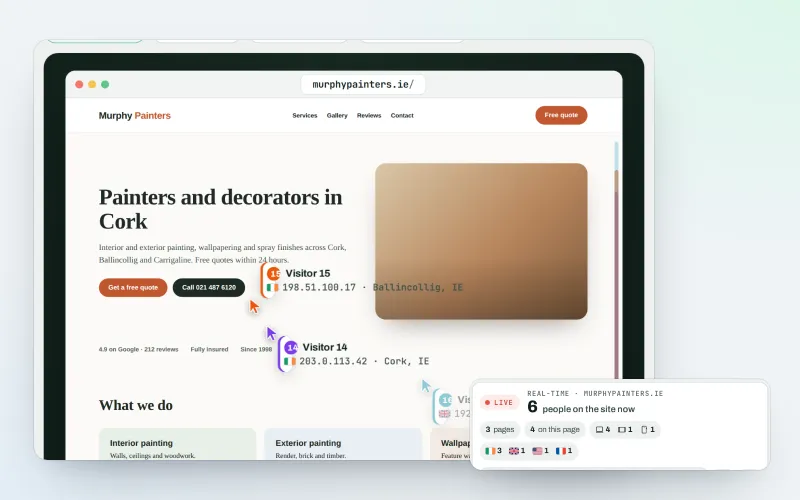
Live view
See who is on your website right now, and where they click
Explore -
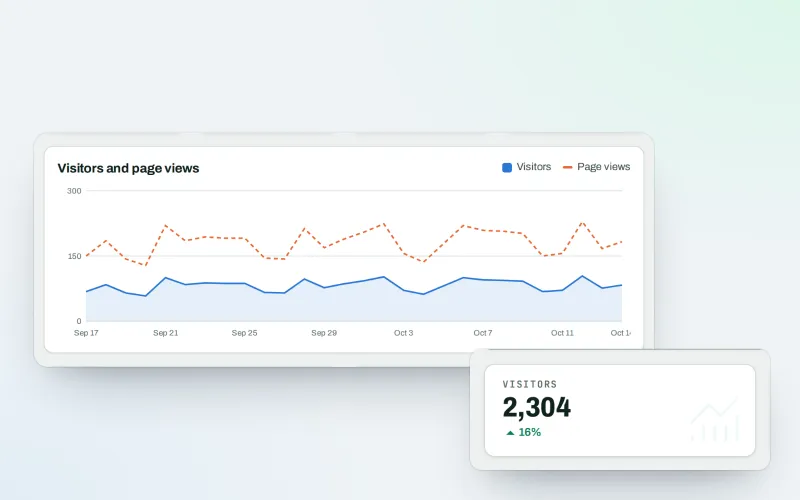
Traffic statistics
Cookie-free visitor statistics, counted on your own website
Explore
Try Proof of Progress on your own site
Add your site; your first scan becomes your Day 0 baseline. Nothing is bought or published without your approval.
No ranking guarantees: just clear work, with the evidence.
