







- Home
- All modules
- Grow
- Guided workspace
Grow
Guided workspace
SEO one mission at a time, with "Do it for me" on every step
For people who know their business, not SEO: short missions by goal, the next one first. SEOmise does each one for you, shows you how, or our team does it.
Illustration of the screen, without data.
Why it matters
From the problem to what SEOmise does
Too many screens, no idea where to start
An SEO tool shows hundreds of numbers and checks. Without the know-how, it is hard to tell which one matters this week, how to fix it on your own website, or whether it worked.
SEO one mission at a time, with "Do it for me" on every step
- Missions by goal. Get set up, get found on Google, a fast and easy website, win customers nearby, keep track. Each goal shows how far you are, or "No data yet" until the first scan.
- Continue where you left off. Your place in each mission is kept for the project, on any device and for everyone in your team.
- Done, later or not for us. Mark a mission done, move it to later for a week, or skip it. A newer scan that still finds something brings it back.
How it works
Five steps, start to finish
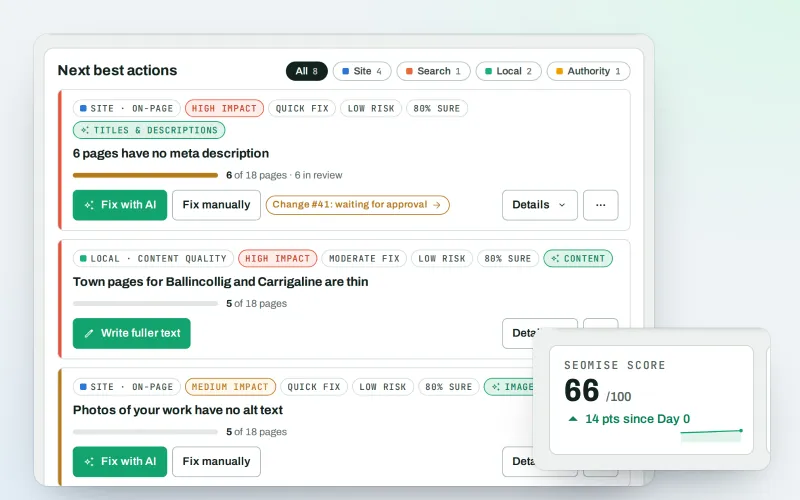
- Your next mission firstConnect, scan, clear titles on Google, missing pages, speed, accessibility, local customers, a weekly e-mail: grouped by goal and ordered by what your own data says matters most.
- A few short steps eachEach mission is a handful of steps in plain words, chosen for your website's platform and your progress. Steps tick themselves when SEOmise sees them done in your data.
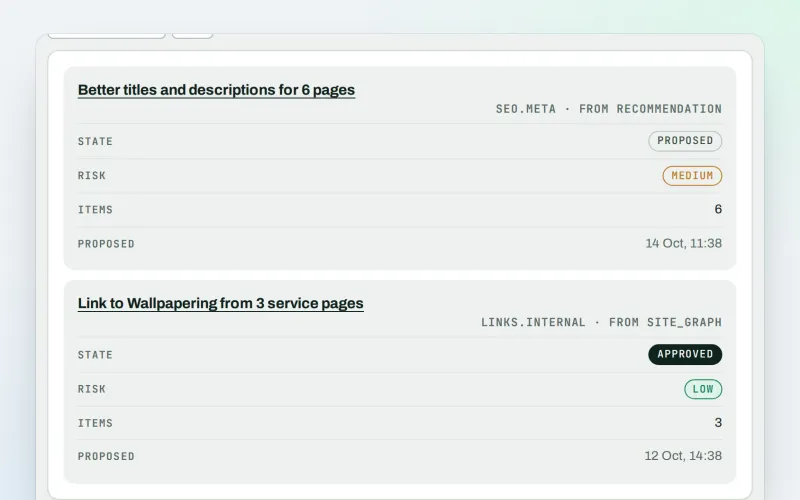
- Do it for meSEOmise prepares the change, you approve it, and on a connected website it is published and checked. Nothing goes live without your approval, and it can be undone.
- Or show me howThe screen dims and the part to use lights up, step by step, with the steps for your own platform when you would rather make the change yourself.
- Or hire MiseHand a mission to our team at the price shown, or buy the done-for-you service. A support ticket follows it to the end.
Features
What you get with Guided workspace
Missions by goal
Get set up, get found on Google, a fast and easy website, win customers nearby, keep track. Each goal shows how far you are, or "No data yet" until the first scan.
Continue where you left off
Your place in each mission is kept for the project, on any device and for everyone in your team.
Done, later or not for us
Mark a mission done, move it to later for a week, or skip it. A newer scan that still finds something brings it back.
Titles written for you
"Do it for me" writes clear search titles and descriptions for the pages that need them most, from each page's own heading and text, and saves them for your review.
Safe for teams
Each person sees what their role allows. Staff helping you can look but never change your progress, and an agency's clients only see the missions for their own website.
Full workspace any time
Switch to the full workspace whenever you like, and open your missions again from Overview, Start here or the menu.
Before and after
What changes with Guided workspace
Before: on your own. After: with the guided workspace. Drag the handle, or use the arrow keys, to compare.
On your own
- A long list of problems and no order
- Instructions written for someone else's platform
- No way to tell if a fix worked
With the guided workspace
- The one next mission, then the rest by goal
- Steps for your own platform, or done for you
- Each step ticks itself from your real data
Illustration of the difference, not a measured result.
What it needs
No surprises after you sign up
Turn a card over for the detail.
Your website address
Your website address
Scanning needs nothing installed. Making changes for you needs the WordPress plugin, the Laravel package or the PHP connector file; every other platform gets the steps.
A plan that offers it
A plan that offers it
Most plans do. Some missions use tools that come with particular plans; the mission says so.
Every platform
Whatever your site runs on
What Guided workspace does on each kind of website, from SEOmise's site connectors to step-by-step guidance.
WordPress
WordPress and WooCommerceOne click connects it. "Do it for me" makes titles, speed, accessibility and redirect fixes through the plugin after your approval, and checks them.
Laravel
Sites built on LaravelThe Laravel package makes the same fixes after your approval. The connect mission gives your developer the one command to run.
Any PHP site
Custom PHP, CodeIgniter, Symfony, Drupal, JoomlaThe PHP connector file makes titles, descriptions, accessibility and speed settings after your approval; the rest come with steps.
Every other platform
Shopify, Wix, Squarespace, Webflow, static sites and the restShopify, Wix, Squarespace, Webflow and every other platform: the snippet reads your website, each mission shows the steps for your platform, and a new scan checks them. Our team can do any mission for you.
Where Guided workspace is included
Guided workspace is not part of a public plan at the moment.
See pricingNot sure it fits?
Ask Mise, our assistant, in the help centre, or book a call and we will show you Guided workspace on a site like yours.
Questions
Guided workspace: common questions
Do I need to know SEO?
No. Each mission explains in plain words what it is for, how long it takes and what to do, one step at a time.
Will SEOmise change my website without asking?
No. "Do it for me" prepares the change and waits for your approval (or, in a team, for someone who may approve). It is then published and checked, and can be undone.
My website is not on WordPress. Does this work?
Yes. The missions use the right steps for your platform: Laravel, PHP, Shopify, Wix, Squarespace, Webflow, static sites and more. Where SEOmise cannot make a change itself, you get the steps, or our team does it.
What does "Hire Mise" cost?
The price is shown before you order: either the task price for that mission or the done-for-you service. Nothing is charged until you confirm.
Can I switch to the full workspace?
Yes, at any time from the menu. Your progress stays, and your missions are one click away from Overview and Start here.
Which plans include Guided workspace?
Plans and add-ons are on the pricing page. If Guided workspace is not listed there yet, ask us how to get it.
Works well with
Related modules
-
SEOPilot Beta
One button reads your site, scores it and prepares the fixes it can
Explore -
Approve and publish
Approve a fix once. SEOmise publishes it, checks it and can undo it
Explore -
Expert help Beta
Paid help from the SEOmise team, from set-up to ongoing care
Explore -
Speed fixes Beta
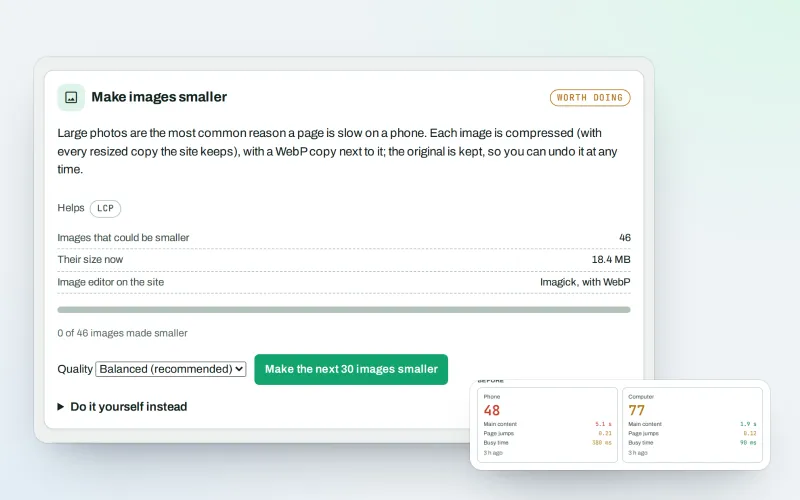
Find what slows your website down and fix it, safely
Explore -
SEO Ai
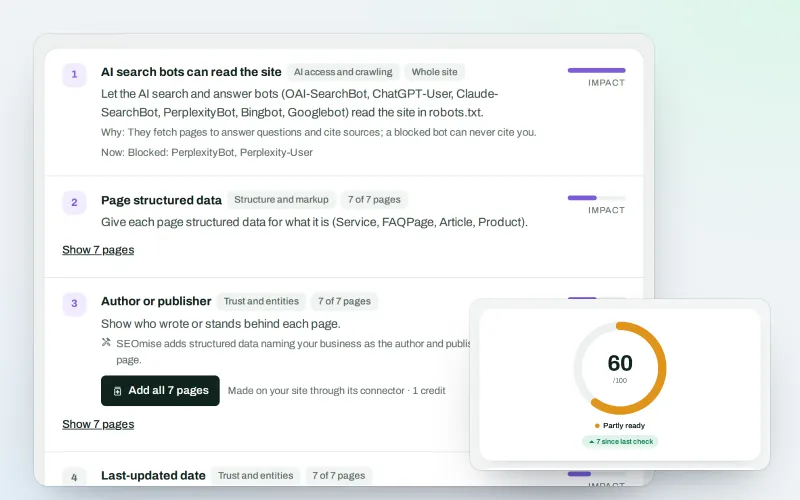
Check whether AI assistants can read your site and quote it
Explore -
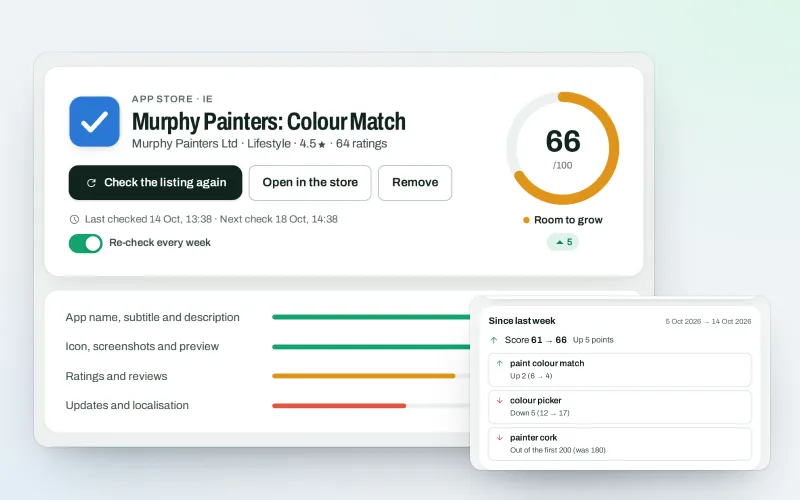
SEOApp
Get your app found in the App Store and Google Play
Explore -
SEO tests and results
See what your changes did, and test a change on some pages first
Explore -
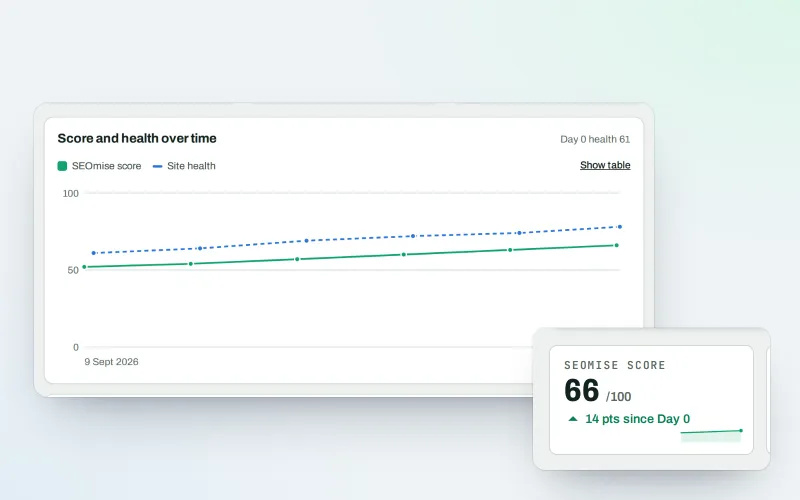
SEOWeb
Your website in Google: health, content and searches in one place
Explore
Try Guided workspace on your own site
Add your site; your first scan becomes your Day 0 baseline. Nothing is bought or published without your approval.
No ranking guarantees: just clear work, with the evidence.
