







Site manager Beta
€1.99 a site a month
Sites and plugins views, expiring plugins, vulnerabilities, PHP errors and uptime for every site.
The Agency package includes 10 sites.
Website health
Manage multiple WordPress sites: versions, plugins, updates and vulnerabilities
Manage multiple WordPress sites and other platforms in one grid: uptime, versions, plugins and themes, updates waiting, known vulnerabilities and plugins closed, abandoned or losing their licence.
Illustration of the screen, without data.
Why it matters
To know which sites need updates, which run a plugin with a known hole, or which plugin was pulled from WordPress.org, you log in to every site one by one. Paid licences run out without warning, and an old PHP version goes unnoticed until the host turns it off.
How it works
Features
Uptime, WordPress, PHP and database versions, the number of plugins and themes, how many need an update, are vulnerable or are expiring, and one Site care score per site. Filter by needs updates, vulnerable, down, PHP end of life or no backup.
One row per plugin across all your sites: on how many sites, which versions are in use, active or inactive, and the newest version. Open a row to see every site with it. The same for themes, and for Composer packages on Laravel sites.
Plugins WordPress.org has closed (they get no more fixes), plugins with no update for two years, and paid licences you enter by date, with a warning 30 days before they end. Nothing is guessed.
The WordPress, plugin and theme versions your sites run, checked every six hours against a vulnerability database, with the severity and the version that fixes it: "Update to 10.0.2 to fix". Each WordPress core file is compared with WordPress.org's published checksums: changed files and PHP files that are not part of WordPress are listed. The user names of every site's administrators are listed too, so forgotten accounts are easy to spot (never e-mail addresses or passwords).
New fatal errors and warnings, one line per file and line, with how often they happened. Never the visitor's data or the request. From Website watch: uptime over 30 days and the days left on the certificate and the domain name, for every platform.
Reading a site shows each step with its tick, its own progress bar with the real numbers and the item it is on. If a site goes quiet you see "Still working on …", and if it looks stuck you can wait, retry the step or cancel. Leave the page and the top bar keeps the job in sight.
WordPress, plugins and themes updated with WordPress's own upgrader, after a restore point. Then the home page and the pages you name are checked (HTTP 200, no PHP fatal error) and the screenshots compared; if a check fails, the old version is put back by itself. Update windows, undo from the history, and bulk actions: install, switch on, switch off or delete a plugin across many sites, or apply a saved plugin set, each site with its own job and undo.
Full, then only what changed: files in chunks named by their fingerprint, the database table by table, encrypted on the site with its own key and sent straight to storage in the EU, or to your own S3 or Dropbox, each checked with a test write before it is used. Every backup is checked, a test restore runs every month, and a restore makes a restore point first so it can be undone. Download it as one archive with a one-time installer. An extra on top of Backups for busy sites: the database every hour and the files every six hours, with the same encrypted, checked backups and one-click restore. In early access: ask for it with "Add Backups" on Site manager's Sites screen.
A staging copy hidden from search engines, behind a password, with e-mails held; push it to live after a preview, with a backup of live first and one-click undo; move a site to a new host or clone it to a new domain, with addresses rewritten safely in serialised data and JSON; or deploy a copy over SSH. Only your own sites, and each copy pairs as its own site. In early access: ask for it with "Add Backups" on Site manager's Sites screen.
On WordPress it runs before every other plugin, from a small must-use loader written only when you allow it: a translated subset of the OWASP Core Rule Set, virtual patches for the vulnerabilities found on that site until you update, sign-in lock-outs after wrong passwords and an optional bot check, xmlrpc.php closed, bad bots refused while real search engines get through, and your own address and country lists. It learns for a week before it blocks, and every rule update logs for a day first. Laravel sites get the same rules as a middleware; other platforms get the edge firewall or the steps for their host's. One click switches the firewall off, in the app or in WordPress. And if you ever cannot reach either, delete one file by SFTP and it stops at once. In early access: ask for it with "Add Firewall" on Site manager's Sites screen.
Core and plugin files compared with their published versions, PHP files that should not be in the uploads folder, and suspicious files checked with YARA and ClamAV on our servers. Each finding comes with three ways to fix it: do it yourself, with help, or for you, putting back the clean published copy (or moving the file out of reach) with a restore point and undo. In early access: ask for it with "Add Firewall" on Site manager's Sites screen.
Updates done, backups, uptime, attacks blocked, vulnerabilities patched, malware found and cleaned, and speed, for each client site from the Reports centre. White label puts your agency's name on it and no one else's.
Before and after
Before: without Site manager. After: with Site manager. Drag the handle, or use the arrow keys, to compare.
Illustration of the difference, not a measured result.
Prices
Start with Site manager; add Backups or the Firewall to the sites that need them, or the bundle for all three.
€1.99 a site a month
Sites and plugins views, expiring plugins, vulnerabilities, PHP errors and uptime for every site.
The Agency package includes 10 sites.
€2.49 a site a month
Daily and on-demand backups with restore, 30 days kept, encrypted and stored in the EU.
Hourly backups: +€1.49 a site a month.
€2.00 a site a month
A firewall with virtual patching, login protection, bad-bot blocking and a daily malware scan.
€5.49 a site a month
Site manager, Backups and the Firewall together for a site.
Save 15% against €6.48 bought separately
Each has a 14-day free trial for up to 5 sites. Extras are bought per site, and the bundle covers the sites it is bought for. CloneMise copies (staging, moves, clones) are included with Backups; without Backups each copy is €4.99.
What it needs
Turn a card over for the detail.
WordPress gets everything; Laravel its versions and packages. Without a connector, Site manager shows uptime, the certificate and the domain, with the steps to check the rest.
Site manager on its own, per site and month, with nothing else to buy. The Agency package includes 10 sites, and there is a 14-day free trial for up to 5 sites.
Start with Site manager alone and add an SEO package later, or add Site manager to your package from the Store. Nothing is lost when you move between them.
Every platform
What Site manager does on each kind of website, from SEOmise's site connectors to step-by-step guidance.
Everything: versions, plugins and themes with their updates, vulnerabilities, core files, administrators, Site Health and PHP errors, through the WordPress connector.
PHP, Laravel and every Composer package with its version, through the Laravel connector. Updates stay with your developers.
The PHP version and the web server through the PHP connector file, plus uptime, certificate and domain, with the steps to check the site's own software.
Shopify, Wix, Webflow and other hosted platforms update themselves: Site manager shows uptime, the certificate, the domain and the SEOmise app's status, with where to check your apps.
It is not on sale yet, so there are no prices for it. Leave your name and e-mail address and we will tell you as soon as you can use it.
Ask Mise, our assistant, in the help centre, or book a call and we will tell you where Site manager stands and what you can use today.
Questions
Reading is read-only. Backups and restores need SEOmise Connector Pro and the permission you tick on the site; each runs as a job you can follow step by step, with a restore point first and undo. Safe updates and plugin actions work the same way, from the site's Updates panel or the by-plugin view.
In SEOmise's storage in the EU by default (Amazon S3, eu-west-1, locked against changes for the days you keep them), or in your own S3-compatible storage or Dropbox, chosen per site (Google Drive follows once its upload steps are checked). Every chunk is encrypted on your site with its own key before it leaves, so the storage only ever holds encrypted data.
No. CloneMise copies only your own sites: the site must be connected to your workspace or its domain verified. Each copy leaves out, by default, users who are not administrators, orders and personal data, caches and the pairing keys.
From the vulnerability database SEOmise connects (WPScan is the first one built), checked every six hours against the exact versions your sites run. Until it is switched on, the security tab says so.
From WordPress.org's public plugin information: closed plugins and plugins with no update for two years. Paid plugins are not on WordPress.org, so you enter their licence end date yourself.
Only their user names and display names, so you can spot accounts nobody uses. Never e-mail addresses or passwords.
No. WordPress gets the most, Laravel sites list their packages, and every other platform gets uptime, the certificate and the domain with the steps for that platform.
It starts in learning mode: for a week it only logs what it would block, and signed-in administrators are never blocked by its rules. One click switches it off, in the app or on the SEOmise Connector's Settings tab in WordPress. If you cannot reach either, delete wp-content/seomise-firewall/enabled by SFTP or your host's file manager and it stops at once.
For each blocked request: the rule, the names of the fields that matched, the address, country, method, path without its query string and the browser's name. Never what was typed, a request body or a cookie.
From the OWASP Core Rule Set (Apache License 2.0), the open rule set most web application firewalls use, translated rule by rule for the plugin and the Laravel middleware, with our own signatures and the virtual patches for your site on top. The rule version in use is shown, and new rules log for a day before they block.
A price per site and month, shown in the prices above. Backups (with Hourly backups on top), the Firewall and the Site care bundle are extras per site. A CloneMise copy is included with Backups; without Backups each copy is added to your next invoice. The Agency package includes 10 sites of Site manager, and there is a 14-day free trial for up to 5 sites.
No. Site manager is sold on its own and only shows its own screens. If you want SEO later, choose a package under Billing: your sites and everything Site manager read stay.
Site manager is in beta: it is not on sale yet. Use Ask for early access and we will e-mail you as soon as it is ready for you. Other modules and the plans are on the pricing page.
Works well with
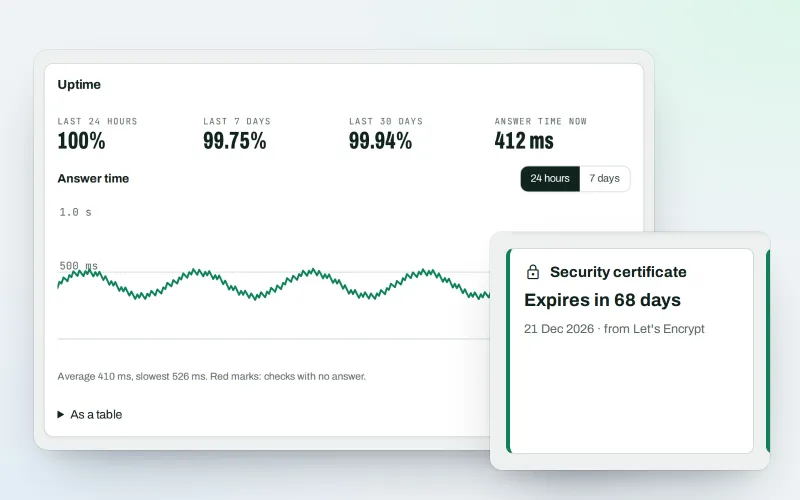
A website uptime monitor: know the moment your site goes down or looks hacked
ExploreThe connector for your site's platform and SEOmise on your browser, computer and phone
Explore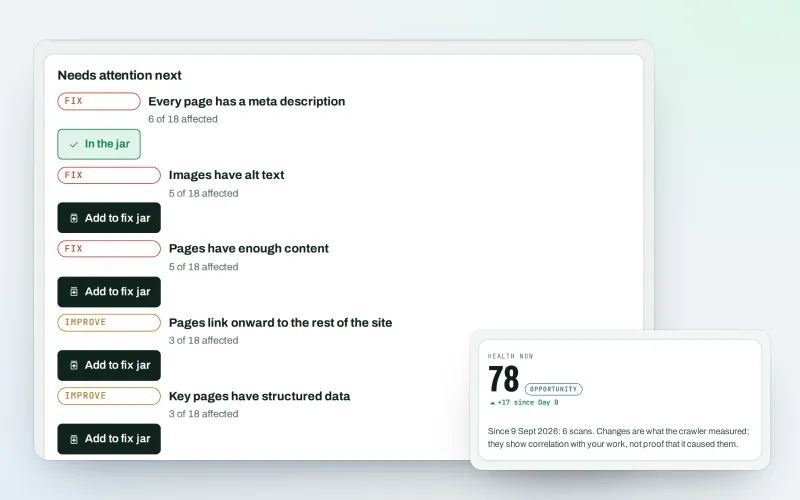
A technical SEO audit: see what is wrong with your website, and what to fix first
Explore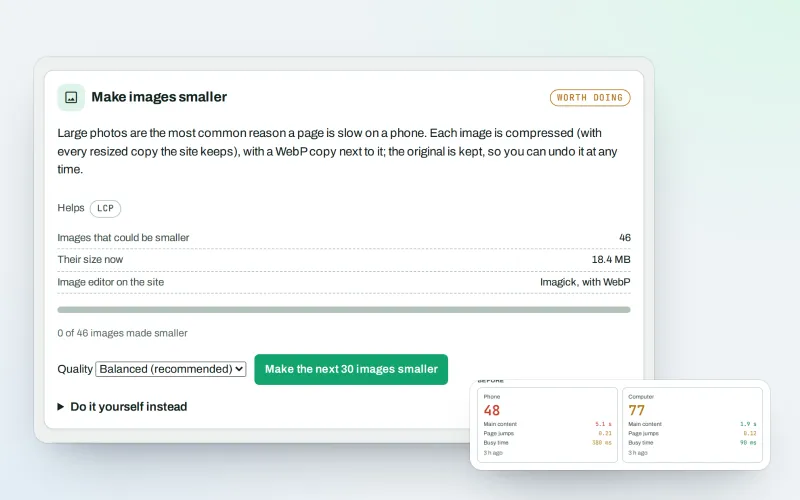
Website speed optimisation: find what slows your site down and fix it, safely
Explore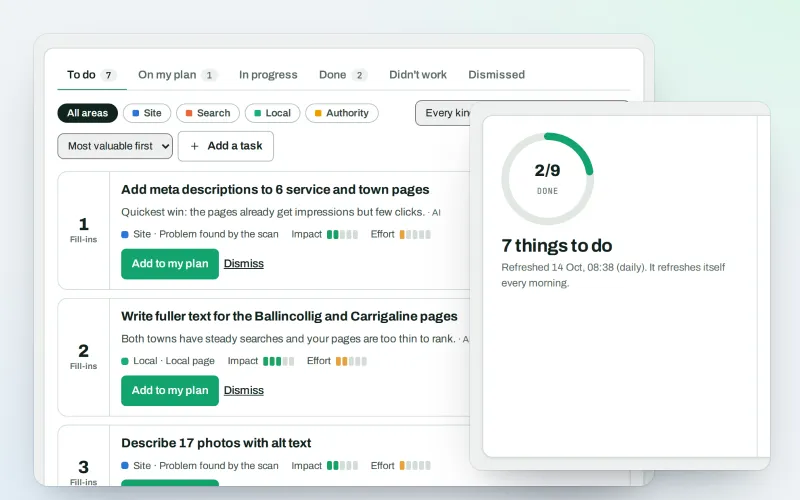
Your SEO action plan: the biggest difference for the least work first
Explore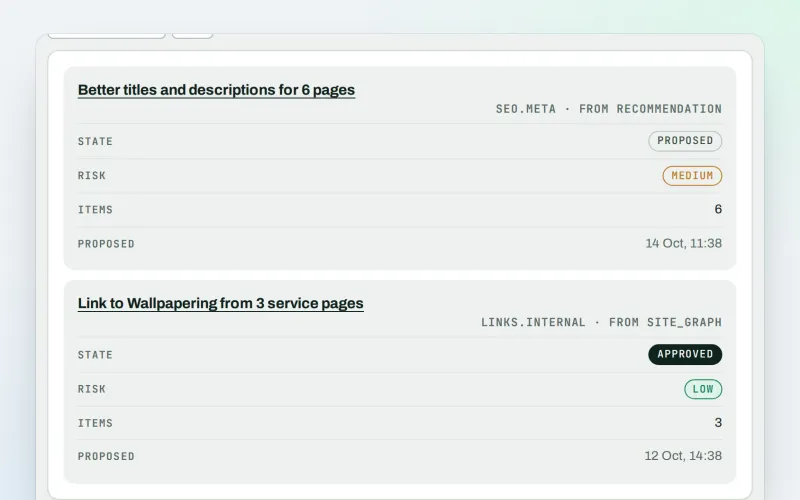
Approve a fix once, and publish SEO changes that are checked and can be undone
ExploreA CDN checker: see how your CDN serves your website, with changes you approve
Explore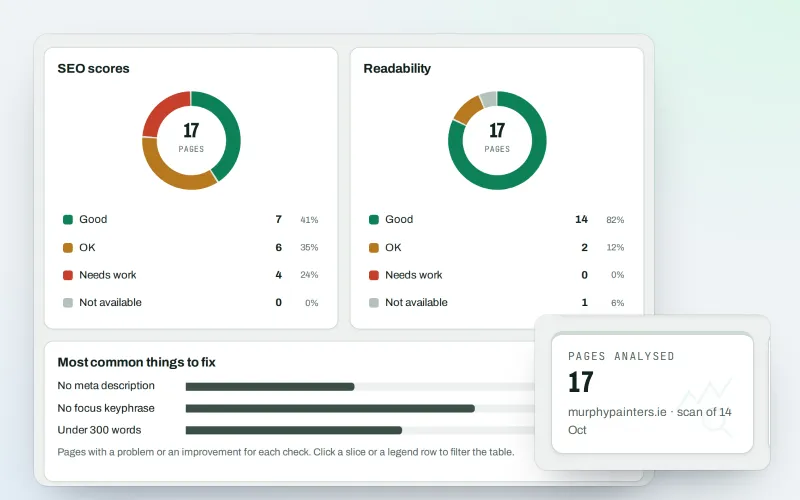
A content SEO checker for your titles, keyphrases and readability
ExploreSite manager is in beta. Ask for early access and we will e-mail you when it is ready for you; nothing is bought.
No ranking guarantees: just clear work, with the evidence.
Your guide to SEOmise

Hi, I am Mise 👋 I help businesses get found on Google, on Google Maps and in AI answers. Ask me what SEOmise can do for you, or let me check your website for free right now.
Mise is an AI assistant and can be wrong. Raise a ticket to reach a person. Questions are kept to improve the help; see the privacy policy.