

- Home
- All modules
- Website health
- Apps & plugins
Website health
Apps & plugins
The SEO plugin, extensions, store apps and downloads for your platforms, in one library
The SEO plugin and site connectors, the Shopify and Wix apps, the browser extension, desktop and phone apps: each with its version, checksum and install steps, in one library.
Illustration of the screen, without data.
Why it matters
From the problem to what SEOmise does
Hunting for the right download
Which plugin fits your site, which version is current, which extension or store app belongs to it, and is the file you downloaded the real one? Without one place to look, people install old copies or skip them altogether.
The SEO plugin, extensions, store apps and downloads for your platforms, in one library
- One library for everything you install. Settings → Software library lists every plugin, extension and download for your platforms as a tile: what your sites or devices run, the newest version and one button (Update all, Download, the store, Install guide). Opening a download shows its card: version, size, published date, the platform it needs, the checksum and the install steps.
- Site connectors. One connector for each kind of site, all speaking the same protocol: the WordPress plugin, the Laravel package and the PHP connector for CodeIgniter, Symfony, Drupal, Joomla and custom PHP. For a site, the project's Site connector page gives a copy already set up for it.
- WordPress: free plugin and Pro add-on. The free SEOmise Connector (WordPress.org) applies every fix you approve. SEOmise Connector Pro adds updates pushed from SEOmise, undone by themselves if the site stops loading, and automatic updates. Laravel and PHP sites get both in one connector.
How it works
Four steps, start to finish
- Open the Software librarySettings → Software library in your workspace menu. What is made for the platforms of your websites comes first, with the version each site runs.
- Download or open the storeEach download is a link made for you that works for a short while; store apps and extensions also open their store page.
- Follow the stepsEvery download card has the numbered steps to install it for its platform: upload to WordPress, copy into Laravel, add from the Chrome Web Store, run the installer.
- Check the fileEvery download shows its SHA-256 checksum with a Copy button, so you can see it is exactly the file SEOmise published.
Features
What you get with Apps & plugins
One library for everything you install
Settings → Software library lists every plugin, extension and download for your platforms as a tile: what your sites or devices run, the newest version and one button (Update all, Download, the store, Install guide). Opening a download shows its card: version, size, published date, the platform it needs, the checksum and the install steps.
Site connectors
One connector for each kind of site, all speaking the same protocol: the WordPress plugin, the Laravel package and the PHP connector for CodeIgniter, Symfony, Drupal, Joomla and custom PHP. For a site, the project's Site connector page gives a copy already set up for it.
WordPress: free plugin and Pro add-on
The free SEOmise Connector (WordPress.org) applies every fix you approve. SEOmise Connector Pro adds updates pushed from SEOmise, undone by themselves if the site stops loading, and automatic updates. Laravel and PHP sites get both in one connector.
Install Pro for me
Never uploaded a plugin? Press Install Pro for me on your WordPress site's Site connector page and approve once on your own WordPress, signed in there as usual. The connector already on your site then downloads Pro from SEOmise, checks its checksum and SEOmise's signature, installs it and switches it on. You never type a password into SEOmise. WordPress only: Laravel and PHP sites need no Pro.
The Publisher plugin for network members
Members of the Publisher Network download the SEOmise Publisher plugin for WordPress from their Software library and from their site's pairing step, with its install steps: sponsored articles then arrive as drafts in their own editor, and only what they approve is published.
Shopify and Wix apps
Install SEOmise from the Shopify App Store or the Wix App Market, sign in once to link your store, and see your website health inside your Shopify admin or Wix dashboard. Approved articles and pages are published through the app, and visits are counted by its tracker. A store is linked only by someone who signs in from the browser they installed from; the apps ask for the least access, and uninstalling ends it at once. Webflow follows.
Browser extension: an instant on-page check Beta
Fifteen checks on the page you are on (title, description, headings, canonical, robots, language links, social tags, alt text, schema, words and links), the same rules as SEOmise's full audit, worked out in your browser: nothing about the page is sent anywhere. For Chrome, Microsoft Edge and Firefox. Ask for early access while the store listings are approved.
Your health score where you are
On a site in your workspace the extension shows its health score, grade and the issues with the most pages, starts a full check, and gives every finding the steps for the page's own platform, Help me do it, or Do it for me. On any other site: Add this site to SEOmise.
Figures on Google results
Off until you switch it on: SEOmise's figures next to results for your own sites and competitors, matched in your browser. Nothing is scraped, and the extension asks for Google access only then.
Desktop app Beta
SEOmise in its own window on Windows, macOS and Linux, with a tray icon, start at sign-in and seomise:// links. It opens only your SEOmise and sends other links to your browser, and it updates itself from signed builds. Ask for early access while the signed installers are published.
Alerts on your desktop and in your browser
Your SEOmise notifications as desktop notifications on Mac, Windows and Linux and as Chrome, Edge or Firefox notifications, on by default once you sign in; a click opens the alert in SEOmise. The tray shows whether they are on, waiting or blocked, with the button to fix it.
Which version your devices run
The extension and the desktop app say which version they are when they talk to SEOmise, so your Software library shows "your devices run 1.1.0 · newest 1.2.0" and Connected devices lists each one. Self-reported and shown only: it never decides what an app may do.
On your phone
Add SEOmise to your home screen from the browser today; Android and iPhone store apps follow.
Safe downloads
Files are checked when SEOmise publishes them, never served from a public folder, and each download link expires. The steps never tell you to go around a SmartScreen, Gatekeeper or store warning.
Moved to a new platform
Rebuilt your website on another platform? SEOmise notices, asks you, and treats it as a new website with its own scans, Day 0 and connector. The old version stays read-only, its redirects, top pages, ranks and changes that worked are offered for the new site, and you can switch back.
Before and after
What changes with Apps & plugins
Before: without one place. After: with the Software library. Drag the handle, or use the arrow keys, to compare.
Without one place
- Old copies from search results
- No way to check the file
- Not sure which plugin, extension or app fits
With the Software library
- The current version for your platform, and what you run
- A checksum and install steps on every download
- Store links once each app is listed
Illustration of the difference, not a measured result.
What it needs
No surprises after you sign up
Turn a card over for the detail.
A SEOmise account
A SEOmise account
The Software library is in the workspace menu of every plan. The extension's on-page check works without one; your health score, issues and alerts need you signed in.
For a store app: a Shopify store or a Wix site
For a store app: a Shopify store or a Wix site
And permission to add apps to it (the store or site owner). The visit tracker on Wix may need a premium plan with your own domain.
Every platform
Whatever your site runs on
What Apps & plugins does on each kind of website, from SEOmise's site connectors to step-by-step guidance.
WordPress
WordPress and WooCommerceThe free WordPress plugin, from WordPress.org once it is listed there or as a download, the Pro add-on from SEOmise for updates with automatic undo, and the Publisher plugin for network members.
Laravel
Sites built on LaravelThe Laravel package as a download, with its install steps on its card and on the Site connector page.
Any PHP site
Custom PHP, CodeIgniter, Symfony, Drupal, JoomlaThe PHP connector, one file for CodeIgniter, Symfony, Drupal, Joomla and custom PHP sites.
Every other platform
Shopify, Wix, Squarespace, Webflow, static sites and the restShopify and Wix get SEOmise's store apps, Webflow as it is listed; every site gets the browser, desktop and phone apps, and the extension's fix steps name the place to make each change on any platform.
Where Apps & plugins is included
Included in these plans. Limits, such as pages per scan or credits a month, are on the pricing page.
See pricingNot sure it fits?
Ask Mise, our assistant, in the help centre, or book a call and we will show you Apps & plugins on a site like yours.
Questions
Apps & plugins: common questions
Why does my download link stop working?
Each link is made when you press Download and works for a short while (15 minutes unless SEOmise changed it). Press Download again for a new one.
How do I check a file is genuine?
Compare the SHA-256 shown on its card (Copy puts it on your clipboard) with the file's checksum on your computer, for example with shasum -a 256 on a Mac or Get-FileHash on Windows.
Why does an app say Beta?
It is not published yet. Press Ask for early access and we will e-mail you as soon as you can use it.
Which connector should I use?
The one for your site's platform. The library shows it first, and the project's Site connector page walks you through installing it.
What is SEOmise Connector Pro?
An add-on to the free WordPress plugin. WordPress.org does not allow a listed plugin to update itself from elsewhere, so updates pushed from SEOmise (with an automatic undo) and automatic updates come in Pro. Every fix works without it. Install it from the project's Site connector page; SEOmise never asks for your WordPress password.
Does the extension see my password?
No. You press Sign in, the extension shows a code, and you approve it in SEOmise where you are already signed in. Remove its access in Connected devices at any time.
What does the extension send to SEOmise?
The on-page check sends nothing. Signed in, it asks SEOmise for your own sites and their figures and matches the page you are on in your browser, so the addresses you visit are not sent. It also says its own version, which your Software library shows.
Which browsers and computers?
Chrome, Microsoft Edge and Firefox; the desktop app on Windows 10 and 11, macOS 10.15 and later, and Linux (AppImage and .deb).
What does the Shopify or Wix app cost, and what can it see?
Installing it costs nothing by default: SEOmise's features follow your SEOmise plan. It sees the blog and pages it publishes to and your store's name and address; with creator sales switched on in Influence, order totals and discount codes, never customer names or addresses.
How do I remove a store app?
Uninstall it in your Shopify admin (Settings → Apps) or Wix (Manage apps), or press Unlink in SEOmise. Its access ends at once.
Where do Publisher Network members get the Publisher plugin?
In Settings → Software library, and on their website's pairing step under Publisher Network, once the network has published it: one Download button with its checksum and install steps.
Which plans include Apps & plugins?
Apps & plugins is included in the Free, Personal, Business and Agency plans. Prices and limits are on the pricing page.
Guides
Apps & plugins: how-to guides
Works well with
Related modules
-
Software library
Every plugin and app you install, each site's version and one button to update them
Explore -
Publish to Shopify, Webflow and Wix Beta
Articles and local pages straight to your Shopify store, Webflow site or Wix blog
Explore -
Website health check
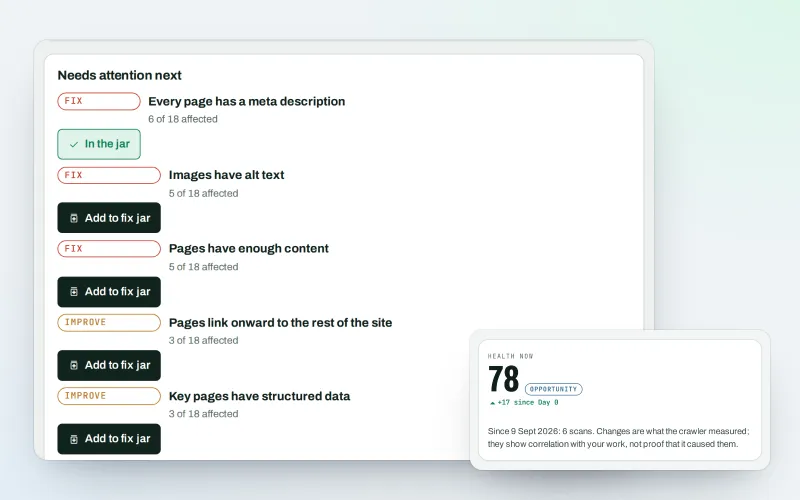
A technical SEO audit: see what is wrong with your website, and what to fix first
Explore -
Phone and browser notifications
SEO push notifications: know the moment something needs you, on phone or computer
Explore -
Influence Beta
An influencer marketing platform: find credible creators and run approved collaborations
Explore -
AI Plan
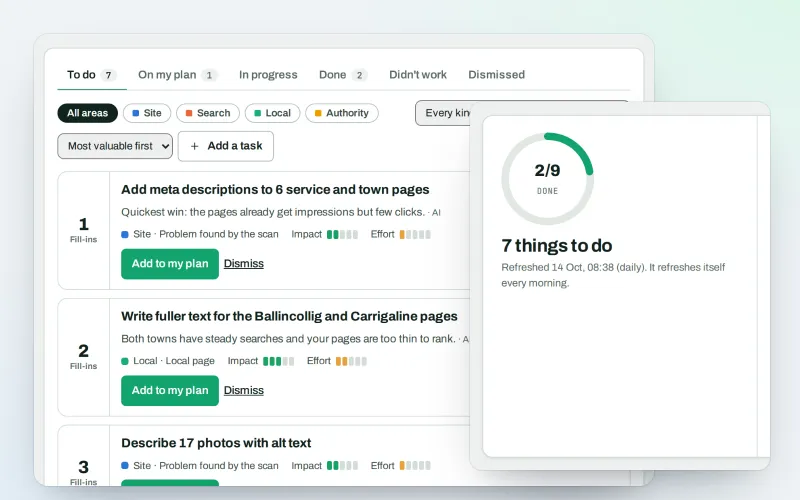
Your SEO action plan: the biggest difference for the least work first
Explore -
Approve and publish
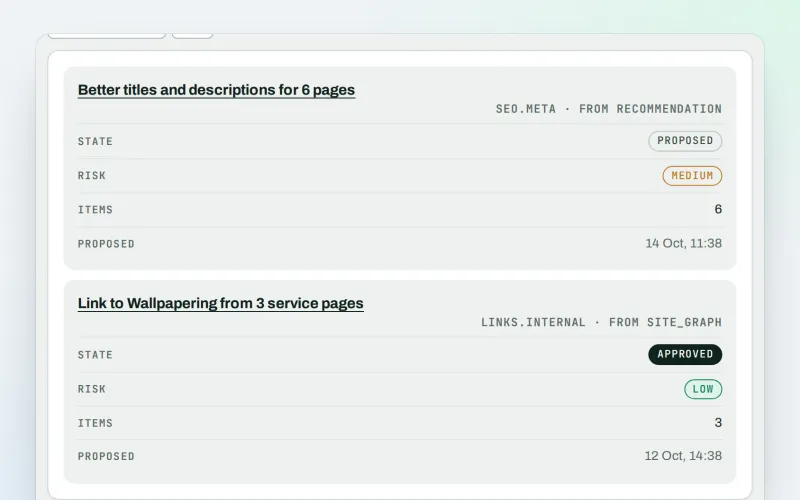
Approve a fix once, and publish SEO changes that are checked and can be undone
Explore -
ConsentGuard SEO Beta
How your cookie banner affects search engines and measurement. A check, not legal advice
Explore
Try Apps & plugins on your own site
Add your site; your first scan becomes your Day 0 baseline. Nothing is bought or published without your approval.
No ranking guarantees: just clear work, with the evidence.
