

- Home
- All modules
- Agencies & developers
- AI assistants (MCP)
Agencies & developers
AI assistants (MCP) Beta
An MCP server for SEO: ask Claude or another AI assistant with your own data
An MCP server for SEO: your AI assistant reads your projects, health and findings, rankings, AI visibility and progress, and any change it suggests waits for your approval.
Illustration of the screen, without data.
Why it matters
From the problem to what SEOmise does
Your assistant does not know your sites
AI assistants answer SEO questions in general. Without your figures they guess, and copying data into a chat is slow and goes out of date.
An MCP server for SEO: ask Claude or another AI assistant with your own data
- The open protocol. The Model Context Protocol with the streamable HTTP transport and OAuth 2.1 sign-in, so assistants that support MCP connect directly.
- Findings with three ways to fix. Every issue of the latest scan with "I'll fix it myself", "Help me do it" and "Do it for me", and what each costs.
- Rankings and changes. Tracked searches with their latest position and change, and every change made or proposed for your website.
How it works
Four steps, start to finish
- Add the addressAdd the MCP address to Claude or another assistant as a connector, or use a connection token in tools that take a header.
- Choose what it may seeSign in and tick what the assistant may read and ask for. Each connection sees one workspace only.
- Ask in your own wordsThe assistant reads your stored data: health, findings, rankings, AI visibility, backlinks, the local grid and progress.
- Approve what it suggestsA draft change set, a scan or an article draft waits for your approval, with its credits shown first.
Features
What you get with AI assistants (MCP)
The open protocol
The Model Context Protocol with the streamable HTTP transport and OAuth 2.1 sign-in, so assistants that support MCP connect directly.
Findings with three ways to fix
Every issue of the latest scan with "I'll fix it myself", "Help me do it" and "Do it for me", and what each costs.
Rankings and changes
Tracked searches with their latest position and change, and every change made or proposed for your website.
AI visibility and progress
How often AI assistants name and link you, and the Proof of Progress figures since you started.
Backlinks and local grid
The backlink summary with the authority score, and each location's latest map grid.
Changes wait for you
An assistant can only ask. A person with the right role approves each request in the app before anything happens.
Scoped and revocable
Each connection sees one workspace and the scopes ticked, is rate-limited and logged, and can be revoked at once.
Answers are data
Texts from websites in the answers are marked as data, never instructions, and no secret is ever sent.
What it needs
No surprises after you sign up
Turn a card over for the detail.
The add-on
The add-on
An add-on with its own monthly price (under Prices on this page), bought on top of any paid plan without changing it; some plans include it. Buying it is all the access it needs.
An assistant that supports MCP
An assistant that supports MCP
Claude and other assistants with remote MCP connectors, or tools that take a header such as Claude Code and Cursor.
An owner or admin
An owner or admin
Only owners and admins connect assistants; people with the right role approve what they ask for.
Every platform
Whatever your site runs on
What AI assistants (MCP) does on each kind of website, from SEOmise's site connectors to step-by-step guidance.
WordPress
WordPress and WooCommerceThe assistant reads the data SEOmise keeps for your site. Approved changes go through the WordPress connector with undo.
Laravel
Sites built on LaravelThe assistant reads the data SEOmise keeps for your site. Approved changes go through the Laravel connector with undo.
Any PHP site
Custom PHP, CodeIgniter, Symfony, Drupal, JoomlaThe assistant reads the data SEOmise keeps for your site. Approved changes go through the universal connector with undo.
Every other platform
Shopify, Wix, Squarespace, Webflow, static sites and the restReading works for every site. An approved change comes with the exact steps for your platform, and SEOmise checks it after you make it.
AI assistants (MCP) is in beta
It is not on sale yet, so there are no prices for it. Leave your name and e-mail address and we will tell you as soon as you can use it.
Questions about it?
Ask Mise, our assistant, in the help centre, or book a call and we will tell you where AI assistants (MCP) stands and what you can use today.
Questions
AI assistants (MCP): common questions
Can an assistant change my website?
No. It can only ask. Each request waits in SEOmise until a person with the right role approves it, and an approved change set still needs its own approval in Changes before it reaches the site.
Which assistants work?
Assistants that support remote MCP servers: those that sign in with OAuth add the address as a connector; tools that take a header, such as Claude Code and Cursor, use a connection token.
What does it cost?
It is an add-on with a monthly price, or a little less by the year (under Prices on this page). Any paid plan can add it in the Store, and agencies add it for all their clients or for one client. Cancel any time: connections pause at the end of the paid period and work again when you add it again.
Does reading cost credits?
No. Reading uses data SEOmise already stores. Asking for an article draft shows its credits before you approve it.
Can the assistant see other workspaces?
No. A connection belongs to one person in one workspace and sees only what was ticked when it was connected.
How do I disconnect it?
Revoke it under Developer, AI assistants. It also stops when its person leaves the workspace or loses the role.
Can I use AI assistants (MCP) now?
AI assistants (MCP) is in beta: it is not on sale yet. Use Ask for early access and we will e-mail you as soon as it is ready for you. Other modules and the plans are on the pricing page.
Guides
AI assistants (MCP): how-to guides
Works well with
Related modules
-
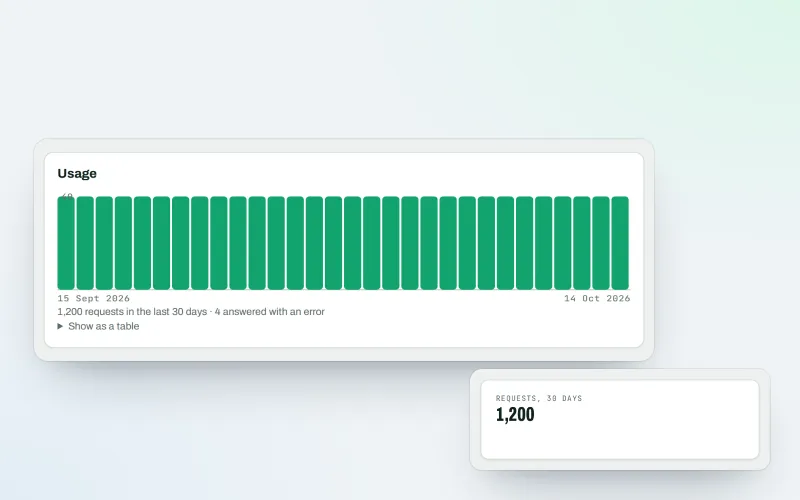
Developer API
Use your SEO data in your own systems, dashboards and websites
Explore -
Looker Studio and Google Sheets Beta
A Looker Studio SEO connector and Google Sheets links for your figures
Explore -
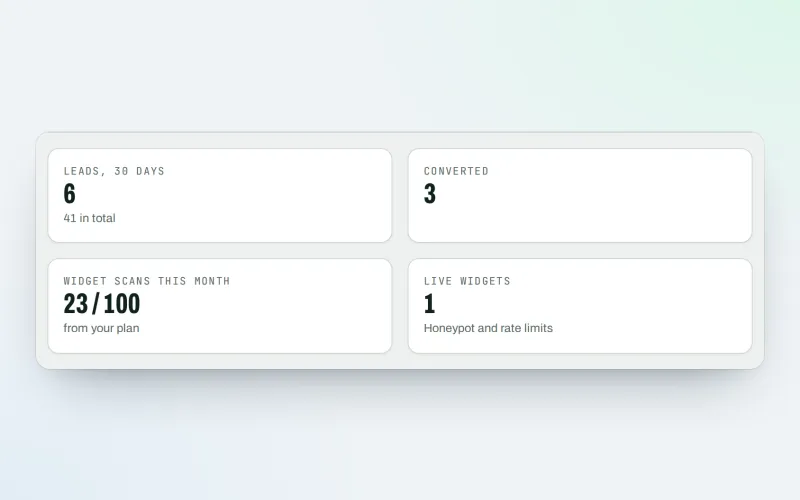
Agency tools
SEO agency software: win clients, work under your brand, give each client a portal
Explore -
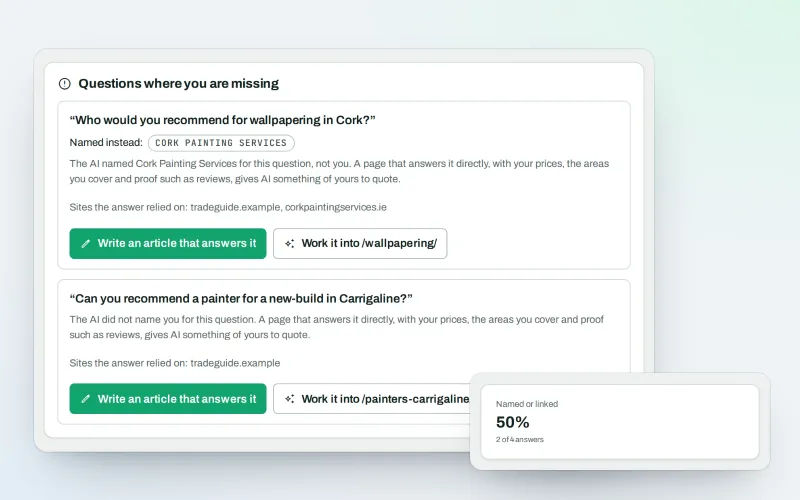
AI visibility tracker
See whether AI assistants name your business when customers ask
Explore -
Proof of Progress
An SEO progress report: show a client what changed since the work started
Explore -
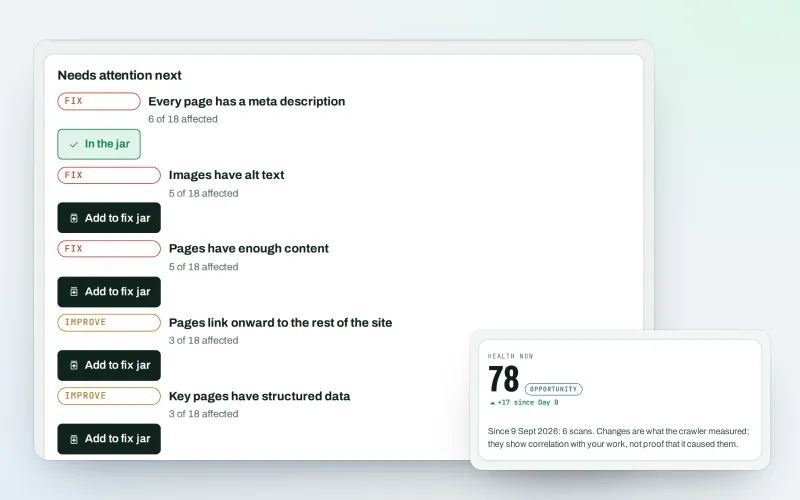
Website health check
A technical SEO audit: see what is wrong with your website, and what to fix first
Explore -
Agency catalogue Beta
An SEO agency directory listing that brings businesses to you
Explore -
Automations Beta
When something happens in SEOmise, do something about it automatically
Explore
Be among the first to try AI assistants (MCP)
AI assistants (MCP) is in beta. Ask for early access and we will e-mail you when it is ready for you; nothing is bought.
No ranking guarantees: just clear work, with the evidence.
