

- Home
- All modules
- Grow
- Articles for Framer and AI site builders
Grow
Articles for Framer and AI site builders
Publish your articles on Framer, Lovable, Bolt, Base44, Replit and v0 sites
No plugin needed: each article comes in the format your builder takes, with paste steps, and a private article feed lets your site read approved articles by itself.
Illustration of the screen, without data.
Why it matters
From the problem to what SEOmise does
A site with no place for a plugin
Framer, Lovable, Bolt, Base44, Replit and v0 build fast sites, but none has a plugin store to post articles through, so blog posts end up pasted by hand or never added.
Publish your articles on Framer, Lovable, Bolt, Base44, Replit and v0 sites
- Markdown and HTML. The article with its headings, lists and links, for any editor that takes rich text, Markdown or HTML.
- MDX for Next.js. For v0 and other Next.js blogs that keep articles as MDX files.
- Straight to your Framer CMS. Connect your Framer project with an API key you make in Framer, choose the collection and its fields, and each article becomes a CMS item, pictures included.
How it works
Four steps, start to finish
- SEOmise knows your builderIt recognises Lovable, Bolt, Base44 and Replit apps on their own addresses and v0 apps by their page, or you choose the platform.
- Copy an articleEach article comes as a web page (HTML), Markdown, MDX for Next.js blogs, or a React component, with the steps for your builder.
- Or switch on the feedYour project gets a private RSS and JSON feed. Paste the ready-made component once and approved articles appear on your site.
- SEOmise checks itEnter the address an article went live at and SEOmise checks the title and the text are there.
Features
What you get with Articles for Framer and AI site builders
Markdown and HTML
The article with its headings, lists and links, for any editor that takes rich text, Markdown or HTML.
MDX for Next.js
For v0 and other Next.js blogs that keep articles as MDX files.
Straight to your Framer CMS Beta
Connect your Framer project with an API key you make in Framer, choose the collection and its fields, and each article becomes a CMS item, pictures included. Publishing to Framer is in early access: ask for it on Settings → Connect your website → Hosted publishing.
A React component
One file per article for React apps and Framer code components: save it and show it on the page.
An article feed
RSS and JSON Feed at a private address, with only the articles you approved. A new address stops the old one at once.
Server-side for search
Next.js pages for v0 read the feed on the server, so each article is in the page for search engines.
Approved copies only
The feed holds the text as it was approved; a later edit waits for a new approval.
The tracker too
Steps for adding SEOmise's tracking code to each builder, so visits and reading show for every article.
Works with the autopilot
Where an owner lets articles publish on their own, clean articles go to the feed by themselves.
What it needs
No surprises after you sign up
Turn a card over for the detail.
Articles
Articles
The articles you write in SEOmise, by hand or with the autopilot.
A way to edit your site
A way to edit your site
Your builder's editor or chat, or the project's code, to paste the article or the feed component once.
Every platform
Whatever your site runs on
What Articles for Framer and AI site builders does on each kind of website, from SEOmise's site connectors to step-by-step guidance.
WordPress
WordPress and WooCommerceWordPress sites post through the SEOmise connector instead; the feed works too.
Laravel
Sites built on LaravelLaravel sites post through the Laravel connector; the feed works too.
Any PHP site
Custom PHP, CodeIgniter, Symfony, Drupal, JoomlaPHP sites can read the feed on the server, or paste the HTML.
Every other platform
Shopify, Wix, Squarespace, Webflow, static sites and the restFramer, Lovable, Bolt, Base44, Replit and v0 with their own steps; any other site with the feed or the copy formats.
Where Articles for Framer and AI site builders is included
Included in these plans. Limits, such as pages per scan or credits a month, are on the pricing page.
See pricingNot sure it fits?
Ask Mise, our assistant, in the help centre, or book a call and we will show you Articles for Framer and AI site builders on a site like yours.
Questions
Articles for Framer and AI site builders: common questions
Does SEOmise log in to my builder?
No. You paste the article or the feed component yourself; SEOmise never needs your builder's password. On Framer you can instead give SEOmise an API key for one project, which you can withdraw in Framer at any time.
Is the feed public?
Its address is private and long, and it only ever lists articles someone approved for your live site. You can replace the address at any time.
Will search engines see articles from the feed?
On v0 and other server-rendered sites, yes, in the page itself. In apps that show them in the browser, search engines see them after the page renders; for the best results also add important articles as their own pages.
What about Framer's own API?
SEOmise publishes through Framer's Server API: connect the project with an API key, choose the collection, and articles go into your CMS. It is in early access while Framer's Server API is in beta; the feed, a code component and copy and paste work meanwhile.
Which plans include Articles for Framer and AI site builders?
Articles for Framer and AI site builders is included in the Personal, Business and Agency plans. Prices and limits are on the pricing page.
Guides
Articles for Framer and AI site builders: how-to guides
Works well with
Related modules
-
Articles
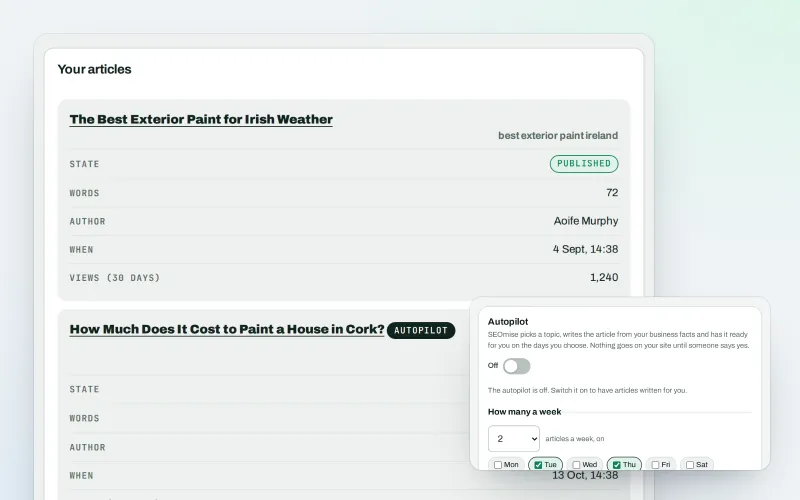
An AI blog writer that works from your own business facts
Explore -
Article autopilot Beta
Articles every month for one website, researched, written in your voice and published
Explore -
Publish to Shopify, Webflow and Wix Beta
Articles and local pages straight to your Shopify store, Webflow site or Wix blog
Explore -
Approve and publish
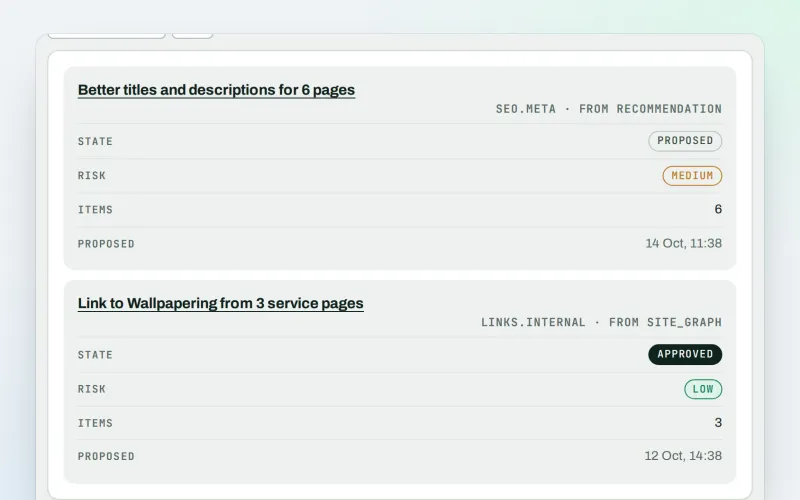
Approve a fix once, and publish SEO changes that are checked and can be undone
Explore -
SEO Ai
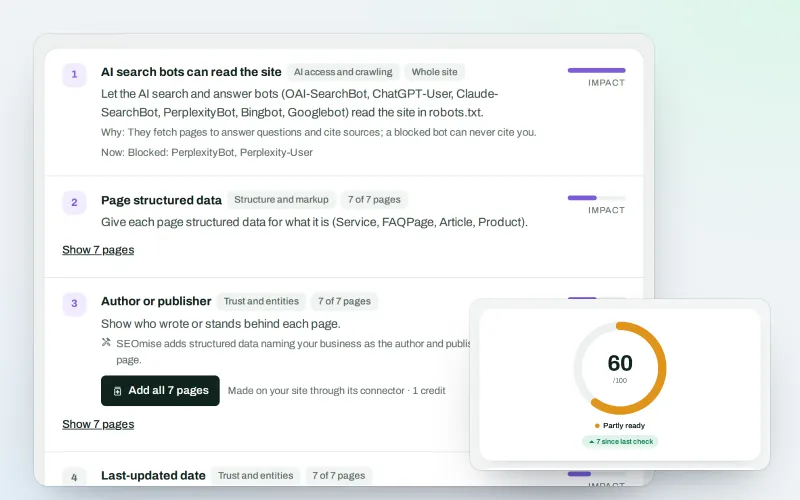
AI search optimisation: check whether AI assistants can read your site and quote it
Explore -
SEOApp
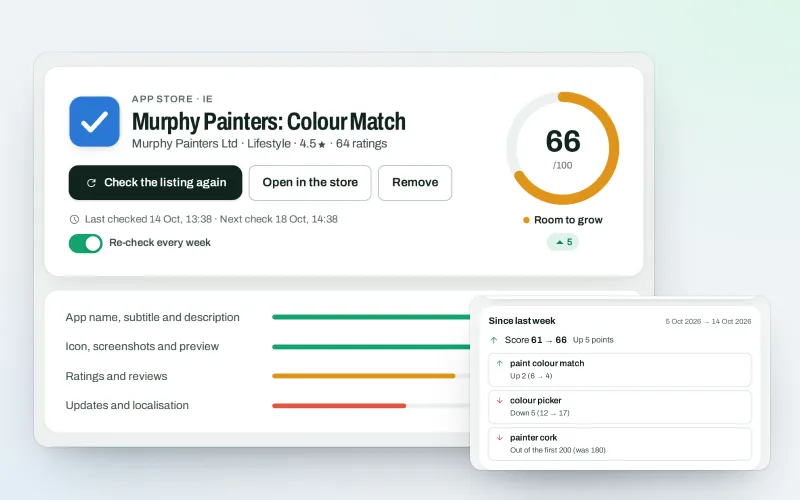
App store optimisation: get your app found in the App Store and Google Play
Explore -
Brand voice
A brand voice generator that studies your competitors, so every AI writer sounds like you
Explore -
Guided workspace
SEO for beginners, one mission at a time, with "Do it for me" on every step
Explore
Try Articles for Framer and AI site builders on your own site
Add your site; your first scan becomes your Day 0 baseline. Nothing is bought or published without your approval.
No ranking guarantees: just clear work, with the evidence.
