

- Home
- All modules
- Local
- Listings sync
Local
Listings sync Beta
Your business details on directories, Apple, Bing and more, kept the same everywhere
Listings sync sends your business details to directories and networks through BrightLocal or Yext, shows every listing's status, and waits for your approval before each change goes out.
Illustration of the screen, without data.
Why it matters
From the problem to what SEOmise does
Details that differ from site to site
An old phone number on one directory and a different address on another make search engines and customers unsure. Correcting each listing by hand takes hours.
Your business details on directories, Apple, Bing and more, kept the same everywhere
- BrightLocal or Yext. The provider that serves your country does the sending; you never need your own account with them.
- Diff before every push. Each change shown field by field, with approval first.
- Consistency score. The share of your listings whose name, address and phone match your details, with the same check as Citations.
How it works
Four steps, start to finish
- Your details, onceYour name, address, phone, hours, categories, description and photos come from your Business Profile or what you entered under Local.
- See the changesBefore anything is sent you see each detail as it was sent before and as it will be sent.
- ApproveSomeone who may publish approves it. Nothing goes out before.
- Follow each listingOne row per network with its status (live, pending, error, duplicate), when it was last synced, Fix and View.
Features
What you get with Listings sync
BrightLocal or Yext
The provider that serves your country does the sending; you never need your own account with them.
Diff before every push
Each change shown field by field, with approval first.
Consistency score
The share of your listings whose name, address and phone match your details, with the same check as Citations.
Duplicates found
Possible duplicate listings are shown; where the provider supports it, suppression is one button.
Statuses kept up to date
Each network's status is read again on a schedule, and sooner when the provider tells us something changed.
Priced per location
Choose how many locations to sync; agencies add it for all clients or one client at a time.
What it needs
No surprises after you sign up
Turn a card over for the detail.
Your business details
Your business details
From your Google Business Profile, or entered by hand under Local.
The add-on
The add-on
A price per location a month, on top of any paid plan (under Prices on this page).
Every platform
Whatever your site runs on
What Listings sync does on each kind of website, from SEOmise's site connectors to step-by-step guidance.
WordPress
WordPress and WooCommerceListings live on the networks, not on your website, so it works the same whatever your site is built on.
Laravel
Sites built on LaravelListings live on the networks, not on your website, so it works the same whatever your site is built on.
Any PHP site
Custom PHP, CodeIgniter, Symfony, Drupal, JoomlaListings live on the networks, not on your website, so it works the same whatever your site is built on.
Every other platform
Shopify, Wix, Squarespace, Webflow, static sites and the restWhere no provider covers your country yet: the Apple and Bing set-up, step by step, and directory listings done for you.
Listings sync is in beta
It is not on sale yet, so there are no prices for it. Leave your name and e-mail address and we will tell you as soon as you can use it.
Questions about it?
Ask Mise, our assistant, in the help centre, or book a call and we will tell you where Listings sync stands and what you can use today.
Questions
Listings sync: common questions
Which networks does it reach?
The ones the provider for your country sends to: directories, and with Yext networks such as Bing, Apple Maps and Facebook where the account covers them. Each appears as its own row with its status.
Is anything sent without me?
No. Every push shows the changes first and waits for approval by someone who may publish.
What if my country is not covered?
You keep the manual path: the Apple and Bing set-up with a check afterwards, and directory listings done for you.
What happens if I stop?
The sync pauses at the end of what you paid for; your listings stay as they are.
Can I use Listings sync now?
Listings sync is in beta: it is not on sale yet. Use Ask for early access and we will e-mail you as soon as it is ready for you. Other modules and the plans are on the pricing page.
Works well with
Related modules
-
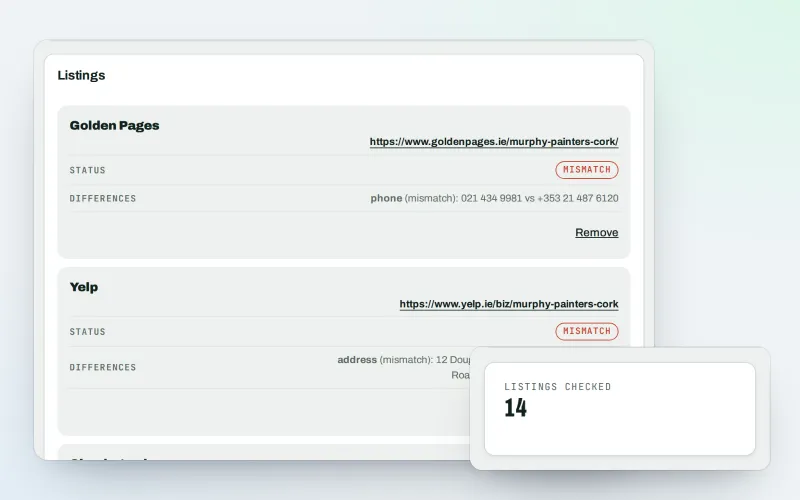
Citations and NAP
A citation checker that keeps your name, address and phone the same everywhere
Explore -
Apple and Bing listings
Apple Business Connect and Bing Places, set up step by step with the same details
Explore -
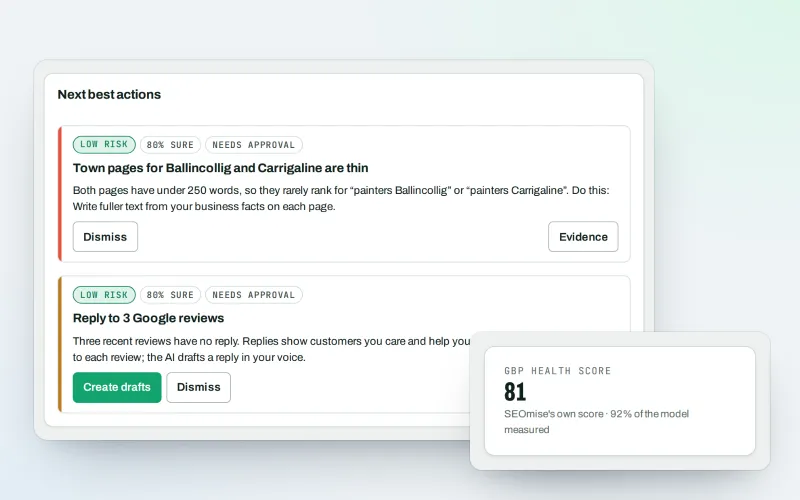
Google Business Profile
Google Business Profile management from one place, with approvals
Explore -
Local Intelligence
Multi-location SEO: all your business locations on one screen, with access per location
Explore -
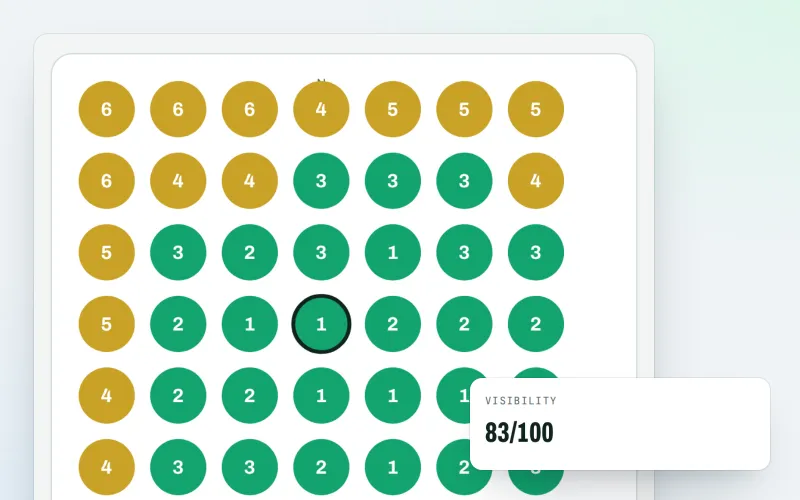
Map rank grid
A Google Maps rank tracker: see where your business appears across your area
Explore -
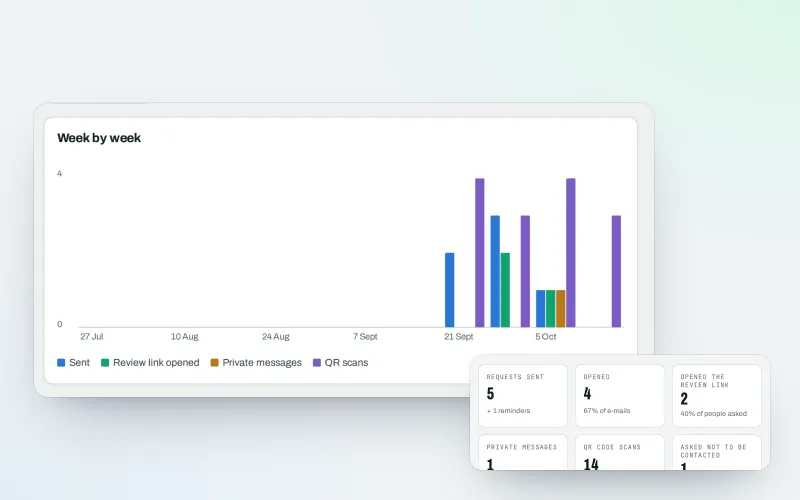
Review booster Beta
Get more Google reviews: ask every customer, fairly and in a few clicks
Explore -
Business Profile import
Bring your Google Business Profile performance figures in from the report you download
Explore -
Share of map top 3
How often you are in the Google Maps top 3 across your area, scan after scan
Explore
Be among the first to try Listings sync
Listings sync is in beta. Ask for early access and we will e-mail you when it is ready for you; nothing is bought.
No ranking guarantees: just clear work, with the evidence.
