

- Home
- All modules
- Search & content
- Content refresh alerts
Search & content
Content refresh alerts Beta
Content decay alerts: catch pages losing visitors before they drop off Google
Content decay caught early: each week SEOmise reads your Google search data, finds the pages that are slipping, shows the searches they are losing and suggests what to change.

A screen from the SEOmise demo, with sample data.
Why it matters
From the problem to what SEOmise does
Pages fade quietly
A page that brought in customers last year can lose its place on Google slowly, without anyone noticing. If you only notice when enquiries fall, it may have been going on for months.
Content decay alerts: catch pages losing visitors before they drop off Google
- Pages losing clicks. Clicks from Google fell by 30% or more against the period before, from a starting number big enough to mean something.
- Pages slipping down. The average place on Google slipped by 3 or more, for a page that was on the first two pages of results.
- Seen but rarely clicked. Pages shown often but clicked by less than half as many people as pages in that place usually get.
How it works
Four steps, start to finish
- Connect Search ConsoleGoogle Search Console is Google's free report of how your site does in search. Connect it once under Analyse → Visitors → Google data.
- A check every weekEvery Monday SEOmise compares the last 28 and 90 days with the same length of time before, page by page. You can also press "Check now".
- See what changedEach page shows why it is on the list, the searches it is losing and a suggested change.
- Fix it with help"Work it in for me" writes a new title, description and text for those searches. You check it and approve it before anything changes.
Features
What you get with Content refresh alerts
Pages losing clicks
Clicks from Google fell by 30% or more against the period before, from a starting number big enough to mean something.
Pages slipping down
The average place on Google slipped by 3 or more, for a page that was on the first two pages of results.
Seen but rarely clicked
Pages shown often but clicked by less than half as many people as pages in that place usually get.
The searches each page is losing
Up to five searches per page, with clicks and places before and now.
A suggested change
A new title and Google text, a fresher opening, or a new section that answers the searches the page is slipping on.
Work it in for me
The AI rewrites the title, description, main heading and text from the page and your business facts only, for you to approve.
A weekly e-mail
New pages to refresh, sent every Monday to the people who manage the project. You can switch it off.
Tasks in your AI Plan
Open pages also appear as tasks in your AI Plan, and close there when you mark them done.
Pages Google stopped showing
A page that had clicks or impressions before and none now is raised too, with a check to run first.
Recovered pages
A page whose clicks came back is marked "Recovered"; one that only left the list is "No longer detected". A page you marked done is not raised again for 28 days.
Before and after
What changes with Content refresh alerts
Before: without alerts. After: with content refresh alerts. Drag the handle, or use the arrow keys, to compare.
Without alerts
- Drops can go unnoticed for months
- It is hard to see which searches a page lost
- Fixing a page starts with a blank screen
With content refresh alerts
- A weekly list of pages that are slipping
- The searches each page is losing, with the figures
- A suggested change, and help writing it
Illustration of the difference, not a measured result.
What it needs
No surprises after you sign up
Turn a card over for the detail.
Google Search Console
Google Search Console
Connected under Analyse → Visitors → Google data, with enough history to compare one period with the one before.
A scan of your site
A scan of your site
So "Work it in for me" can open on the page and the list can show page titles.
AI credits
AI credits
For "Work it in for me". The alerts themselves need none.
The site connector (optional)
The site connector (optional)
To publish the approved changes from SEOmise. Without it, copy them into your site by hand.
Every platform
Whatever your site runs on
What Content refresh alerts does on each kind of website, from SEOmise's site connectors to step-by-step guidance.
WordPress
WordPress and WooCommerceApproved titles, descriptions and page text are published through the connector.
Laravel
Sites built on LaravelApproved titles, descriptions and page text are published through the Laravel connector.
Any PHP site
Custom PHP, CodeIgniter, Symfony, Drupal, JoomlaA paired PHP connector changes titles and descriptions. Page text is copied in by hand.
Every other platform
Shopify, Wix, Squarespace, Webflow, static sites and the restFinding the pages works the same. Copy the suggested title and text into your site.
Content refresh alerts is in beta
It is not on sale yet, so there are no prices for it. Leave your name and e-mail address and we will tell you as soon as you can use it.
Questions about it?
Ask Mise, our assistant, in the help centre, or book a call and we will tell you where Content refresh alerts stands and what you can use today.
Questions
Content refresh alerts: common questions
Do I need Google Search Console?
Yes. The tool reads the clicks and searches Google reports for your site. Connect Search Console under Analyse → Visitors → Google data; the first check runs after the next import.
Does it change my pages by itself?
No. It tells you which pages need a refresh and why. "Work it in for me" writes suggestions, and nothing changes on your site until someone approves them.
What counts as a page that needs a refresh?
Clicks from Google fell by 30% or more, its average place slipped by 3 or more, or it is seen often but clicked far less than usual for its place. The usual click rates are a rough guide from published studies, not a promise.
What happens after I fix a page?
Mark it "Done". It is not raised again for 28 days, because Google data takes time to show the change. A page that stops slipping is marked "Recovered".
Can I use it on a site that is not WordPress?
Yes. Finding the pages works for any site, because it uses Google's data. On Laravel sites the changes are published through the connector; elsewhere you copy the suggested text into your site.
Can I use Content refresh alerts now?
Content refresh alerts is in beta: it is not on sale yet. Use Ask for early access and we will e-mail you as soon as it is ready for you. Other modules and the plans are on the pricing page.
Works well with
Related modules
-
Google data
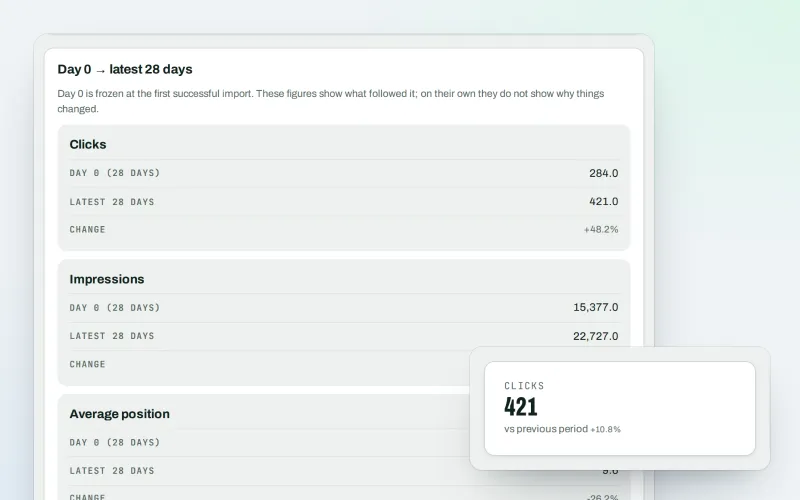
A Search Console dashboard with your Analytics figures, imported every day
Explore -
Content SEO checks
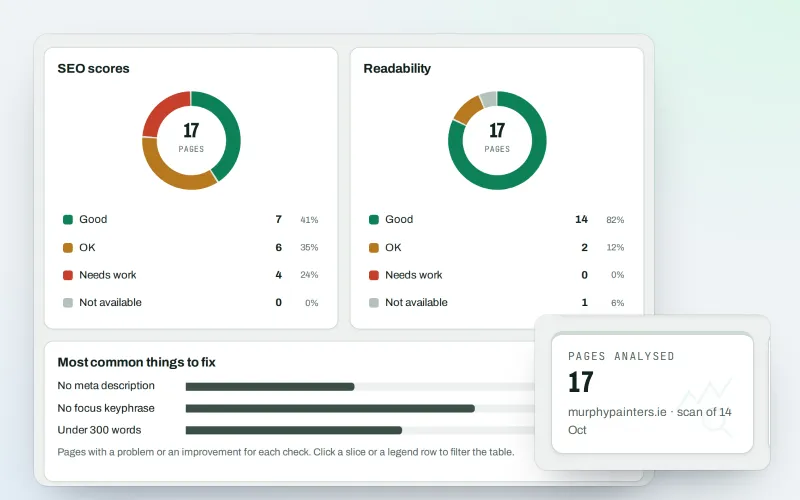
A content SEO checker for your titles, keyphrases and readability
Explore -
AI Plan
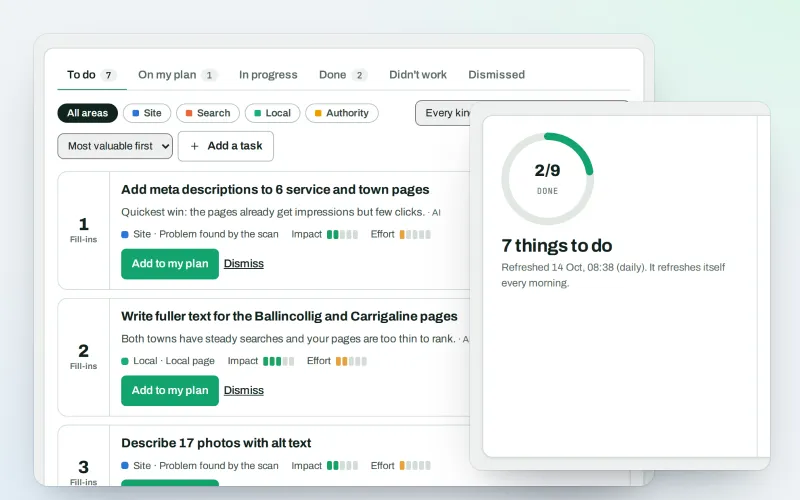
Your SEO action plan: the biggest difference for the least work first
Explore -
Keywords and rankings
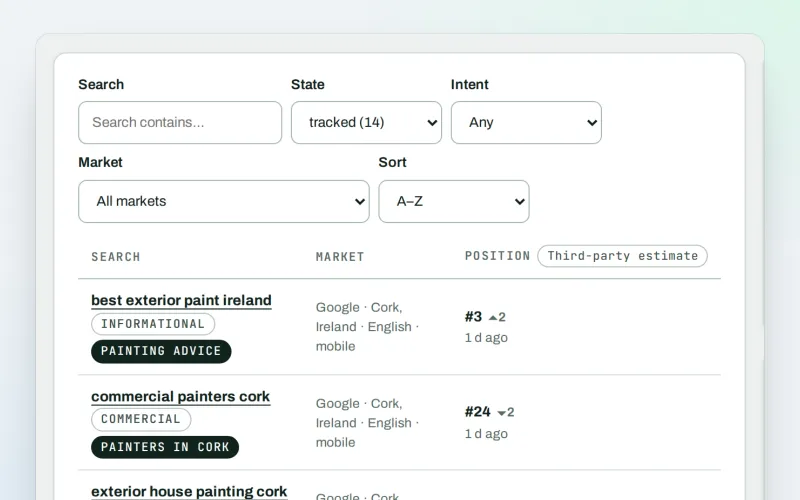
A rank tracker: see where you show up on Google, and which searches to go after
Explore -
Articles
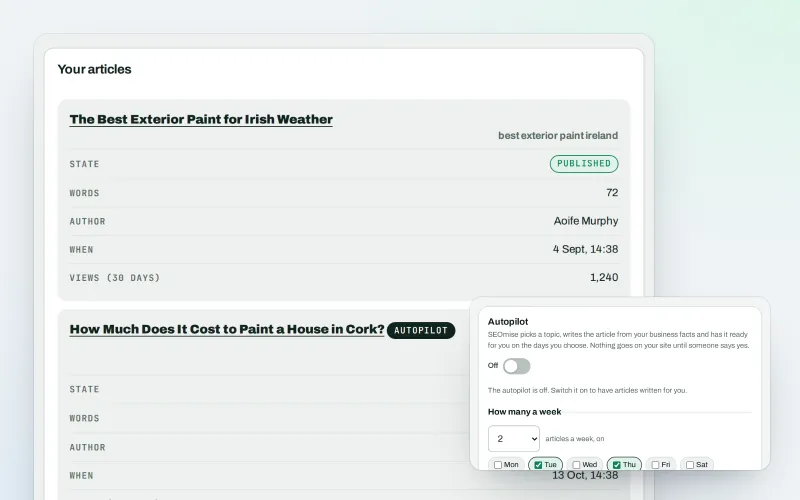
An AI blog writer that works from your own business facts
Explore -
Content calendar Beta
An SEO content calendar planned from your own searches
Explore -
Domain Explorer Beta
A domain analysis tool: any website's search and link figures, each with its source
Explore -
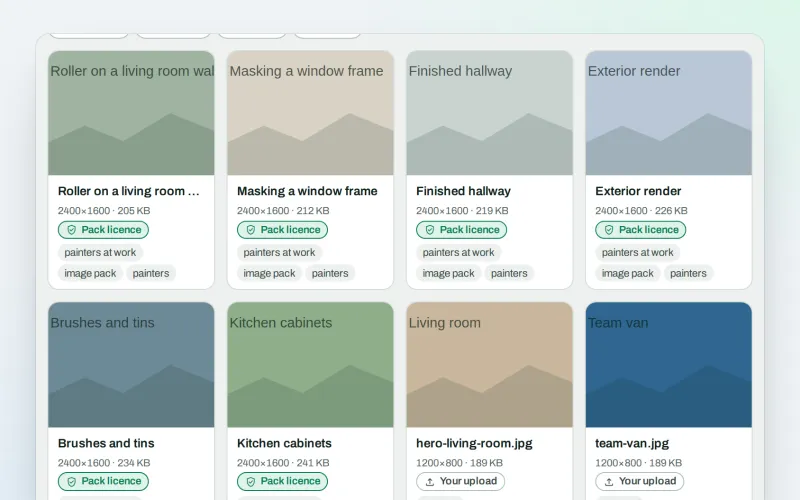
Image packs Beta
Stock photos for websites: ready-made photo sets for your pages and articles
Explore
Be among the first to try Content refresh alerts
Content refresh alerts is in beta. Ask for early access and we will e-mail you when it is ready for you; nothing is bought.
No ranking guarantees: just clear work, with the evidence.
