

- Home
- All modules
- Website health
- Indexing and URL health
Website health
Indexing and URL health Beta
Find the links that fill Search Console with "Page with redirect", and fix them
Finds the links to redirects, switch and "back to" links, www and http variants, chains, untidy addresses and sitemap entries that are not final pages, each with its fix.
Illustration of the screen, without data.
Why it matters
From the problem to what SEOmise does
Hundreds of addresses Google should never have seen
A region switcher, a "back to" link or a link to the old http address sits on every page. Search engines follow each one, land on a redirect, and Search Console fills up with pages that redirect or duplicate each other, while your real pages wait to be read.
Find the links that fill Search Console with "Page with redirect", and fix them
- Internal links to redirects. Every link on your pages to an address that forwards somewhere else, with the final address to use and the pages the link is on.
- Switch and "back to" links. Region, language and currency switchers, ?back= and ?from= links and session ids, grouped by the part of the site they come from, with the robots.txt rule that keeps crawlers out.
- www and http variants. Links to the other form of your address, and the one redirect for Apache, nginx or IIS that sends every variant to your main address.
How it works
Four steps, start to finish
- Read the latest scanEvery link of your latest website scan is followed to where it really ends, so nothing needs to be crawled again.
- Bring in Search ConsoleUpload the page report Search Console exports (Excel or CSV). Each address is matched to its cause in your site.
- Approve the fixWith a site connector, links are pointed at their final address and robots.txt rules are added after your approval, with undo. Otherwise you get exact steps and files for your platform.
- Checked by the next scanThe next scan shows whether the old addresses are gone, and how many links are left.
Features
What you get with Indexing and URL health
Internal links to redirects
Every link on your pages to an address that forwards somewhere else, with the final address to use and the pages the link is on.
Switch and "back to" links
Region, language and currency switchers, ?back= and ?from= links and session ids, grouped by the part of the site they come from, with the robots.txt rule that keeps crawlers out.
www and http variants
Links to the other form of your address, and the one redirect for Apache, nginx or IIS that sends every variant to your main address.
Chains and loops
Redirects that take several hops or go round in a circle, with each step shown.
Sitemap entries that are not final pages
Sitemap addresses that redirect, are missing, are marked noindex, name another page as canonical or are blocked by robots.txt.
Canonical tags that point at redirects
Pages whose canonical tag names an address that redirects, with the address it should name.
Untidy page addresses
Underscores, capital letters, file endings and mixed final slashes, with the tidy address. A rename or a new permalink structure is only ever a proposal you approve, with the old-to-new redirect map.
Search Console page reports
Import the Excel or CSV export of any Page indexing issue. The columns and the issue are recognised, or you choose them. Each address gets its cause and fix.
For agencies
Each client project on its own, an overview of the projects with the most redirecting links and sitemap problems, and the findings in client reports.
Before and after
What changes with Indexing and URL health
Before: search Console full of redirects. After: with Indexing and URL health. Drag the handle, or use the arrow keys, to compare.
Search Console full of redirects
- Pages with redirect that nobody can explain
- Switcher links followed on every page
- Links fixed by hand, one page at a time
With Indexing and URL health
- Each address matched to the link that causes it
- Switch links kept out of crawlers' way
- Links pointed at their final address after approval
Illustration of the difference, not a measured result.
What it needs
No surprises after you sign up
Turn a card over for the detail.
A website scan
A website scan
The findings come from your latest scan of your website.
A site connector (optional)
A site connector (optional)
To point links at their final address and add the robots.txt rules for you, with undo. Without one, follow the steps and use the files.
Search Console (optional)
Search Console (optional)
Upload its page reports at any time; with Google data connected, a small sample of addresses can also be inspected each day.
Every platform
Whatever your site runs on
What Indexing and URL health does on each kind of website, from SEOmise's site connectors to step-by-step guidance.
WordPress
WordPress and WooCommerceThe WordPress connector points links in content, menus and the theme at their final address as pages are sent, and adds the rules to robots.txt. A permalink change is a proposal with its redirect map.
Laravel
Sites built on LaravelThe Laravel connector points links at their final address in every page the app sends, and keeps its rules in its own block of public/robots.txt.
Any PHP site
Custom PHP, CodeIgniter, Symfony, Drupal, JoomlaThe PHP connector file points links at their final address in the pages it serves, and adds the rules to the robots.txt next to it when that file exists.
Every other platform
Shopify, Wix, Squarespace, Webflow, static sites and the restEvery other platform: the list of link replacements as a spreadsheet, the robots.txt lines, the server rules for Apache, nginx or IIS and the redirects in your platform's format, with steps. The next scan checks the result.
Indexing and URL health is in beta
It is not on sale yet, so there are no prices for it. Leave your name and e-mail address and we will tell you as soon as you can use it.
Questions about it?
Ask Mise, our assistant, in the help centre, or book a call and we will tell you where Indexing and URL health stands and what you can use today.
Questions
Indexing and URL health: common questions
Why does Search Console say "Page with redirect"?
Google found an address that forwards to another one. That is normal for old addresses, but when your own pages link to such addresses, Google keeps finding new ones. Linking straight to the final address stops it.
Will blocking switch links in robots.txt hide my pages?
No. A rule is only added for the switch addresses themselves (for example /region/ or ?back=), never for the whole site, and a part of your site that has real pages keeps them readable.
Do you change my content?
The connectors change the links in the page as it is sent, so your saved content stays as it was and the change can be undone at any time. Nothing changes before someone in your team who may approve changes approves it.
Can it rename my pages?
Only as a proposal: it lists each old address and its new one. Once approved and the pages are renamed, it checks the new addresses answer and then sets up the redirects through your connector.
Does it call Google on its own?
No. Page reports are files you upload. A URL inspection sample runs only through your own connected Search Console property, within a daily limit.
Can I use Indexing and URL health now?
Indexing and URL health is in beta: it is not on sale yet. Use Ask for early access and we will e-mail you as soon as it is ready for you. Other modules and the plans are on the pricing page.
Works well with
Related modules
-
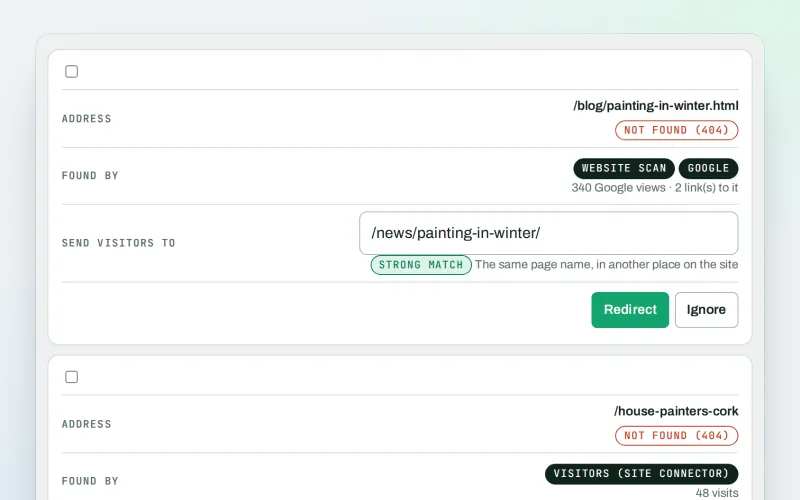
Broken links & 404 fixer Beta
A 404 checker that sends visitors from missing pages to the right live page
Explore -
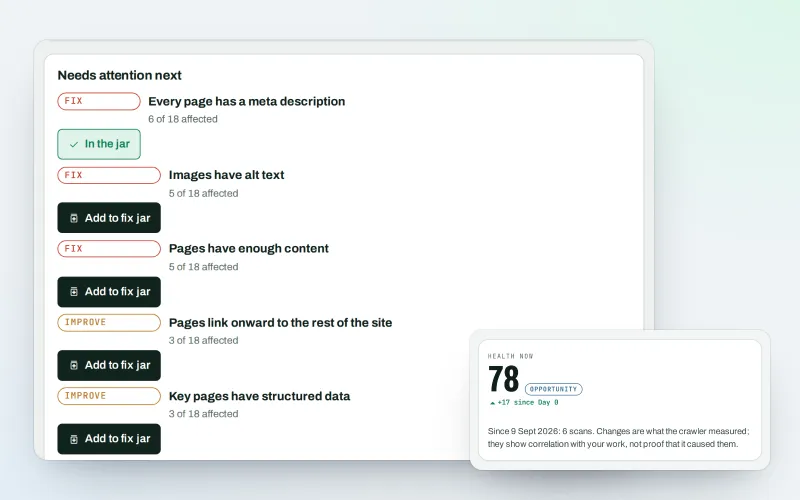
Website health check
A technical SEO audit: see what is wrong with your website, and what to fix first
Explore -
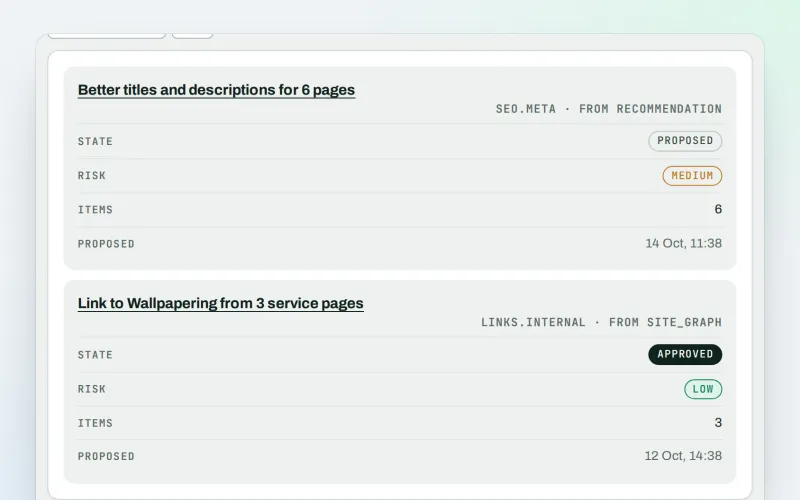
Approve and publish
Approve a fix once, and publish SEO changes that are checked and can be undone
Explore -
MiseGuard
Website protection in one place: forms, uptime, updates, firewall and backups
Explore -
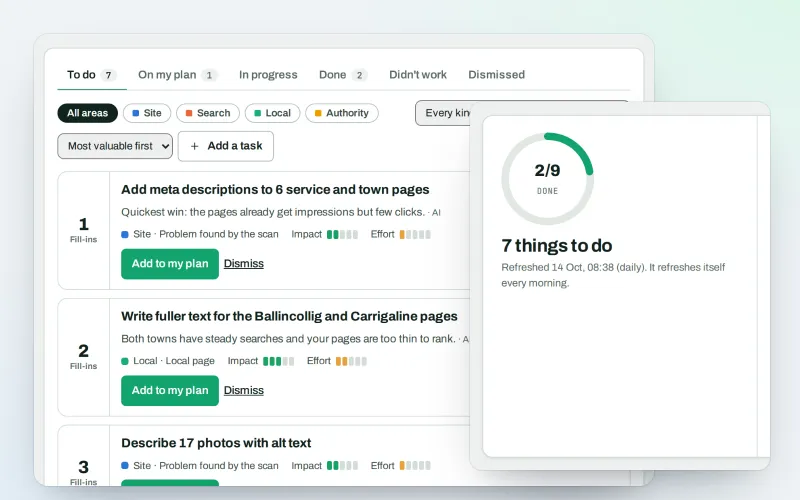
AI Plan
Your SEO action plan: the biggest difference for the least work first
Explore -
Apps & plugins
The SEO plugin, extensions, store apps and downloads for your platforms, in one library
Explore -
ConsentGuard SEO Beta
How your cookie banner affects search engines and measurement. A check, not legal advice
Explore -
Content SEO checks
A content SEO checker for your titles, keyphrases and readability
Explore
Be among the first to try Indexing and URL health
Indexing and URL health is in beta. Ask for early access and we will e-mail you when it is ready for you; nothing is bought.
No ranking guarantees: just clear work, with the evidence.
