







- Home
- All modules
- Website health
- JavaScript rendering
Website health
JavaScript rendering Beta
JavaScript SEO: scan sites built with React, Vue and similar as visitors see them
Some sites send an almost empty page and build the text with JavaScript. SEOmise opens their pages in a real browser, so titles, text and links that only appear after the scripts ran are checked too.
Illustration of the screen, without data.
Why it matters
From the problem to what SEOmise does
An empty page to a crawler
Sites built with React, Vue or Angular, and some shop and site-builder themes, send a page whose text is added by scripts. A plain scan sees little text and few links, so the report misses most of the site.
JavaScript SEO: scan sites built with React, Vue and similar as visitors see them
- A real browser. Headless Chromium runs the page's scripts, then SEOmise reads the page.
- Links found by scripts. Links that only appear after the scripts ran are followed like any other link.
- Capped and queued. A set number of pages per scan, a time and memory limit per page, on the queue so the scan is never held up for long.
How it works
Three steps, start to finish
- Switch it on for the projectWebsite health: tick "Render JavaScript" next to the scan button.
- Scan as usualThe scan reads every page as before; its first pages are then opened in a browser on the queue.
- See the full pictureTitles, text, headings and links come from the rendered page, and the scan says how many pages get most of their text from JavaScript.
Features
What you get with JavaScript rendering
A real browser
Headless Chromium runs the page's scripts, then SEOmise reads the page.
Links found by scripts
Links that only appear after the scripts ran are followed like any other link.
Capped and queued
A set number of pages per scan, a time and memory limit per page, on the queue so the scan is never held up for long.
A fallback when the browser cannot run here Beta
Pages that arrive almost empty can be read again through the Zyte API, a rendering service, when SEOmise's own browser is not used for the scan: only after your robots.txt allows it, within a monthly number of pages per workspace, and through a bot wall only on a site you have verified. The Zyte API fallback is in early access: ask for it and our team switches it on once its key and check are in place.
Every request checked
Each request a page makes is checked before it is made: only public addresses, never your server's own network.
Before and after
What changes with JavaScript rendering
Before: a plain scan of a JavaScript site. After: with JavaScript rendering. Drag the handle, or use the arrow keys, to compare.
A plain scan of a JavaScript site
- Pages that look empty
- Links the scripts add never found
- Reports that miss most of the site
With JavaScript rendering
- Text and headings as visitors see them
- Links added by scripts followed
- Pages that rely on JavaScript counted
Illustration of the difference, not a measured result.
What it needs
No surprises after you sign up
Turn a card over for the detail.
Website health
Website health
JavaScript rendering is part of the site scan.
Every platform
Whatever your site runs on
What JavaScript rendering does on each kind of website, from SEOmise's site connectors to step-by-step guidance.
WordPress
WordPress and WooCommerceWorks on any public website, whatever it is built on.
Laravel
Sites built on LaravelWorks on any public website, whatever it is built on.
Any PHP site
Custom PHP, CodeIgniter, Symfony, Drupal, JoomlaWorks on any public website, whatever it is built on.
Every other platform
Shopify, Wix, Squarespace, Webflow, static sites and the restReact, Vue, Angular, Next.js and Nuxt sites, Shopify, Wix, Webflow and every other platform: nothing to install.
JavaScript rendering is in beta
It is not on sale yet, so there are no prices for it. Leave your name and e-mail address and we will tell you as soon as you can use it.
Questions about it?
Ask Mise, our assistant, in the help centre, or book a call and we will tell you where JavaScript rendering stands and what you can use today.
Questions
JavaScript rendering: common questions
Do I need it?
Only if your site builds its text with JavaScript. If a scan of your site shows pages with very little text that look full in a browser, switch it on.
Is every page rendered?
The first pages of each scan, closest to the home page first (50 unless SEOmise changes it). The rest are read as the server sends them.
Is it safe for my site?
It opens your pages like a visitor's browser, a few at a time, and follows your robots.txt like every scan.
Can I use JavaScript rendering now?
JavaScript rendering is in beta: it is not on sale yet. Use Ask for early access and we will e-mail you as soon as it is ready for you. Other modules and the plans are on the pricing page.
Guides
JavaScript rendering: how-to guides
Works well with
Related modules
-
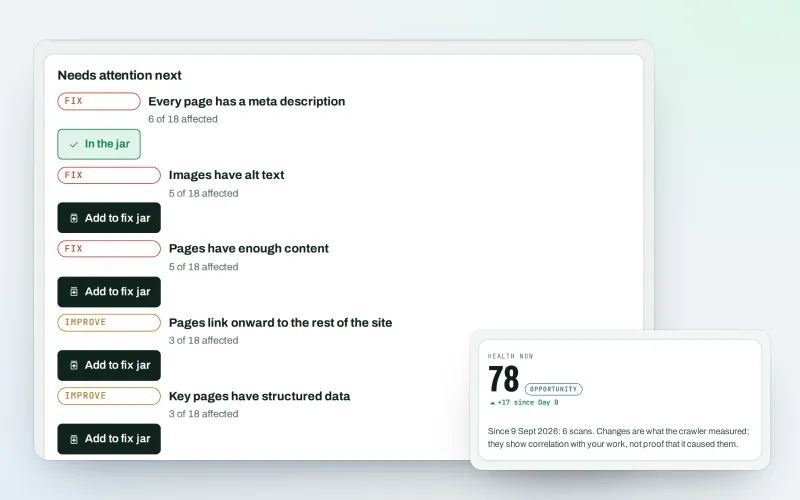
Website health check
A technical SEO audit: see what is wrong with your website, and what to fix first
Explore -
Free site audit (100 pages)
A free website audit of up to 100 pages of any site, without an account
Explore -
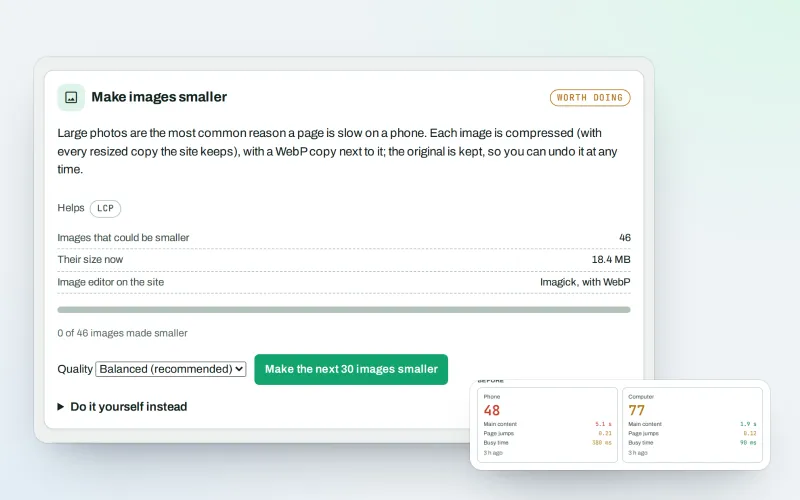
Speed fixes Beta
Website speed optimisation: find what slows your site down and fix it, safely
Explore -
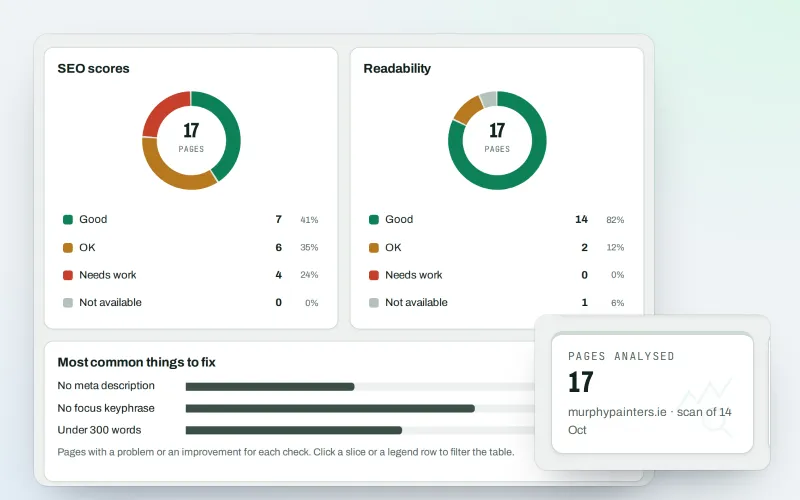
Content SEO checks
A content SEO checker for your titles, keyphrases and readability
Explore -
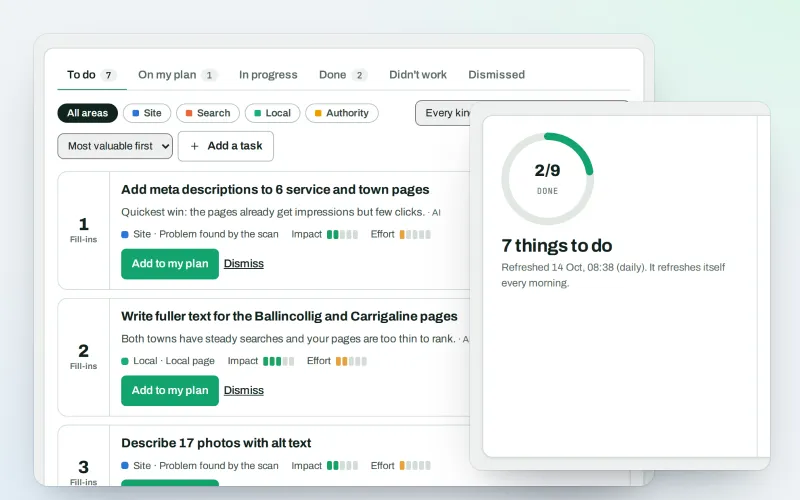
AI Plan
Your SEO action plan: the biggest difference for the least work first
Explore -
Approve and publish
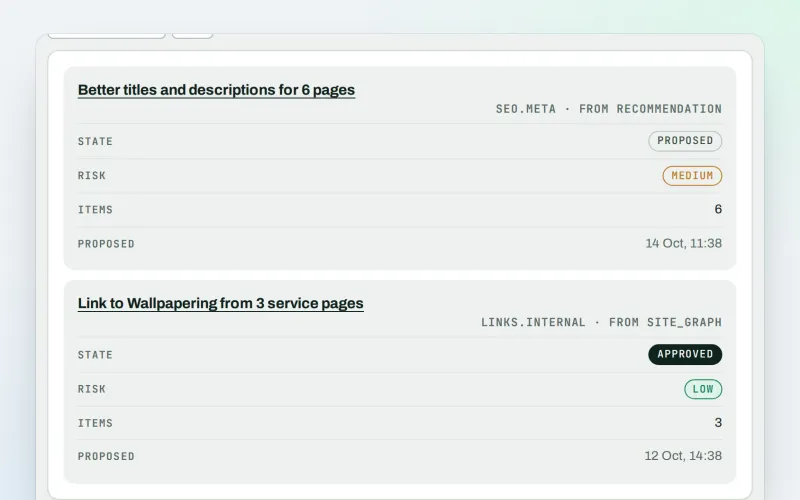
Approve a fix once, and publish SEO changes that are checked and can be undone
Explore -
Apps & plugins
The connector for your site's platform and SEOmise on your browser, computer and phone
Explore -
CDN and edge Beta
A CDN checker: see how your CDN serves your website, with changes you approve
Explore
Be among the first to try JavaScript rendering
JavaScript rendering is in beta. Ask for early access and we will e-mail you when it is ready for you; nothing is bought.
No ranking guarantees: just clear work, with the evidence.
