







- Home
- All modules
- Grow
- Lead capture
Grow
Lead capture Beta
Forms, pop-ups and call buttons on your site that fill your Lead inbox
Lead capture forms, pop-ups, slide-ins, sticky bars and call or WhatsApp buttons on your own website, in your site's look, with one line of code. Every enquiry lands in your Lead inbox.
Illustration of the screen, without data.
Why it matters
From the problem to what SEOmise does
Visitors leave without getting in touch
Most visitors read a page and leave. A contact page hidden in the menu, a form that asks too much or a pop-up that covers the page on a phone loses them, and enquiries that arrive by e-mail get lost before anyone calls back.
Forms, pop-ups and call buttons on your site that fill your Lead inbox
- Every lead in your Lead inbox. Stored encrypted, assigned, announced to your team and marked when the same person asks twice, with the page, the form and the campaign it came from.
- Five ways to ask. A form in the page, a pop-up, a slide-in, a sticky bar, and call and WhatsApp buttons.
- Multi-step forms. Short steps feel quicker: split a quote request into "About you" and "The job".
How it works
Four steps, start to finish
- Pick what you needA form in the page, a pop-up, a slide-in, a sticky bar, or round buttons that call you or open WhatsApp.
- Ask only what you needName, phone, e-mail, area, the service, a message, the best time to call, your own questions, in one step or several. A photo of the job when it is switched on.
- See it before it goes liveA live preview at computer and phone size, in your site's colours, font and logo, with checks for Google's pop-up guidance and accessibility.
- One line of code, any platformPaste the code, or use the shortcode in WordPress, the Blade line in Laravel or the PHP connector. SEOmise shows when it is seen on your site.
Features
What you get with Lead capture
Every lead in your Lead inbox
Stored encrypted, assigned, announced to your team and marked when the same person asks twice, with the page, the form and the campaign it came from.
Five ways to ask
A form in the page, a pop-up, a slide-in, a sticky bar, and call and WhatsApp buttons.
Multi-step forms
Short steps feel quicker: split a quote request into "About you" and "The job".
Your site's look
Starts from the colours, font and logo of your site where SEOmise has them; change any of them.
When and where it shows
After a delay or scroll depth, on the pages you choose, for new or returning visitors, with how often someone sees it again.
A/B tests
Try other wording on part of your visitors and compare the conversion of each version.
Kind on phones
A pop-up becomes a small card at the edge on phones and never covers the first page someone opens, as Google advises.
Spam protection
A hidden spam trap, a minimum time to fill it in, limits per connection and per form, and the bot check when it is set up.
Consent kept with each lead
The exact consent line the visitor ticked is stored with the lead; a separate box for news and offers, confirmed by e-mail.
Results that say what they know
Views, starts, leads and the conversion rate per form and version, and leads per page. "Not measured" with the reason, never a made-up zero.
Pages with visits but no leads
With Search Console or Google Analytics connected, the pages people find but leave without asking, each one a To do.
Only on your own website
Forms answer only to pages on your project's own sites, so nobody can copy them onto another site.
Before and after
What changes with Lead capture
Before: without Lead capture. After: with Lead capture. Drag the handle, or use the arrow keys, to compare.
Without Lead capture
- One contact form, deep in the menu
- Enquiries scattered over e-mail
- No idea which page or ad brought them
With Lead capture
- The right form on the pages that get visits
- Every enquiry in one inbox, ready to call
- The page, the form and the campaign with each lead
Illustration of the difference, not a measured result.
What it needs
No surprises after you sign up
Turn a card over for the detail.
A Lead inbox
A Lead inbox
Lead capture comes with a basic Lead inbox for its own enquiries: see them, call or e-mail and move them on. The full Lead inbox adds your ads and other sources, meetings, quotes and reports.
A way to add code to your site
A way to add code to your site
Any platform that lets you add a script or an HTML block; the WordPress plugin, the Laravel package or the PHP connector make it one line.
Search Console or Google Analytics (optional)
Search Console or Google Analytics (optional)
For the pages with visits but no leads.
Every platform
Whatever your site runs on
What Lead capture does on each kind of website, from SEOmise's site connectors to step-by-step guidance.
WordPress
WordPress and WooCommerceThe [seomise_form] shortcode or the "SEOmise form" block with the SEOmise plugin, or the code in a Custom HTML block.
Laravel
Sites built on LaravelThe @seomiseLeadForm Blade line with the SEOmise Laravel package, or the code in a view.
Any PHP site
Custom PHP, CodeIgniter, Symfony, Drupal, Joomlaseomise_lead_form() with the PHP connector, or the code in the page.
Every other platform
Shopify, Wix, Squarespace, Webflow, static sites and the restShopify, Wix, Squarespace, Webflow, Ghost, Framer and every other platform: paste the code, with the exact steps for your platform.
Lead capture is in beta
It is not on sale yet, so there are no prices for it. Leave your name and e-mail address and we will tell you as soon as you can use it.
Questions about it?
Ask Mise, our assistant, in the help centre, or book a call and we will tell you where Lead capture stands and what you can use today.
Questions
Lead capture: common questions
Will a pop-up hurt my rankings?
The builder warns about what Google calls intrusive interstitials: pop-ups that cover the page, above all on phones and right after arriving from search. On phones a pop-up becomes a small card at the edge and never shows on the first page someone opens.
Where do the enquiries go?
To your Lead inbox, encrypted, with the page, the form and its version, and the campaign tags, and your team gets a "new lead" notice. Without the full Lead inbox, they go to the basic Lead inbox that comes with Lead capture.
Does it work with my cookie banner?
The forms set no cookies. If you want a form to wait anyway, tick "Wait for the visitor's consent before showing": the form then stays hidden until your banner adds data-consent-granted to the page or calls seomiseConsent().
Does it work on my platform?
Yes: it is one script that works on any website. WordPress, Laravel and PHP sites can also use the connector's shortcode, Blade line or function.
What about spam?
A hidden spam trap, a minimum time to fill in the form, limits per connection and per form, disposable e-mail addresses refused, and the bot check when it is set up.
Can visitors send a photo?
When photos are switched on: each photo is checked to be a real picture of an allowed type and size, cleaned of hidden details, stored privately and deleted with its lead.
Is it on my own website only?
Yes. A form answers only to pages on your project's own websites, with and without www, and any extra domains you list.
Can I use Lead capture now?
Lead capture is in beta: it is not on sale yet. Use Ask for early access and we will e-mail you as soon as it is ready for you. Other modules and the plans are on the pricing page.
Works well with
Related modules
-
Lead inbox Beta
Lead management software: every lead in one inbox, followed up to the sale
Explore -
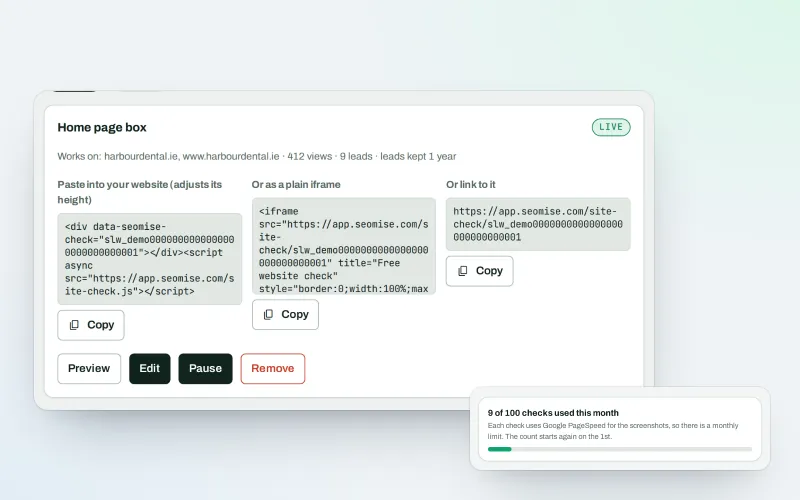
Website-check lead box Beta
An SEO lead generation widget: turn website visitors into leads with a free check
Explore -
Landing pages Beta
A landing page builder for one service or offer, in your site's own look
Explore -
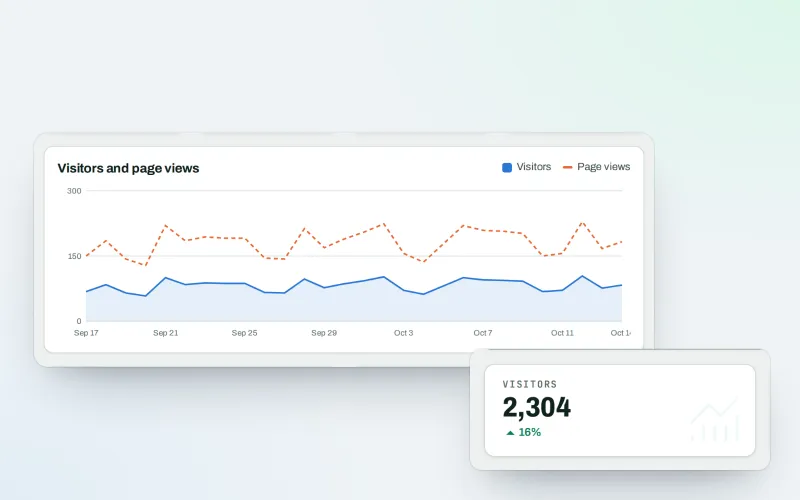
Traffic statistics
Cookie-free analytics: visitor statistics counted on your own website
Explore -
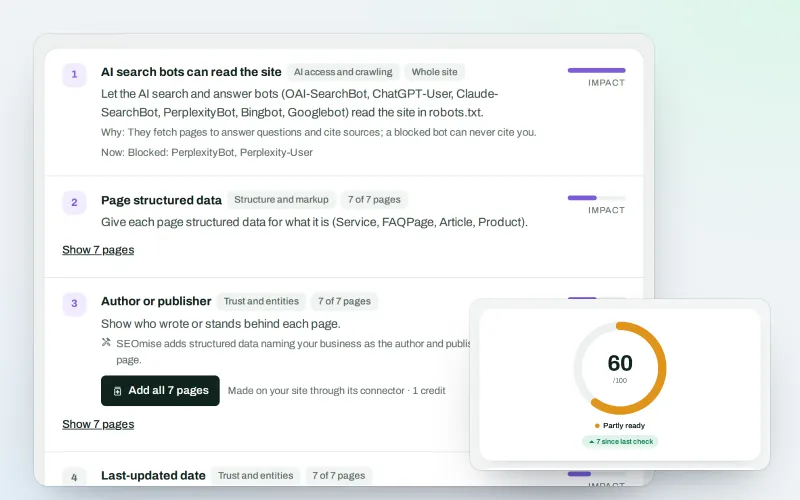
SEO Ai
AI search optimisation: check whether AI assistants can read your site and quote it
Explore -
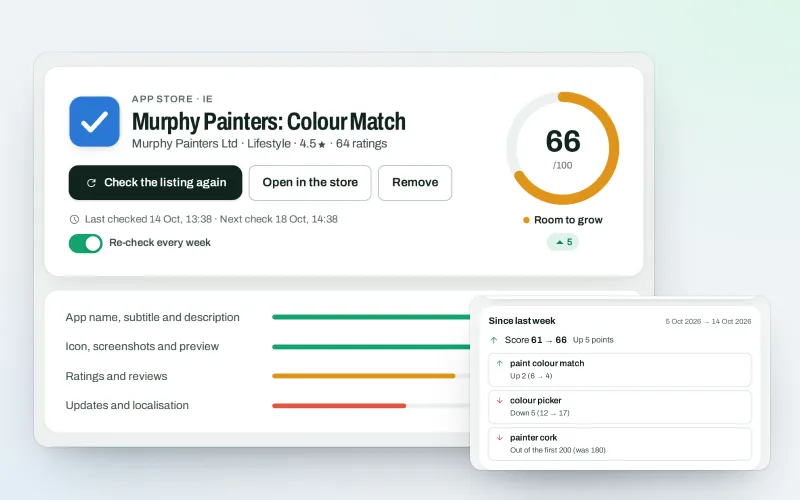
SEOApp
App store optimisation: get your app found in the App Store and Google Play
Explore -
Guided workspace
SEO for beginners, one mission at a time, with "Do it for me" on every step
Explore -
Publish to Shopify, Webflow and Wix Beta
Articles and local pages straight to your Shopify store, Webflow site or Wix blog
Explore
Be among the first to try Lead capture
Lead capture is in beta. Ask for early access and we will e-mail you when it is ready for you; nothing is bought.
No ranking guarantees: just clear work, with the evidence.
