

- Home
- All modules
- Visitors & reports
- Report archive
Visitors & reports
Report archive
Your SEO report archive: every report kept exactly as sent, with who it went to
An SEO report archive of every report sent to a client, kept exactly as sent. See who each went to, download it privately and share chosen ones in your client portal.
Illustration of the screen, without data.
Why it matters
From the problem to what SEOmise does
Which report did the client actually get?
A client asks about the figures in last month's report. The live report has moved on since, the attachment is somewhere in an inbox, and nobody remembers who it went to.
Your SEO report archive: every report kept exactly as sent, with who it went to
- Kept as sent. The exact copy your client received, for 24 months, with newer figures offered beside it.
- AI analysis versions. Every Technical AI analysis is kept; compare the newest with the one before.
- History before you joined. Earlier public checks of your website, read-only, with nothing about who asked for them (Beta).
How it works
Four steps, start to finish
- Send reports as usualMonthly Proof of Progress e-mails, client reports and white-label audits are kept the moment they are sent.
- Find oneFilter by kind, dates and project; each row says who it went to and how often it was used again.
- Download it privatelyA link made for you that works for a few minutes, never a public address.
- Share with your clientAgencies choose the reports their client sees in the client portal.
Features
What you get with Report archive
Kept as sent
The exact copy your client received, for 24 months, with newer figures offered beside it.
AI analysis versions
Every Technical AI analysis is kept; compare the newest with the one before.
History before you joined
Earlier public checks of your website, read-only, with nothing about who asked for them (Beta).
Every platform
WordPress, Laravel, every other platform or a site edited by hand: kept by address and project.
Before and after
What changes with Report archive
Before: without an archive. After: with the report archive. Drag the handle, or use the arrow keys, to compare.
Without an archive
- Old reports redrawn with today's figures
- Attachments lost in inboxes
- No record of who got what
With the report archive
- The copy as sent, any time
- Who it went to and when
- Chosen reports in the client portal
Illustration of the difference, not a measured result.
What it needs
No surprises after you sign up
Turn a card over for the detail.
The export permission
The export permission
Listing and downloading needs the right to export reports; clients see only what their agency shared.
Where Report archive is included
Included in these plans. Limits, such as pages per scan or credits a month, are on the pricing page.
See pricingNot sure it fits?
Ask Mise, our assistant, in the help centre, or book a call and we will show you Report archive on a site like yours.
Questions
Report archive: common questions
Can a client see every report?
No. A client in the portal sees only the reports their agency chose to show, and never who they were sent to.
How long are reports kept?
Sent reports 24 months, drawn PDFs 90 days and AI analyses 365 days, unless the workspace is deleted first.
Which plans include Report archive?
Report archive is included in the Free, Personal, Business and Agency plans. Prices and limits are on the pricing page.
Works well with
Related modules
-
Reports centre
An SEO reporting tool: every report in one gallery, as a branded PDF or a link
Explore -
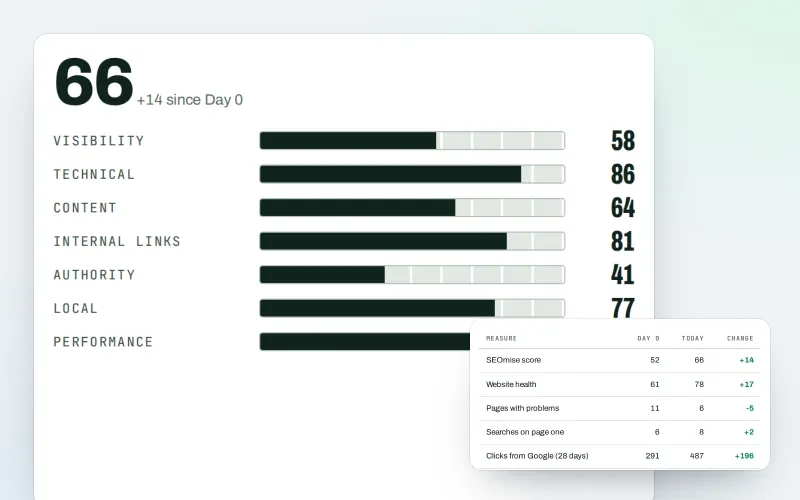
Client reports
White label SEO reports as a PDF, e-mailed every week or month
Explore -
Proof of Progress
An SEO progress report: show a client what changed since the work started
Explore -
Live client report links
Live SEO reports: send clients one private link that is always up to date
Explore -
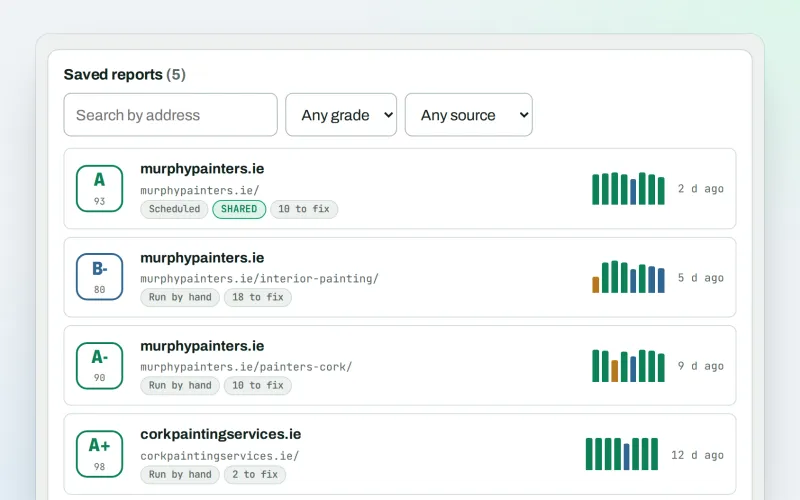
SEO audit reports
A graded SEO audit of any web address, ready to share or send
Explore -
Client update e-mails
Client SEO updates by e-mail: rankings up, rankings down and the work done
Explore -
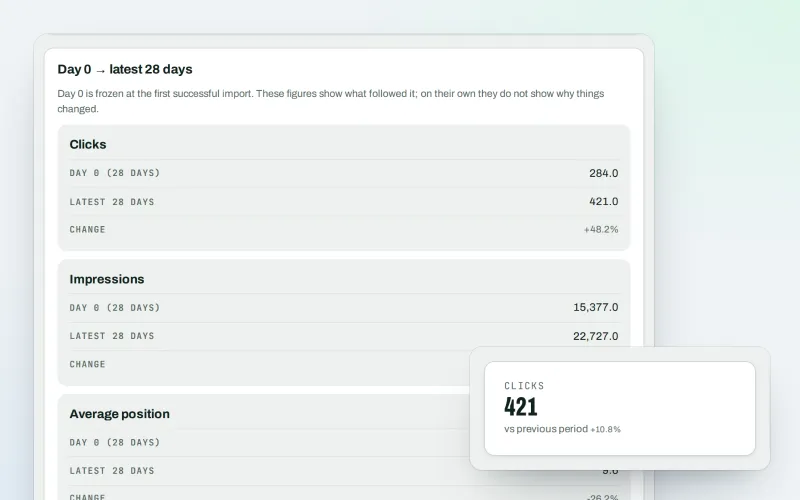
Google data
A Search Console dashboard with your Analytics figures, imported every day
Explore -
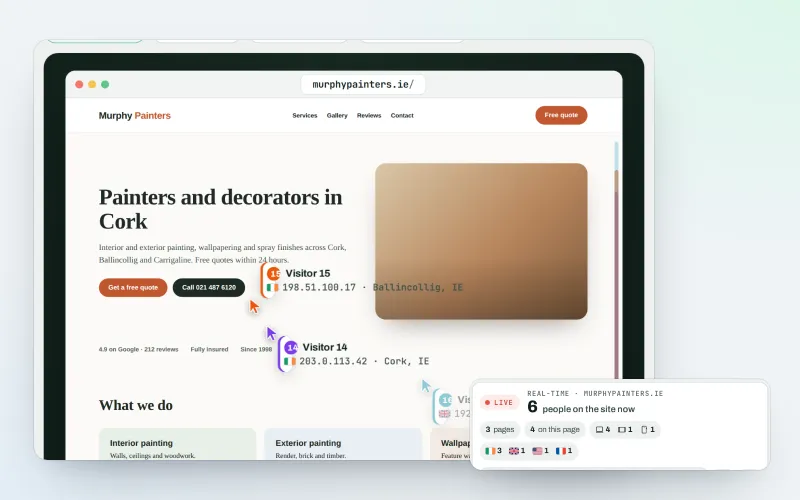
Live view
See real-time website visitors, right now, and where they click
Explore
Try Report archive on your own site
Add your site; your first scan becomes your Day 0 baseline. Nothing is bought or published without your approval.
No ranking guarantees: just clear work, with the evidence.
