

- Home
- All modules
- Local
- Review reply rules
Local
Review reply rules
Thank people for good Google reviews by rules, with your approval or by themselves
Reply to your 4 and 5 star Google reviews with rules you set: the stars, words and language, a template or an AI draft, and an approval queue before anything is posted.
Illustration of the screen, without data.
Why it matters
From the problem to what SEOmise does
Good reviews wait for a thank-you
Replying to every good review takes time, so many go unanswered. Copying the same reply by hand is tedious, and an automatic reply to an unhappy customer can do harm.
Thank people for good Google reviews by rules, with your approval or by themselves
- Never 1 to 3 stars. Rules only answer reviews of 4 or 5 stars. Lower ratings always wait for a person.
- Off until you switch it on. Each project starts with its rules off. An approver switches them on.
- Words and languages. Answer only reviews that mention a service, skip ones that mention a refund, and reply in the review's language with a rule per language.
How it works
Four steps, start to finish
- Add a ruleChoose the stars (4 or 5), words the review must or must not mention, and languages.
- Choose the replyWrite a template with the reviewer's first name and your business name, or let AI draft one from your business details and the review.
- Approve or let it postReplies wait in the approval queue; an approver can let a rule post by itself.
- Check the logEvery reply is logged with who posted it, and a posted reply can be undone.
Features
What you get with Review reply rules
Never 1 to 3 stars
Rules only answer reviews of 4 or 5 stars. Lower ratings always wait for a person.
Off until you switch it on
Each project starts with its rules off. An approver switches them on.
Words and languages
Answer only reviews that mention a service, skip ones that mention a refund, and reply in the review's language with a rule per language.
Template or AI draft
Templates fill in the first name, business name and town. AI drafts use only your business details and the review.
An approval queue
Check, edit and post each reply, or let an approver choose "post by itself" for a rule. The location's approval rule still applies.
A daily limit
At most a set number of replies a day per location, so your profile never fills with identical replies.
Log and undo
Every reply is logged. A reply posted from here can be taken off Google again for a set number of days.
Copy when posting is not possible
For a location entered by hand, not verified, or while Google access is being set up: copy the reply into Google.
Before and after
What changes with Review reply rules
Before: replying by hand. After: with review reply rules. Drag the handle, or use the arrow keys, to compare.
Replying by hand
- Good reviews wait days for a reply
- The same thank-you typed again and again
- No record of who replied with what
With review reply rules
- Good reviews get a reply after each sync
- Your wording, checked before it goes out
- A log of every reply, with undo
Illustration of the difference, not a measured result.
What it needs
No surprises after you sign up
Turn a card over for the detail.
Google Business Profile
Google Business Profile
A connected and verified location to post replies. Without one, replies can still be written and copied by hand.
Optional: AI review replies
Optional: AI review replies
AI drafts need AI review replies in your plan. Templates work without it.
Every platform
Whatever your site runs on
What Review reply rules does on each kind of website, from SEOmise's site connectors to step-by-step guidance.
WordPress
WordPress and WooCommerceWorks with Google Business Profile, so nothing is installed on your website.
Laravel
Sites built on LaravelWorks with Google Business Profile, so nothing is installed on your website.
Any PHP site
Custom PHP, CodeIgniter, Symfony, Drupal, JoomlaWorks with Google Business Profile, so nothing is installed on your website.
Every other platform
Shopify, Wix, Squarespace, Webflow, static sites and the restThe same for hosted builders and every other platform; replies can also be copied into Google by hand.
Where Review reply rules is included
Included in these plans. Limits, such as pages per scan or credits a month, are on the pricing page.
See pricingNot sure it fits?
Ask Mise, our assistant, in the help centre, or book a call and we will show you Review reply rules on a site like yours.
Questions
Review reply rules: common questions
Will it reply to bad reviews?
No. Rules only answer reviews of 4 or 5 stars; reviews of 1 to 3 stars always need a person.
Does anything go out without me seeing it?
Only if an approver chooses "post by itself" for a rule. Otherwise every reply waits in the approval queue.
Can I take a reply back?
Yes. A reply posted from here can be undone for a set number of days, which removes it from Google.
What if my location is not verified?
Google only takes replies for verified locations. Until then, replies wait in the queue for you to copy into Google.
Which plans include Review reply rules?
Review reply rules is included in the Business and Agency plans. Prices and limits are on the pricing page.
Works well with
Related modules
-
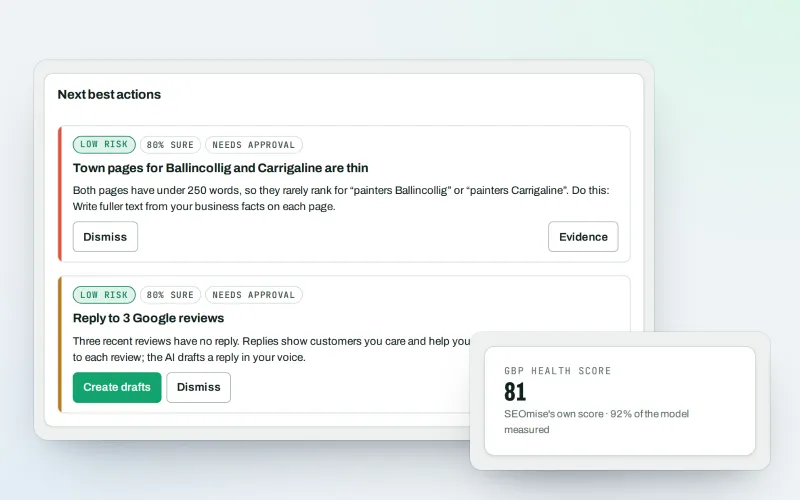
Google Business Profile
Google Business Profile management from one place, with approvals
Explore -
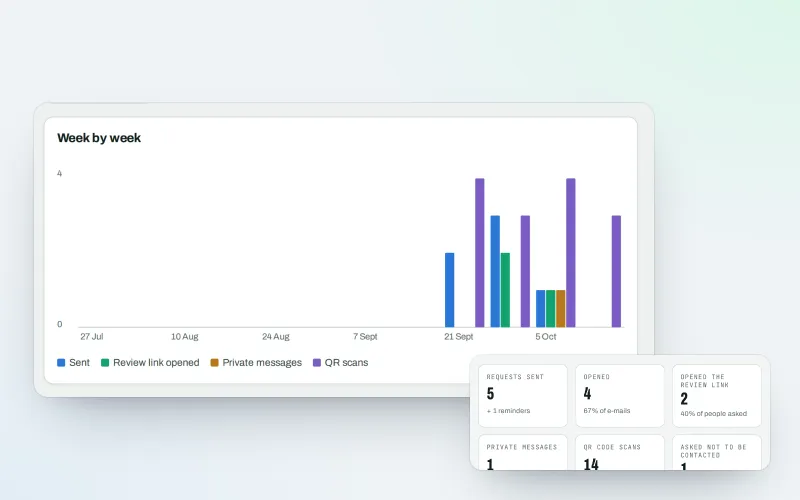
Review booster Beta
Get more Google reviews: ask every customer, fairly and in a few clicks
Explore -
Review showcase Beta
A widget with your recent good Google reviews on your own website, linked to Google
Explore -
Local Intelligence
Multi-location SEO: all your business locations on one screen, with access per location
Explore -
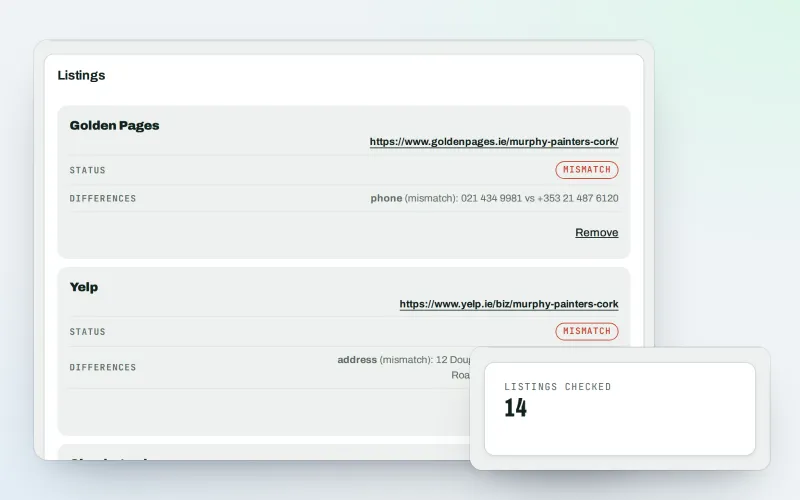
Citations and NAP
A citation checker that keeps your name, address and phone the same everywhere
Explore -
Listings sync Beta
Your business details on directories, Apple, Bing and more, kept the same everywhere
Explore -
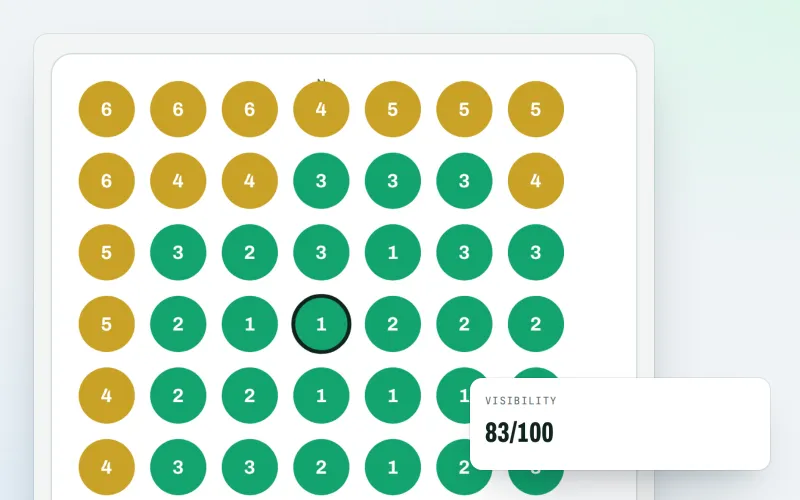
Map rank grid
A Google Maps rank tracker: see where your business appears across your area
Explore -
Apple and Bing listings
Apple Business Connect and Bing Places, set up step by step with the same details
Explore
Try Review reply rules on your own site
Add your site; your first scan becomes your Day 0 baseline. Nothing is bought or published without your approval.
No ranking guarantees: just clear work, with the evidence.
