







- Home
- All modules
- Grow
- Messenger replies
Grow
Messenger replies Beta
Facebook message replies: answer Page messages and comments with your quote form
Facebook message replies from your Lead inbox: people message your Page, ask "how much?" under posts and ads, or write on Instagram, and you answer with a tracked link to your quote form.
Illustration of the screen, without data.
Why it matters
From the problem to what SEOmise does
Questions in Messenger and the comments go unanswered
A "how much?" under an ad or a message on a Saturday waits until someone finds it, and by then the person has asked someone else. Answers typed one by one never say where the enquiry came from.
Facebook message replies: answer Page messages and comments with your quote form
- Messages and comments in one place. Messenger and Instagram messages, comments on your own posts and ads, and click-to-Messenger ad conversations.
- Saved replies. Your team's best answers, each with the form its link opens; your Page's name filled in.
- A tracked form link. Every reply carries a link to your Lead capture form on a page of its own, so the lead is counted as from that conversation.
How it works
Four steps, start to finish
- Connect your PageSign in with Facebook in the Lead inbox, choose your Page and switch messages and comments on. Add the Instagram account linked to it.
- See every conversationMessages to your Page, comments on your own posts and ads, and messages from click-to-Messenger ads, in one list.
- Reply with your formPick a saved reply and the form its link opens, change the words if you like, and send.
- The lead arrivesWhen they send the form, the lead lands in your Lead inbox marked as from a message reply, with the conversation.
Features
What you get with Messenger replies
Messages and comments in one place
Messenger and Instagram messages, comments on your own posts and ads, and click-to-Messenger ad conversations.
Saved replies
Your team's best answers, each with the form its link opens; your Page's name filled in.
A tracked form link
Every reply carries a link to your Lead capture form on a page of its own, so the lead is counted as from that conversation.
One automatic first reply
Off until you switch it on: one reply with the form link to a message, or to a comment with a keyword such as price or quote.
Stops when you step in
As soon as someone from your team answers, here or in Meta Business Suite, automation stops for that conversation.
Inside Meta's rules
Replies only within 24 hours of their last message, and one private reply per comment within seven days.
Quiet hours and limits
Automatic replies wait for the morning and stop at the Page's number an hour and a day.
A public line under comments
Optionally answer the comment with "We've sent you a message." so they look in their inbox.
Copy a reply for anywhere
No Page to connect? Copy the reply with its tracked link into Messenger, WhatsApp or anywhere and send it yourself.
Results that say what they know
Conversations, replies, form opens, leads and the time to your first answer. "Not measured" with the reason, never a made-up zero.
Never cold messages
Only people who wrote to your Page or commented on your own posts can be answered. There is no way to message anyone else.
Private by design
Ids and messages stored encrypted, deleted after 90 days, and nothing shown to people limited to other projects.
Before and after
What changes with Messenger replies
Before: without Messenger replies. After: with Messenger replies. Drag the handle, or use the arrow keys, to compare.
Without Messenger replies
- Questions under ads wait until Monday
- The same answer typed again and again
- No idea which conversation became a job
With Messenger replies
- Every message and comment in your Lead inbox
- A saved reply with your quote form in two clicks
- Leads marked with the conversation they came from
Illustration of the difference, not a measured result.
What it needs
No surprises after you sign up
Turn a card over for the detail.
The Lead inbox
The Lead inbox
Conversations and the leads they bring live in your Lead inbox.
A Lead capture form
A Lead capture form
The link in each reply opens one of your live Lead capture forms.
A Facebook Page (optional)
A Facebook Page (optional)
To answer from here. Without one, copy the replies and send them yourself.
Every platform
Whatever your site runs on
What Messenger replies does on each kind of website, from SEOmise's site connectors to step-by-step guidance.
WordPress
WordPress and WooCommerceThe link opens your form on its own page, so it works whatever your site runs on; the same form can sit on your WordPress pages.
Laravel
Sites built on LaravelThe link opens your form on its own page; the same form can sit in your Laravel views.
Any PHP site
Custom PHP, CodeIgniter, Symfony, Drupal, JoomlaThe link opens your form on its own page; the same form can sit on your PHP pages.
Every other platform
Shopify, Wix, Squarespace, Webflow, static sites and the restShopify, Wix, Squarespace, Webflow and every other platform: the form's own page needs nothing on your site, and copied replies work in any app.
Messenger replies is in beta
It is not on sale yet, so there are no prices for it. Leave your name and e-mail address and we will tell you as soon as you can use it.
Questions about it?
Ask Mise, our assistant, in the help centre, or book a call and we will tell you where Messenger replies stands and what you can use today.
Questions
Messenger replies: common questions
Can I message people who have not contacted me?
No. Meta only allows a business to message someone who wrote to its Page, commented on its own post or ad, or started a chat from its ad, and this tool follows that. There is no way to message people found in groups, forums or other sites.
How long do I have to reply?
Within 24 hours of the person's last message, and one private reply to a comment within seven days. The screen shows until when you can reply and says why once the window has passed.
Will the automatic reply answer twice?
No. It sends one reply per conversation at most, never after your team has answered, never in your quiet hours, and never past the Page's limits.
Does it work with Instagram?
Yes, for the Instagram professional account linked to your Facebook Page: its messages and comments on its own posts, with the same replies and links.
How is a lead counted as from Messenger?
Each reply's link carries a short reference to its conversation. When the form is sent from it, the lead in your Lead inbox is marked as from a message reply and linked to that conversation.
What if I cannot connect my Page?
Use "Copy a reply": it makes the same reply with its tracked link for Messenger, WhatsApp or anywhere, and you send it yourself.
Can I use Messenger replies now?
Messenger replies is in beta: it is not on sale yet. Use Ask for early access and we will e-mail you as soon as it is ready for you. Other modules and the plans are on the pricing page.
Guides
Messenger replies: how-to guides
Works well with
Related modules
-
Lead inbox Beta
Lead management software: every lead in one inbox, followed up to the sale
Explore -
Lead capture Beta
Forms, pop-ups and call buttons on your site that fill your Lead inbox
Explore -
Landing pages Beta
A landing page builder for one service or offer, in your site's own look
Explore -
Social Beta
A social media scheduler: write once, queue and post to every channel
Explore -
SEO Ai
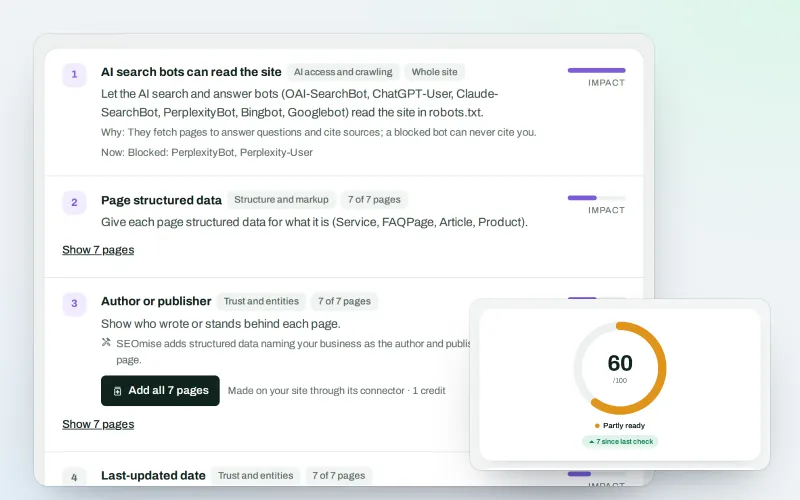
AI search optimisation: check whether AI assistants can read your site and quote it
Explore -
SEOApp
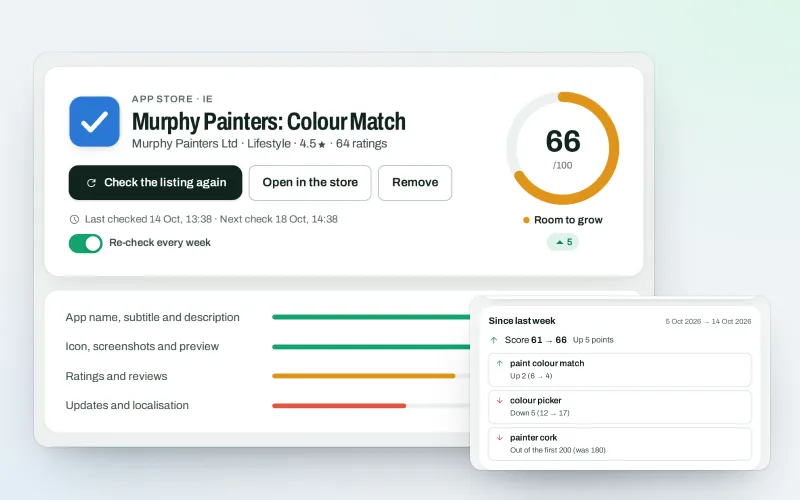
App store optimisation: get your app found in the App Store and Google Play
Explore -
Guided workspace
SEO for beginners, one mission at a time, with "Do it for me" on every step
Explore -
Publish to Shopify, Webflow and Wix Beta
Articles and local pages straight to your Shopify store, Webflow site or Wix blog
Explore
Be among the first to try Messenger replies
Messenger replies is in beta. Ask for early access and we will e-mail you when it is ready for you; nothing is bought.
No ranking guarantees: just clear work, with the evidence.
